4-67
Electrical Shock Hazard
Disconnect power before servicing.
Replace all parts and panels before
operating.
Failure to do so can result in death or
electrical shock.
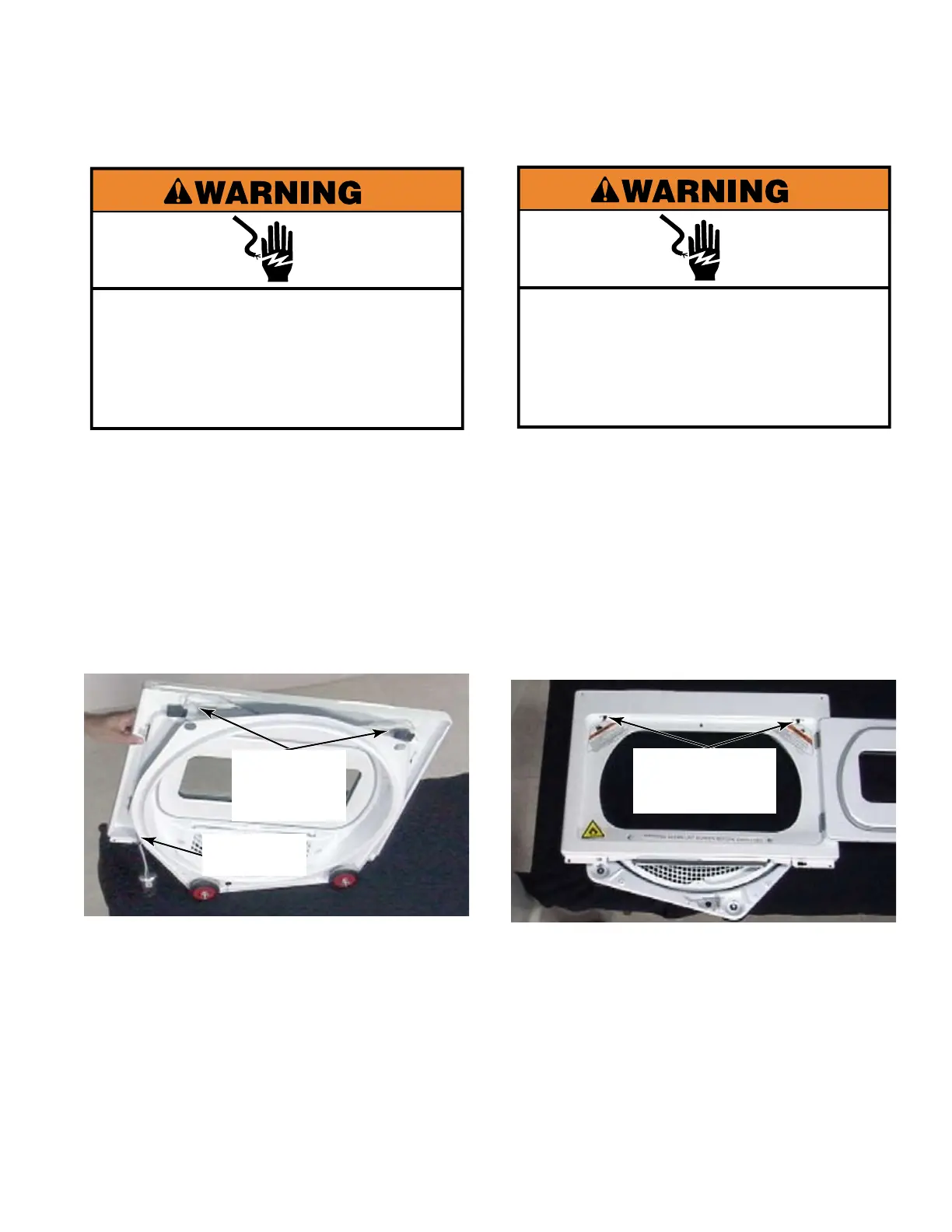
Remove the dryer front panel
(See page 4-66).
Use a flat blade screwdriver to release the
locking tab and disconnect both door switch
connectors at the top edge of the front
panel.
Release the wire harness from the clip at
the bottom of the front panel to remove it.
1.
2.
3.
REMOVE DOOR SWITCH
WIRE HARNESS
Electrical Shock Hazard
Disconnect power before servicing.
Replace all parts and panels before
operating.
Failure to do so can result in death or
electrical shock.
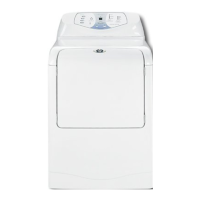
Remove the dryer front panel
(See page 4-66).
Open the dryer door.
Remove 2 star head screws at the top edge
of the door opening of either door switch.
Remove the door switch from the back side
of the front panel.
NOTE: 50 Hertz stack dryers have two
door switches on each dryer pocket. The
electronic control monitors the two switches
which are wired in series and connected
to a door switch monitoring relay. If either
switch opens, the dryer cycle will be
stopped. Cycle time continues to elapse
while the door remains open. On dryers set
to OPL or Free Vend the cycle will end if the
door is opened during that cycle
1.
2.
3.
4.
REMOVE DOOR SWITCH
Two Door
Switch
Connectors
Retaining
Clip
Two Star Head
Screws In
Each Switch


 To Next Page