147
I
NSTALLING, POWERING, CONNECTING AND REGISTERING TERMINALS
CHAPTER 4 INSTALLATION
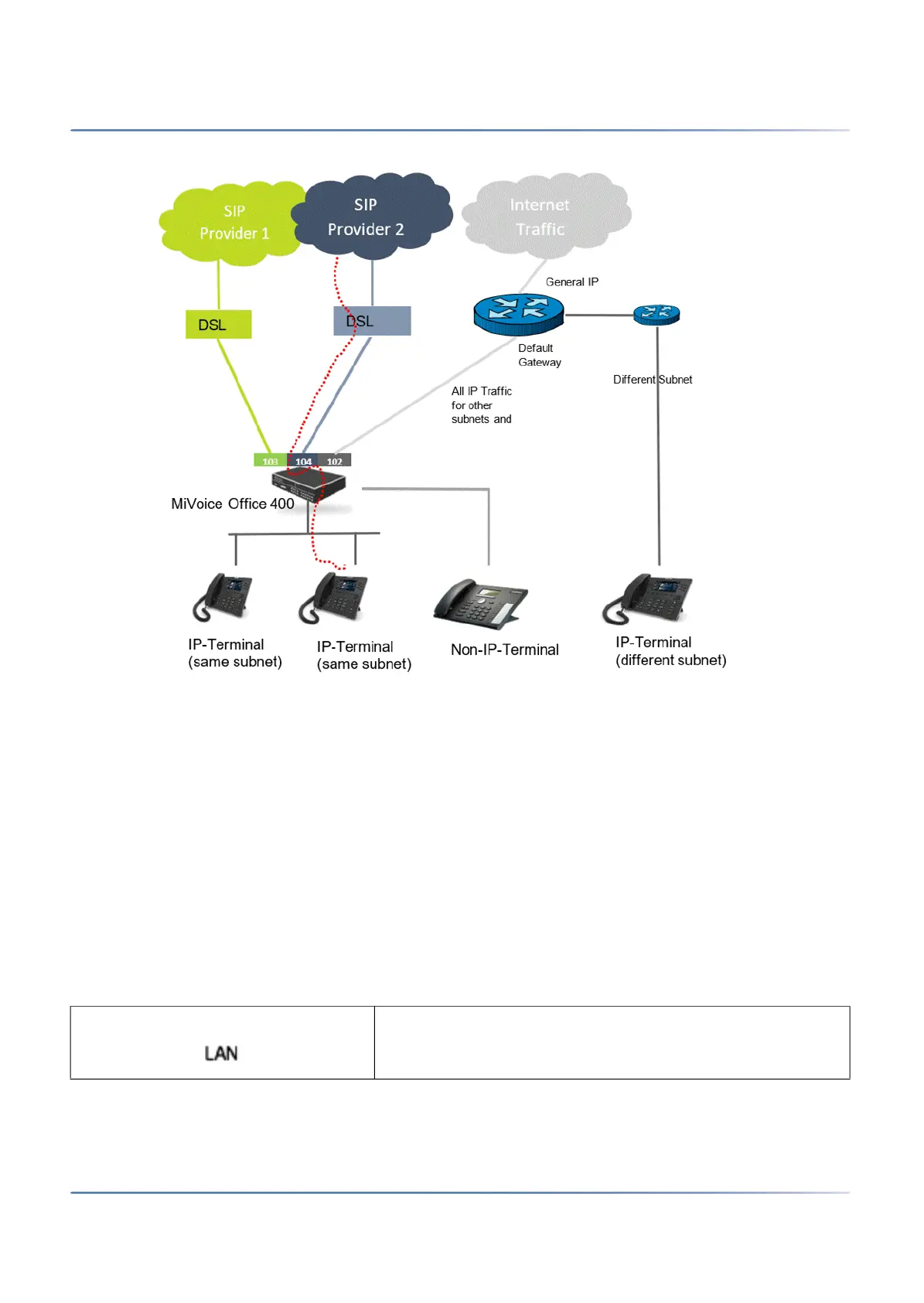
Example:
In the above figure, SIP Provider 1 and SIP Provider 2 are accessible via the dedicated DSL routers.
The dotted path shows a call from the IP-Terminal via the dedicated router of the SIP Provider 2. All the
other IP traffic, like general Internet traffic, is routed via the gateway of the default network interface.
The parameters to configure the multi-gateway functionality are described in the Online Help of SMB
Controller Manager.
Installing, powering, connecting and registering terminals
IP system phones
Accesses
Table 4.40:Socket connections of the IP system phones of the MiVoice 5300 IP series (Sheet 1 of 2)
PoE Ethernet interface for connection to the IP network



 To Next Page