199
D
ISPLAY AND CONTROL PANEL
CHAPTER 6 OPERATION AND MAINTENANCE
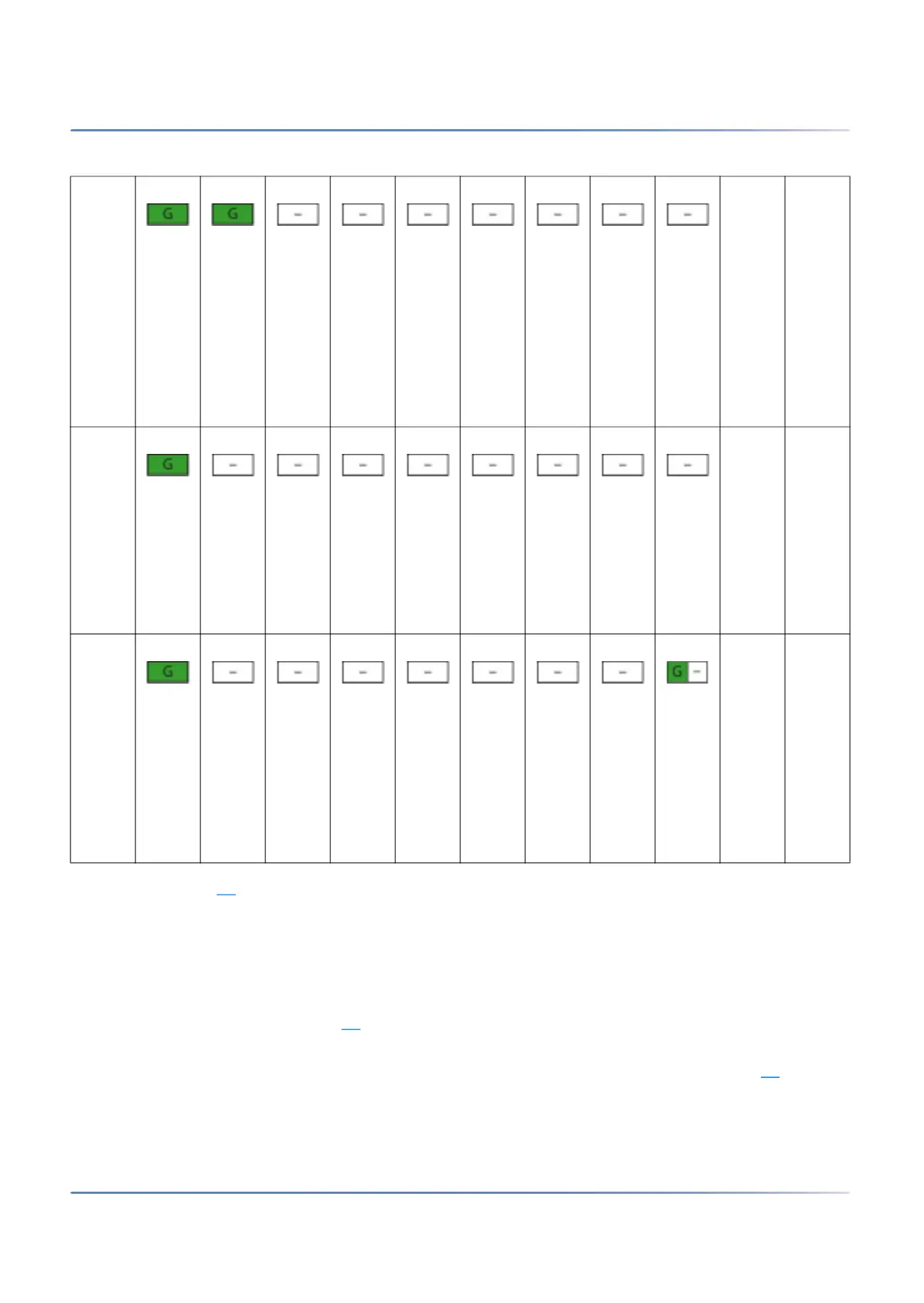
As soon as pattern [5] is showed, the start-up phase is completed and the SMB Controller is in normal
mode. You are able to log into the SMB Controller Manager. The MiVoice Office 400 application software
is now starting up and after a while you are able to log in to MiVoice Office 400 WebAdmin.
Normal mode
The SMB Controller is in normal mode when the SMB Controller system software is up an running without
error. The LED combination pattern [6]
is displayed.
If there is a problem with the temperature inside the housing of the SMB Controller (overheating) and/or
a problem with the fan, it is signalled with the PWR LED turning from green to orange (pattern[7]
). Details
of the problem can be found in the SMB Controller Manager.
[3] ~2 Time
frame
to
start
Facto
ry
Defau
lt of
Call
Mana
ger
[4] ~50 Loadi
ng
SMB
Contr
oller
syste
m
softw
are
[5] Norm
al
mode
, SMB
Contr
oller
is up
and
runni
ng
Table 6.6:Combination patterns during start-up (Continued) (Sheet 2 of 2)



 To Next Page