OnCell G3100 Series Initial IP Address Configuration
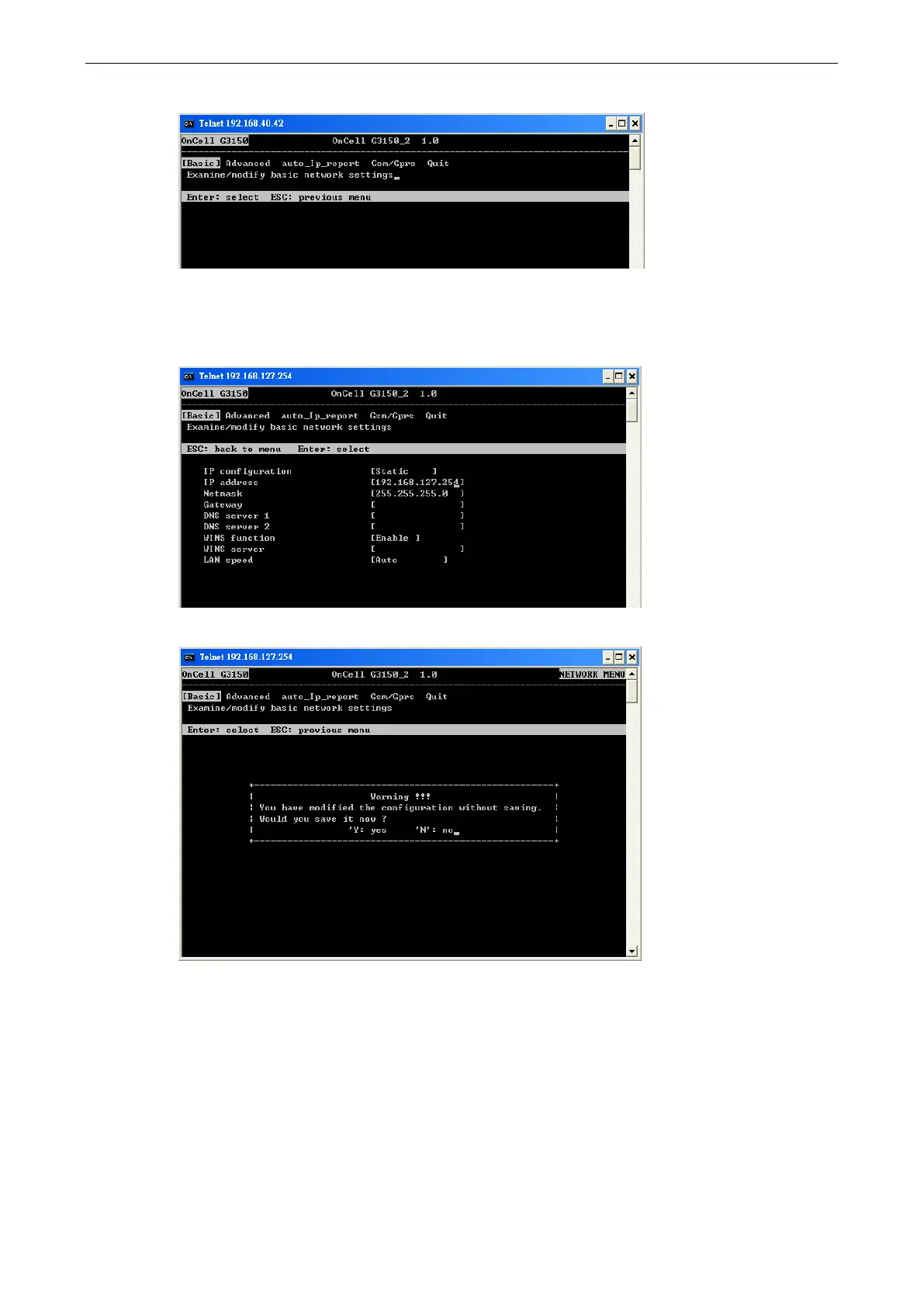
5. Press B or use the arrow keys to select Basic, and then press ENTER.
6. Use the arrow keys to move the cursor to IP address. Use the DELETE, BACKSPACE, or SPACE keys to
erase the current IP address, and then type in the new IP address and press ENTER. Note that if you are
using a dynamic IP configuration (BOOTP, DHCP, etc.), you will need to go to the IP configuration field
and press ENTER to select the appropriate configuration.
7. Press ESC twice to return to the previous page. Press Y to confirm.
8. Press ESC to return to the previous page.



 To Next Page
 Loading...









