MTC-112
TROUBLE DIAGNOSIS
Revision: January 2005 2004 Quest
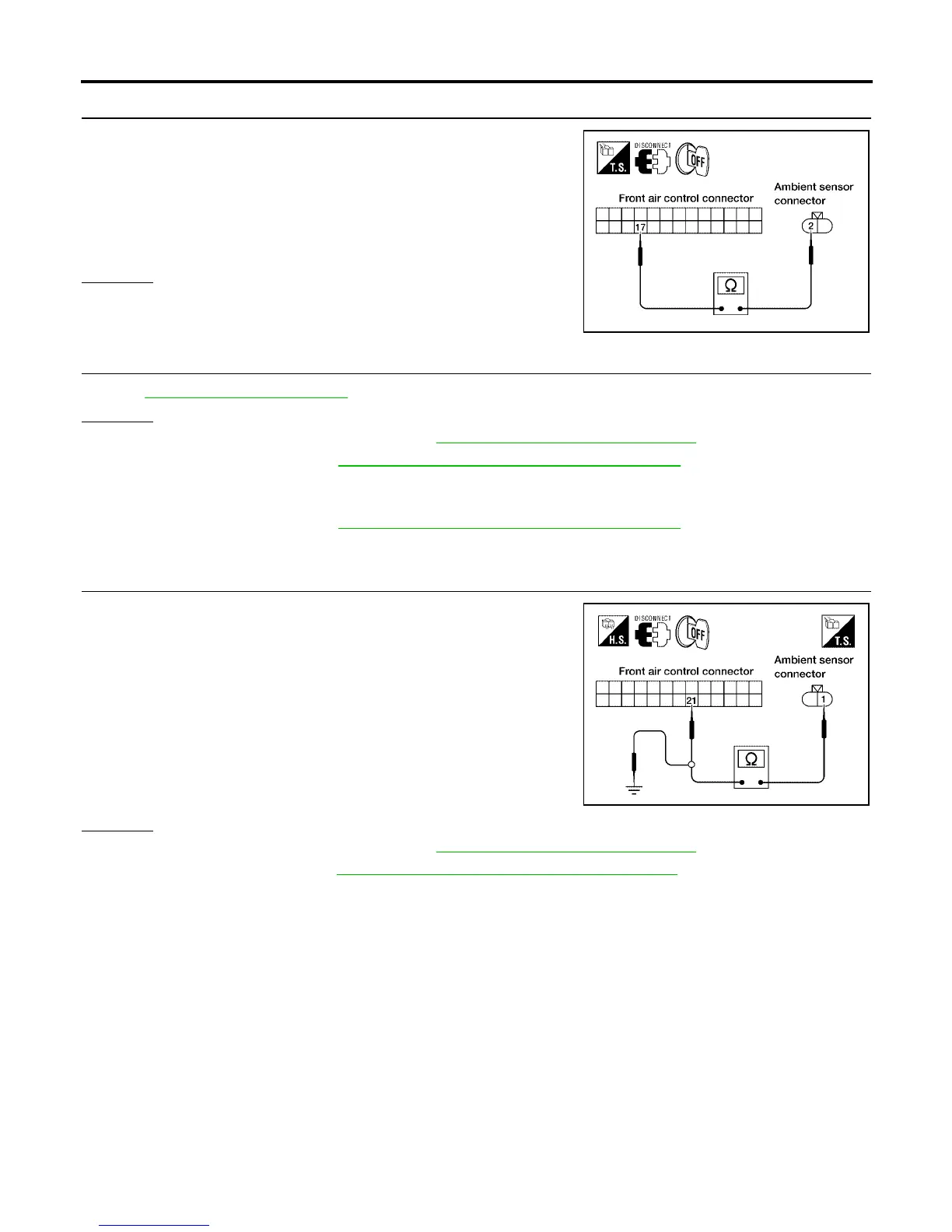
2. CHECK CIRCUIT CONTINUITY BETWEEN AMBIENT SENSOR AND FRONT AIR CONTROL
1. Turn ignition switch OFF.
2. Disconnect front air control connector.
3. Check continuity between ambient sensor harness connector
E1 terminal 2 (GR/R) and front air control harness connector
M49 terminal 17 (GR/R).
OK or NG
OK >> GO TO 3.
NG >> Repair harness or connector.
3. CHECK AMBIENT SENSOR
Refer to MTC-113, "
Ambient Sensor" .
OK or NG
OK >> 1. Replace front air control. Refer to MTC-116, "FRONT AIR CONTROL" .
2. Go to self-diagnosis MTC-50, "
A/C System Self-diagnosis Function" and perform self-diagno-
sis.
NG >> 1. Replace ambient sensor.
2. Go to self-diagnosis MTC-50, "
A/C System Self-diagnosis Function" and perform self-diagno-
sis.
4. CHECK CIRCUIT CONTINUITY BETWEEN AMBIENT SENSOR AND FRONT AIR CONTROL
1. Turn ignition switch OFF.
2. Disconnect front air control connector.
3. Check continuity between ambient sensor harness connector
E1 terminal 1 (O/B) and front air control harness connector M49
terminal 21 (O/B).
4. Check continuity between ambient sensor harness connector
E1 terminal 1 (O/B) and ground.
OK or NG
OK >> 1. Replace front air control. Refer to MTC-116, "FRONT AIR CONTROL" .
2. Go to self-diagnosis MTC-50, "
A/C System Self-diagnosis Function" and perform self-diagno-
sis.
NG >> Repair harness or connector.
Continuity should exist.
WJIA0457E
Continuity should exist.
Continuity should not exist.
WJIA0458E



 To Next Page