Users Guide ValueJet 1614
82 AP-75790 Rev 1.4 -22/02/2011,
4.7.8 Origin menu
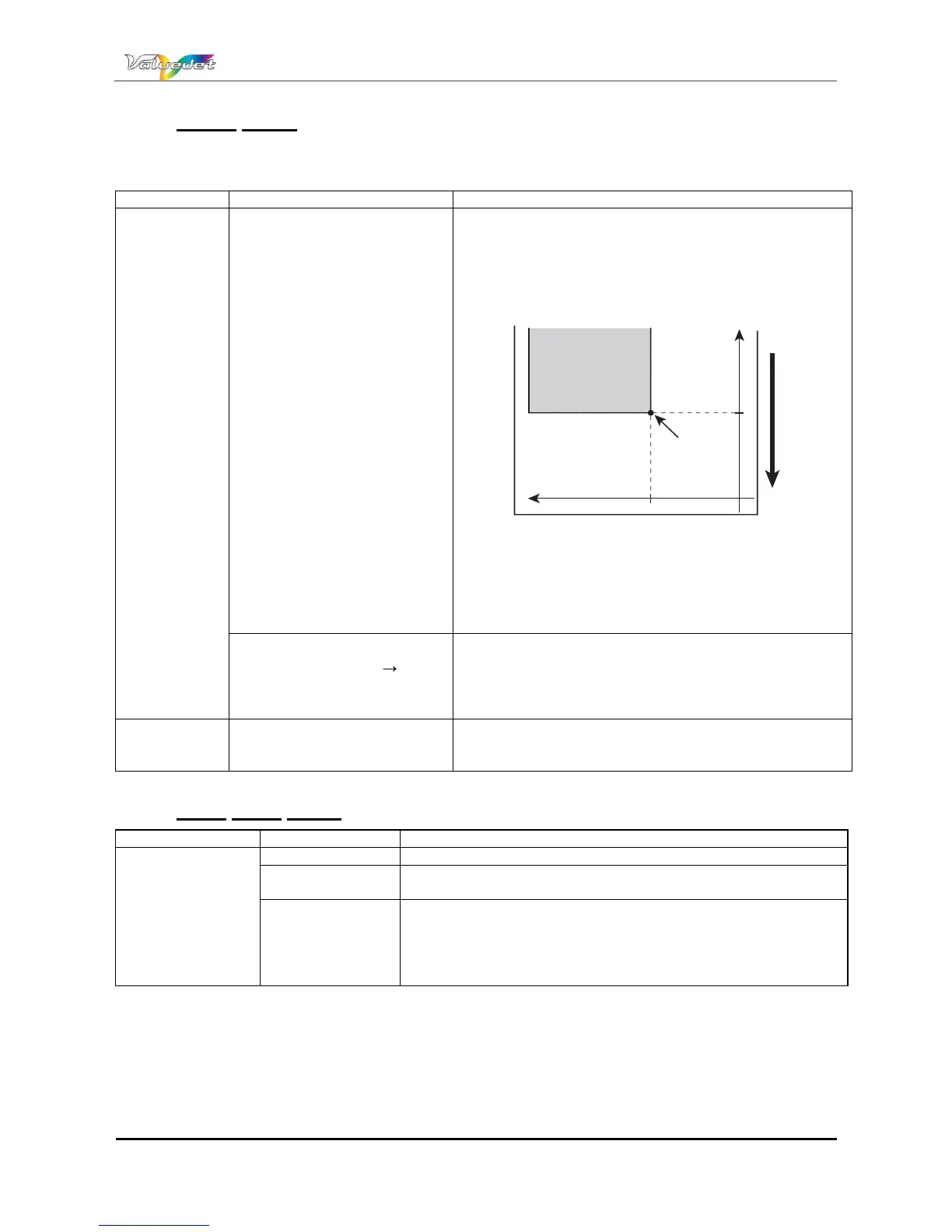
Set this menu when reprinting on the margin, when the printing data position is changed to the position of the
already printed media.
Setup Item Setting Value Description
Origin
X (media feeding distance):
00000 mm to 9,999 mm
Y (print head transferring
distance): 00000 mm to
99999 mm
Change the print head position and media feeding distance
with the following keys.
[>] key: Decrease the print head transferring distance.
[<] key: Increase the print head transferring distance.
[+] key: Increase the media feeding distance.
[] key: Decrease the media feeding distance.
È
È
ð
î
ï
Ç
Ç
1. Starting position
2. Media feeding direction
[Enter] key:
Display "Moving Origin Pos.", and move the print head
to the starting position.
The operation panel displays the following contents.
Confirm Position E
[Enter] key or after a certain period of time:
The setting value is determined.
Print head returns to the original position.
Save the setting and shift to the previous hierarchy.
Refer to: Setup menu
[Cancel] key: Cancel the setting and shift to the
previous hierarchy.
Refer to: Setup menu
4.7.9 Prev. Stick menu
Setup Item Setting Value Description
Prev. Stick
OFF Sticking prevention is not performed
<ON> The sticking prevention is performed.
Feed the media back and forth to prevent sticking.
[Enter] key: Save the setting value and shift to the previous
hierarchy.
[Cancel] key: Cancel the setting value and shift to the previous
hierarchy.
Refer to: Setup menu















 To Next Page