Users Guide ValueJet 1614
102 AP-75790 Rev 1.4 -22/02/2011,
5.1.6 Cleaning the wiper
(1) Cleaning time
Clean the wiper once a week or when blurs or incompleteness in printing remains after the head cleaning.
Notes
Use the cleaning stick when cleaning the wiper.
Step 1 : If the printer is switched ON, make sure that:
Printing or other operations are not in progress.
The display on the operation panel is in the normal state.
Step 2 : Display the CR Maintenance menu on the operation panel.
Step 3 : Press the [Menu] key on the operation panel.
Menu 1: Setup> is displayed on the operation panel.
The operation panel shifts to the setup menu display.
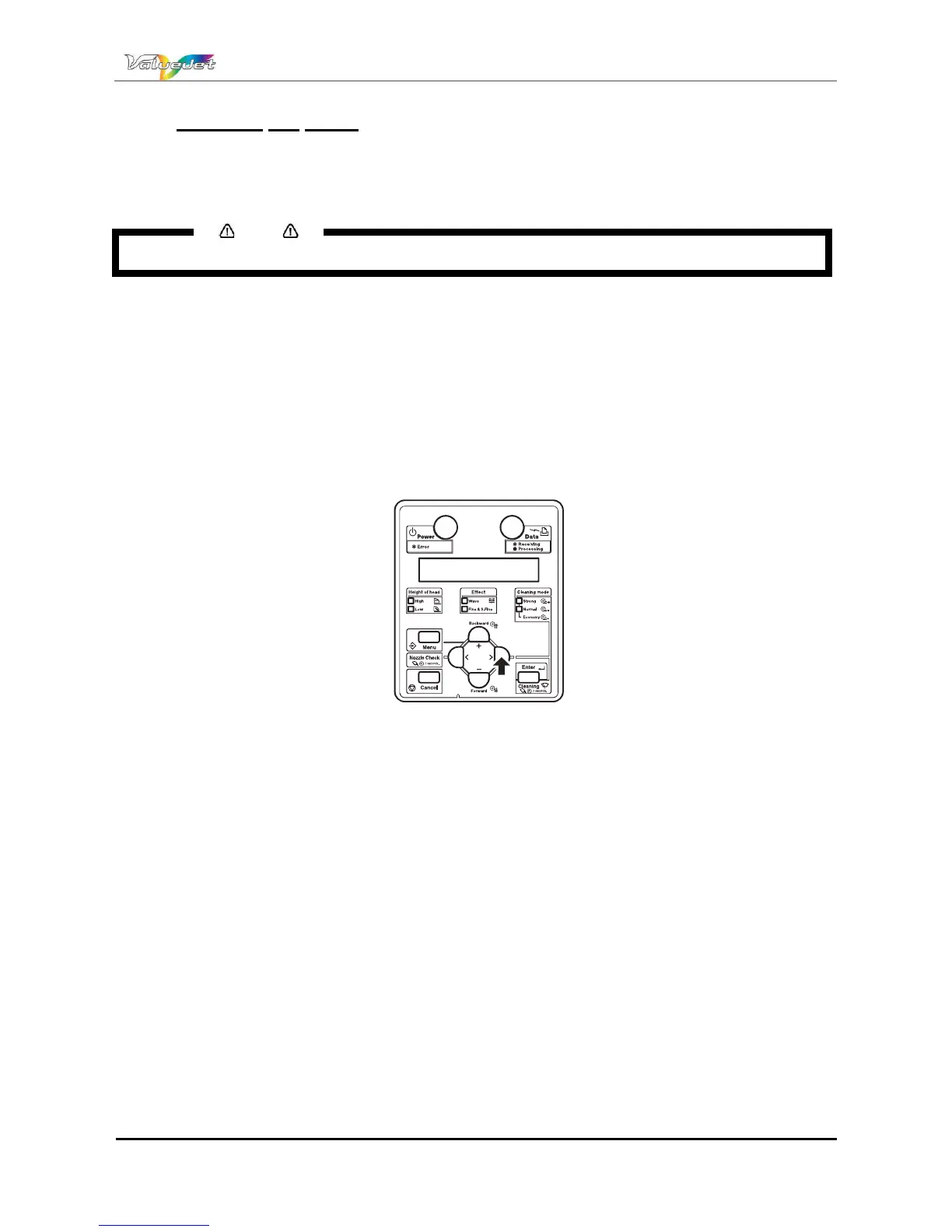
Step 4 : Press the [>] key on the operation panel.
Set1: MediaType is displayed on the operation panel.
Step 5 : Press the [+] key or [-] key to select Set20: CR Maintenance.
Step 6 : Press the [ENTER] key on the operation panel.
CR Mainte.: Start is displayed on the operation panel
The display enters the CR Maintenance menu.
Step 7 : Press the [ENTER] key on the operation panel.
Maintenance starts.
The print head moves to the left.
The wiper moves forward.
CR Maintenance: End is displayed on the operation panel.















 To Next Page