Routine Maintenance MY500 JetPrinter MYDATA
5 - 20 Rev. 0003 2008-06 P-030-0014-EN – Service Manual
Testing the Safety System
This maintenance shall only be carried out by authorized service engineers.
The safety system should be tested at regular intervals.
WARNING! Ensure no hands, fingers, or other objects are entered within the
shielded area before the machine has stopped.
1. With the machine running a job, press the emergency stop button on the
MMI. Check that the machine has stopped.
2. Release the stop button and do the same test with the emergency stop
button on the machine front.
3. Release the stop button and do the same test by opening the front hood.
Testing the Safety Circuits
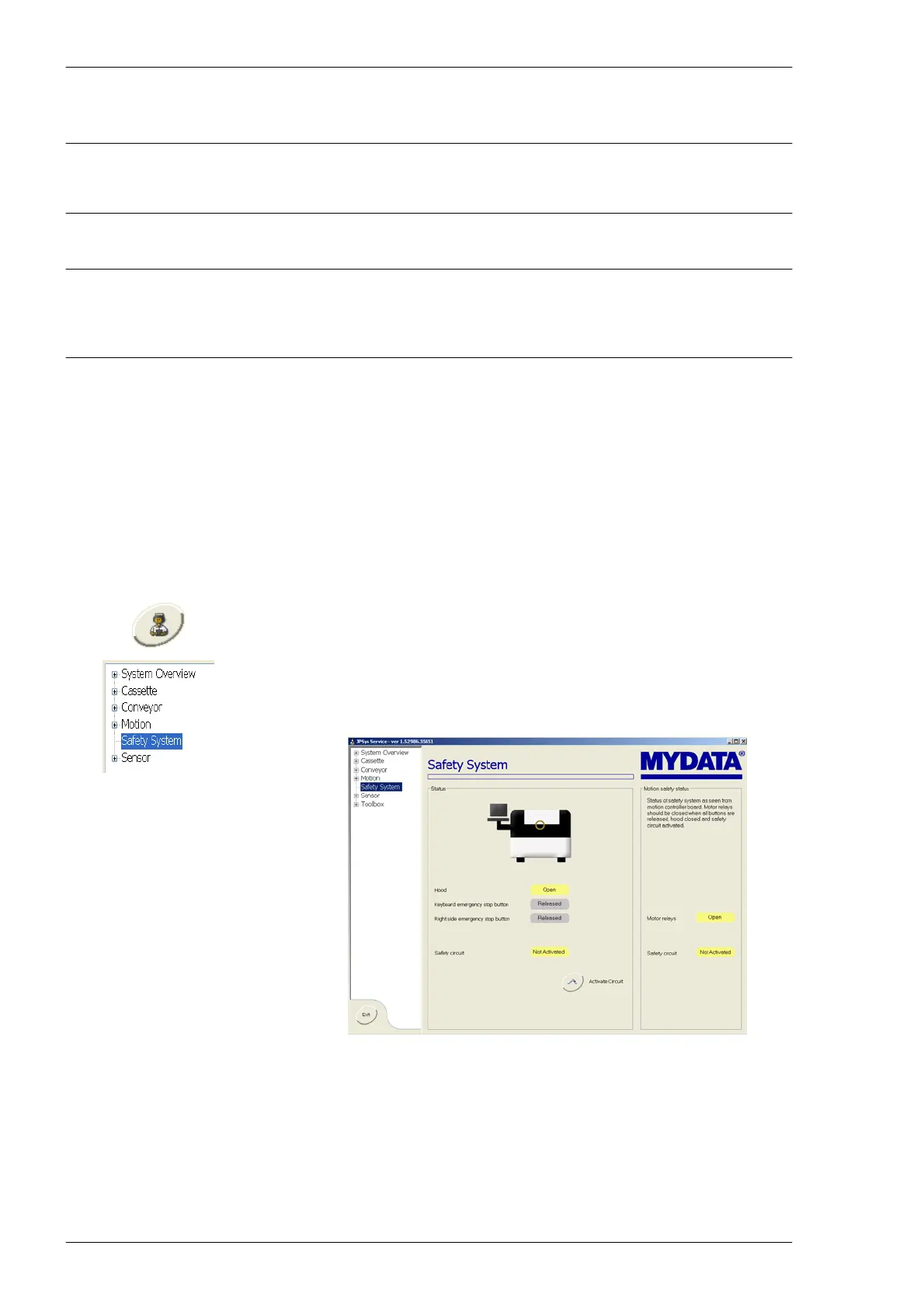
With the Service system you can test the safety system circuits.
1. Go to the Exit tab and select Start Service Program to enter the Service
system.
2. Select Safety System in the file list to go to the safety system window.
3. Open the front hood, check that you get an indication that it is open, see
the figure below.
4. Close the hood and check that the system indicates this.
5. Do the same test with all emergency stop buttons.
The safety system circuit is described in the block scehmatics.
Figure 5-20. System showing hood is open.



 To Next Page