MYDATA MY500 JetPrinter Routine Maintenance
P-030-0014-EN – Service Manual Rev. 0003 2008-06 5 - 15
Changing Cassette Ejector
An ejector, at the bottom of the holder, carries the piezo unit and a nozzle. The
piezo unit generates the force needed to eject the solder paste through the
nozzle.
This ejector is good for 30 solder paste cartridges. After that it must be
changed. To change the ejector, do as follows:
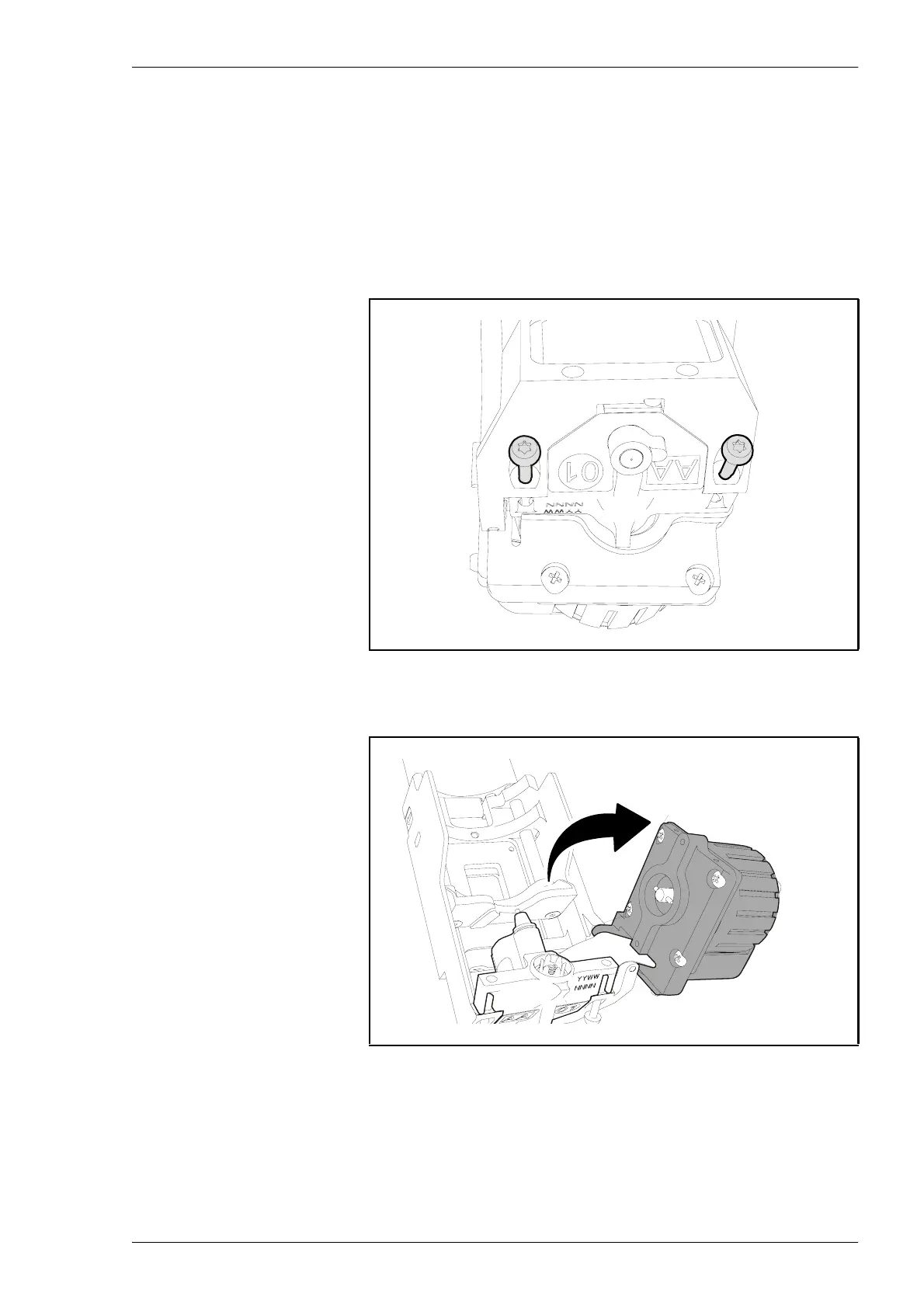
1. Loosen the two torx screws at the bottom of the holder.
2. Swing the motor over towards the right.
Figure 5-11. Loosening two screws.
Figure 5-12. Swing the motor to the right.



 To Next Page