Installation MY500 JetPrinter MYDATA
2 - 10 Rev. 0003 2008-06 P-030-0014-EN – Service Manual
Lifting the Machine
To avoid tilting or damaging the machine, always lift the machine as described
below. The description includes fork lift as well as crane lift.
The machine weighs 2 000 kg net.
WARNING! Lift the machine as described below. Otherwise, the machine may
become damaged and the lifting may become dangerous.
Fork lift
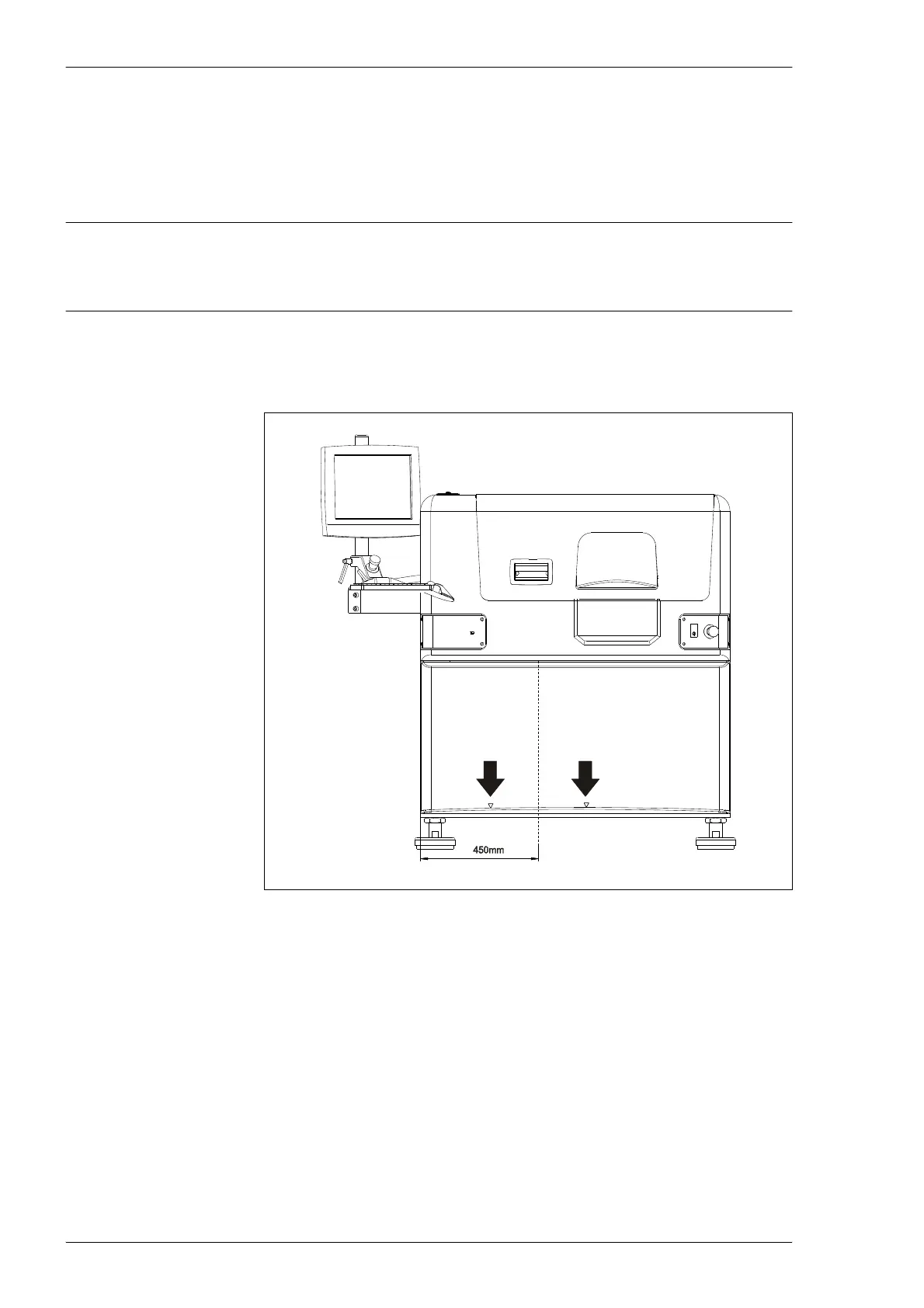
Always lift the machine as shown in Figure 2-5.
Arrows on the machine's cover indicate the correct points where to insert the
fork lift. If the fork lift is inserted anywhere else there is a risk that the machine
can tip over. The center of gravity is located slightly to the left and towards the
front on the machine.
Figure 2-5. Fork lift.



 To Next Page