MYDATA MY500 JetPrinter Installation
P-030-0014-EN – Service Manual Rev. 0003 2008-06 2 - 17
Optional Air Cooling Unit
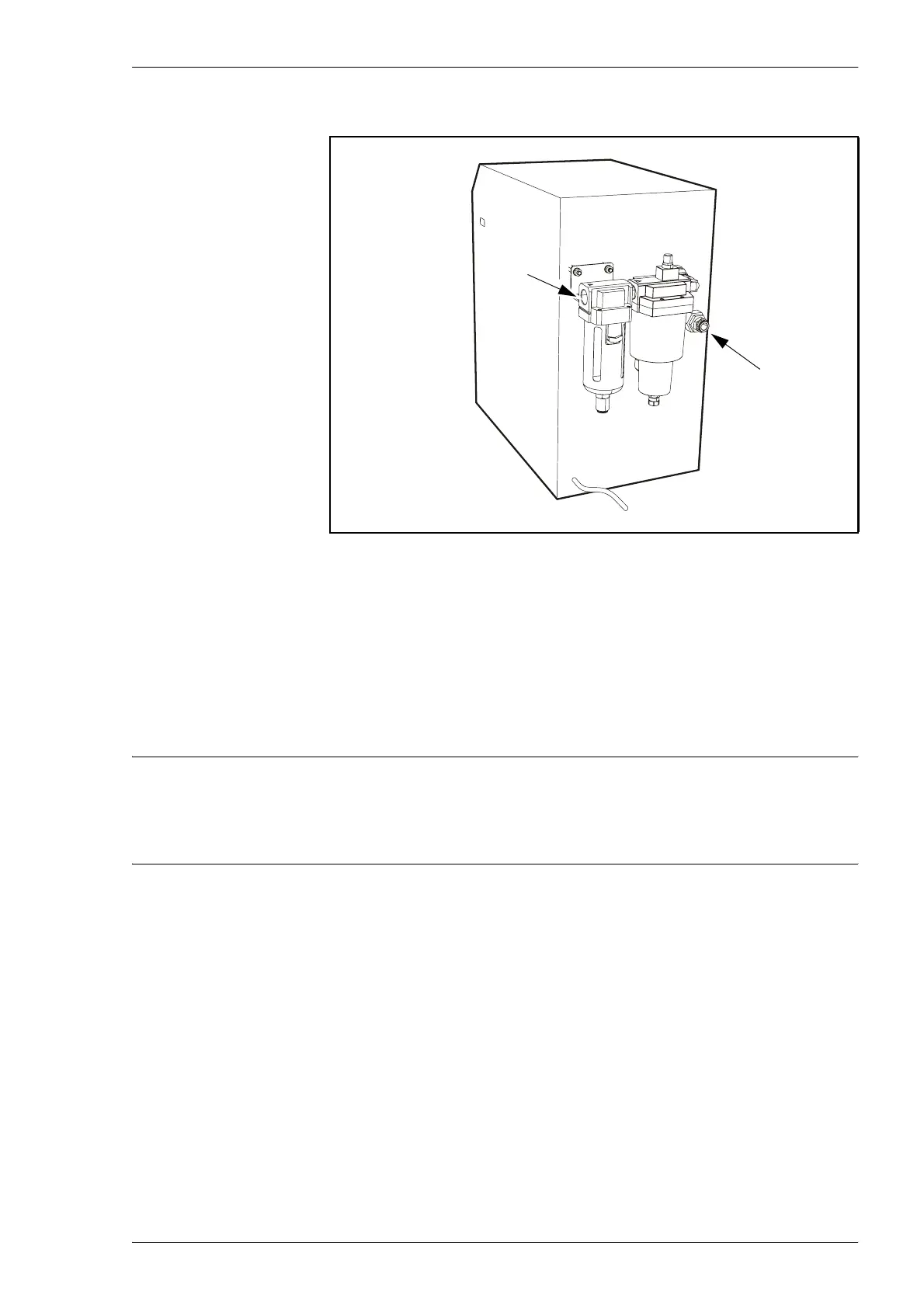
Air connections
Connect ’Air in’ of the Cooling Unit to compressed air 0.8–1.0Mpa.
Maximum compressed air in temperature is +55 °C. The connection has a
G ½ thread.
Connect an isolated tube to ’Air out’ of Air Dryer and to the pneumatic valve
on the MY500 JetPrinter.
CAUTION! Do not use any other tube than L-030-0045, to connect the
Cooling Unit with the MY500 JetPrinter. This because the MY500 JetPrinter
need both dried and cooled compressed air.
Electric connection
Connect the electrical cable to an grounded outlet with a voltage of:
– – 230 V 50 Hz AC for Cooling Unit L-030-0126.
– – 115 V 60 Hz AC for Cooling Unit L-030-0127.
Figure 2-14. Air connections on cooling unit.
Air in
Air out



 To Next Page