132 Cirrus LT Plus User Manual v1.2 - Chapter 9
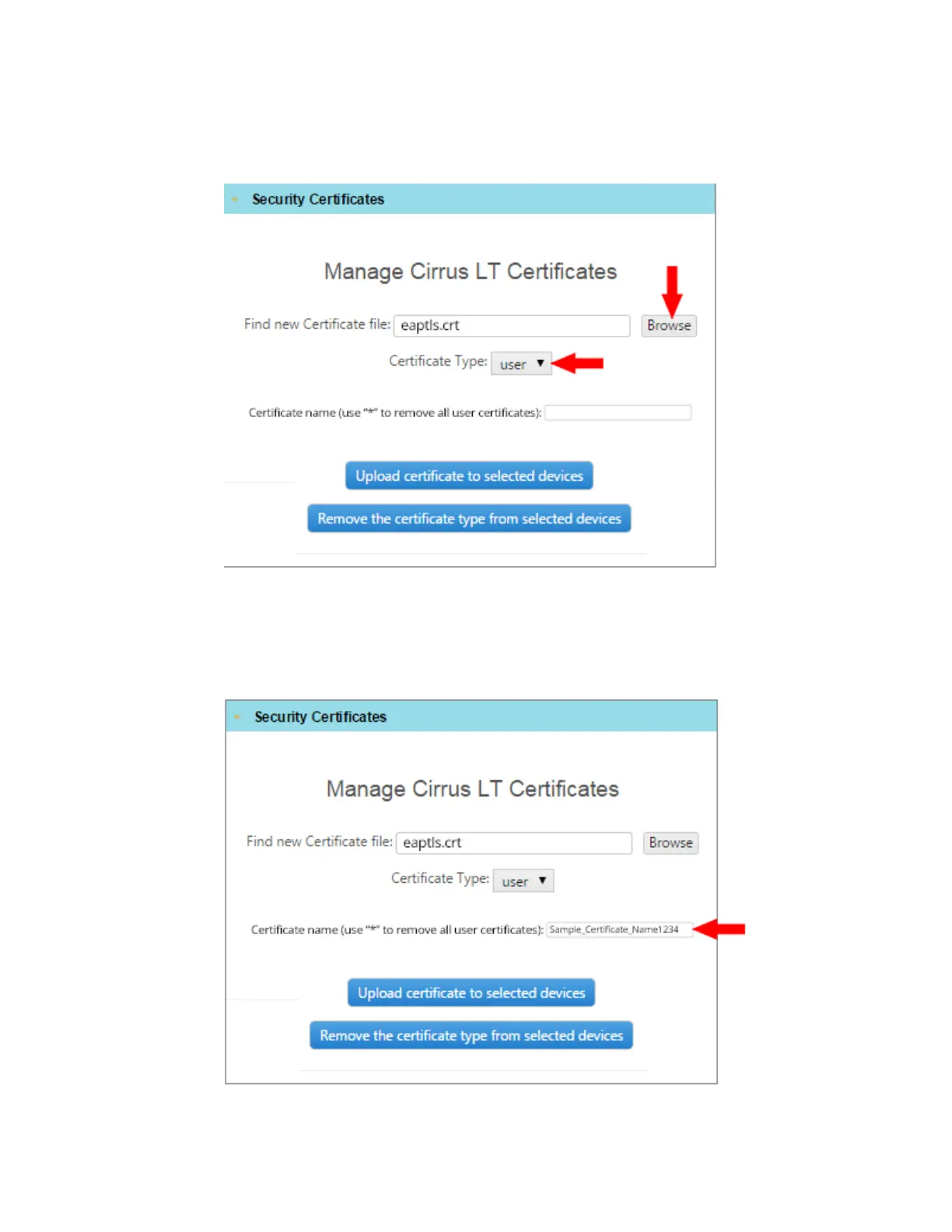
6. Browse to the location of the certificates and select the certificate. Select the
Certificate Type.
7. You must name the certificate (anything you wish, or in accordance with your
Company’s naming conventions) so it will be uniquely identifiable. The sam-
ple certificate name shown below is “Sample_Certificate_Name1234”.
8. Click



 To Next Page