42 Cirrus LT Plus User Manual v1.2 - Chapter 3
Docking station line out port:
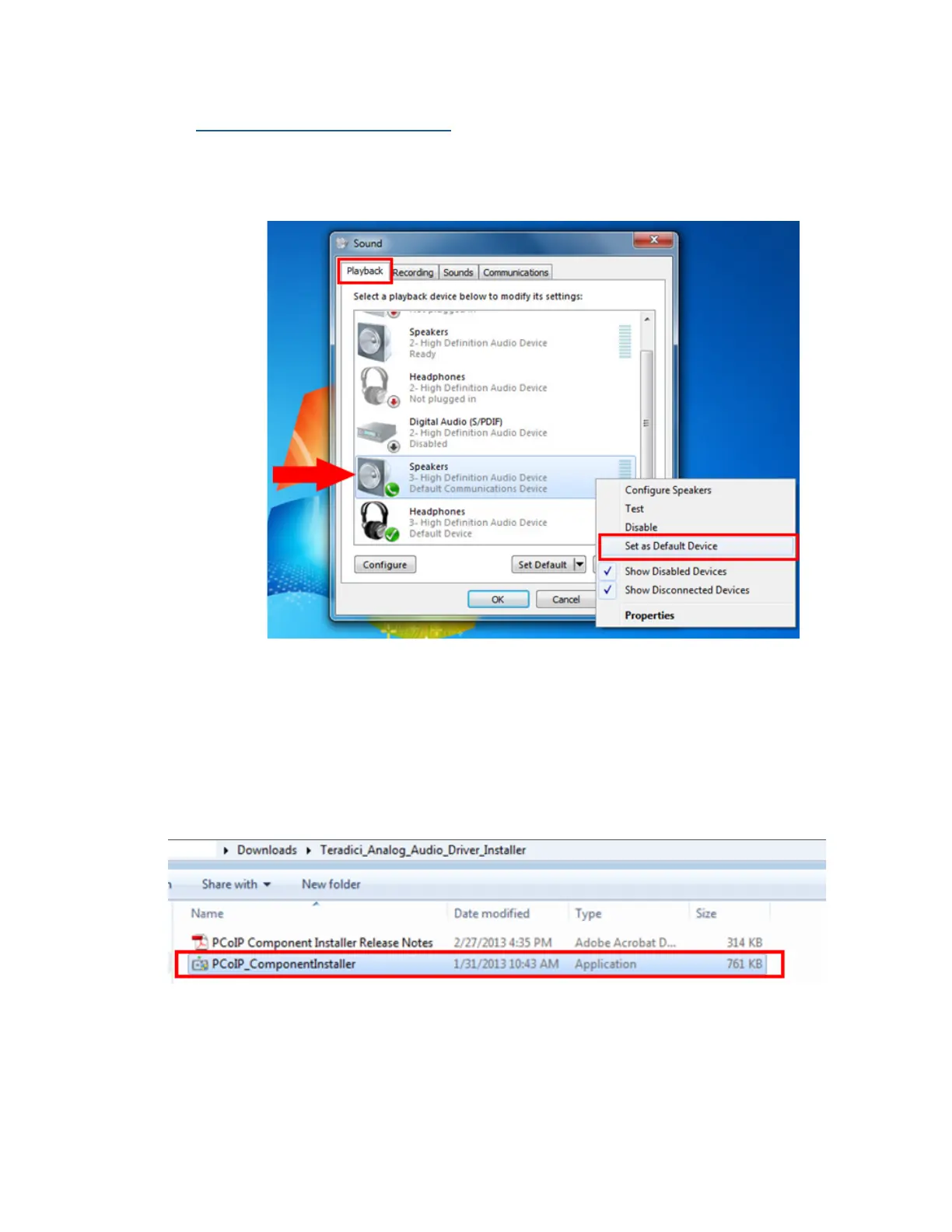
1. Open the Control Panel > Sound > Playback tab.
2. In the Playback tab, select Headphones: 3-High Definition Audio Device
as the Default Device.
Connecting to VMHost
1. Download and install the latest PCoIP Audio Driver provided by Teradici
(PCoIP_ComponentInstaller.exe).



 To Next Page