127
Cirrus LT Plus User Manual v1.2 - Chapter 8
Logging onto the Cirrus Management Console
1. Open the Google Chrome browser.
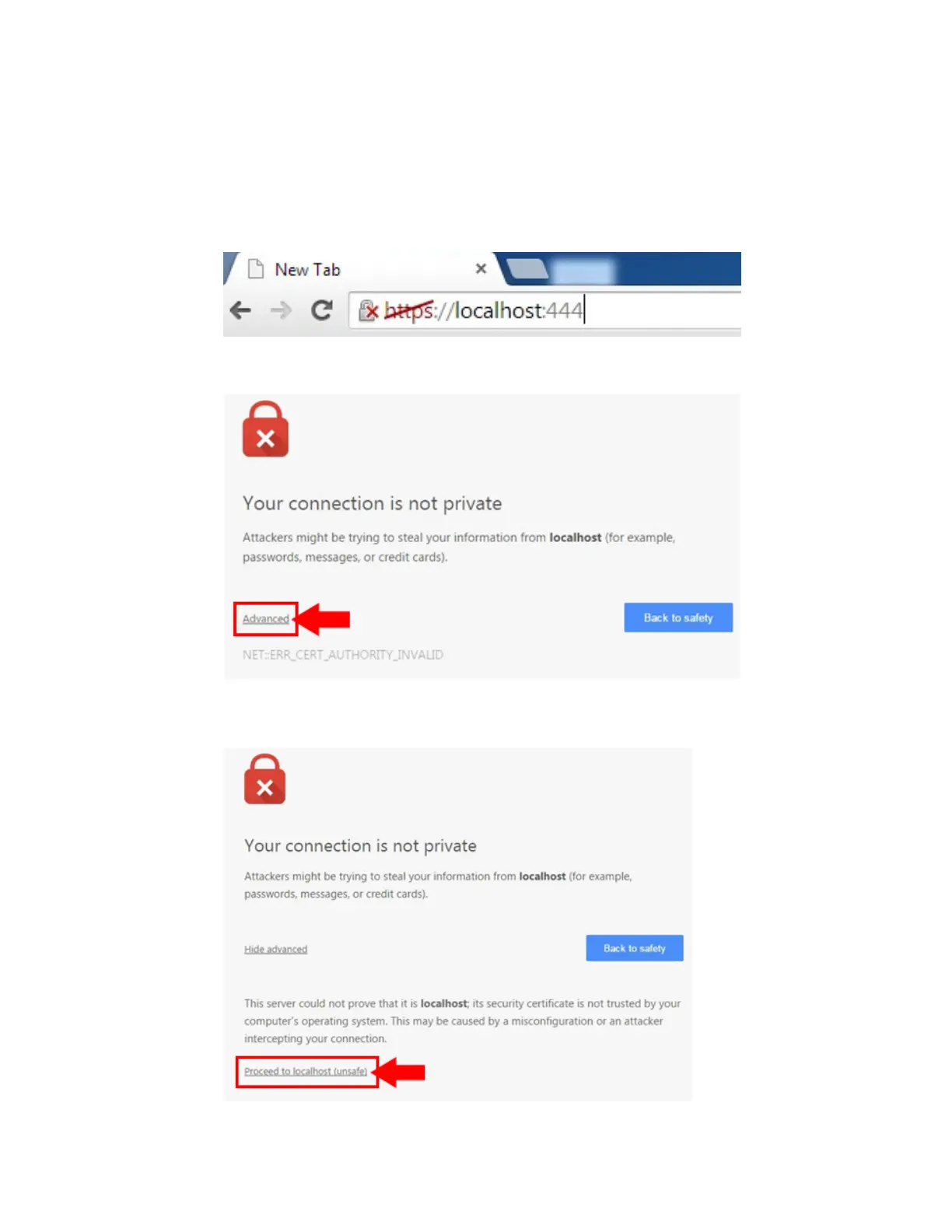
2. Type “https://localhost:444” into the browser’s address field, as shown below.
3. Click on Advanced, as shown below.
4. Click on Proceed to localhost (unsafe), as shown below.



 To Next Page