99
Cirrus LT Plus User Manual v1.2 - Chapter 4
Timing preferences
Sleep Mode Timeout
Please read the caution above in the ‘How the Cirrus LT Plus Power Man-
agement Modes Are All Related’ section above before customizing this
mode.
Enabling Sleep Mode Timeout will save considerable power by turning off both
the LCD and Teradici processor. It will also put other components into a lower
power state. The Power LED will blink green and amber and then finally just
blink amber when it has gone into low power mode. You will need to press the
power button to wake up the device (moving the mouse or typing on the key-
board will not wake it up).
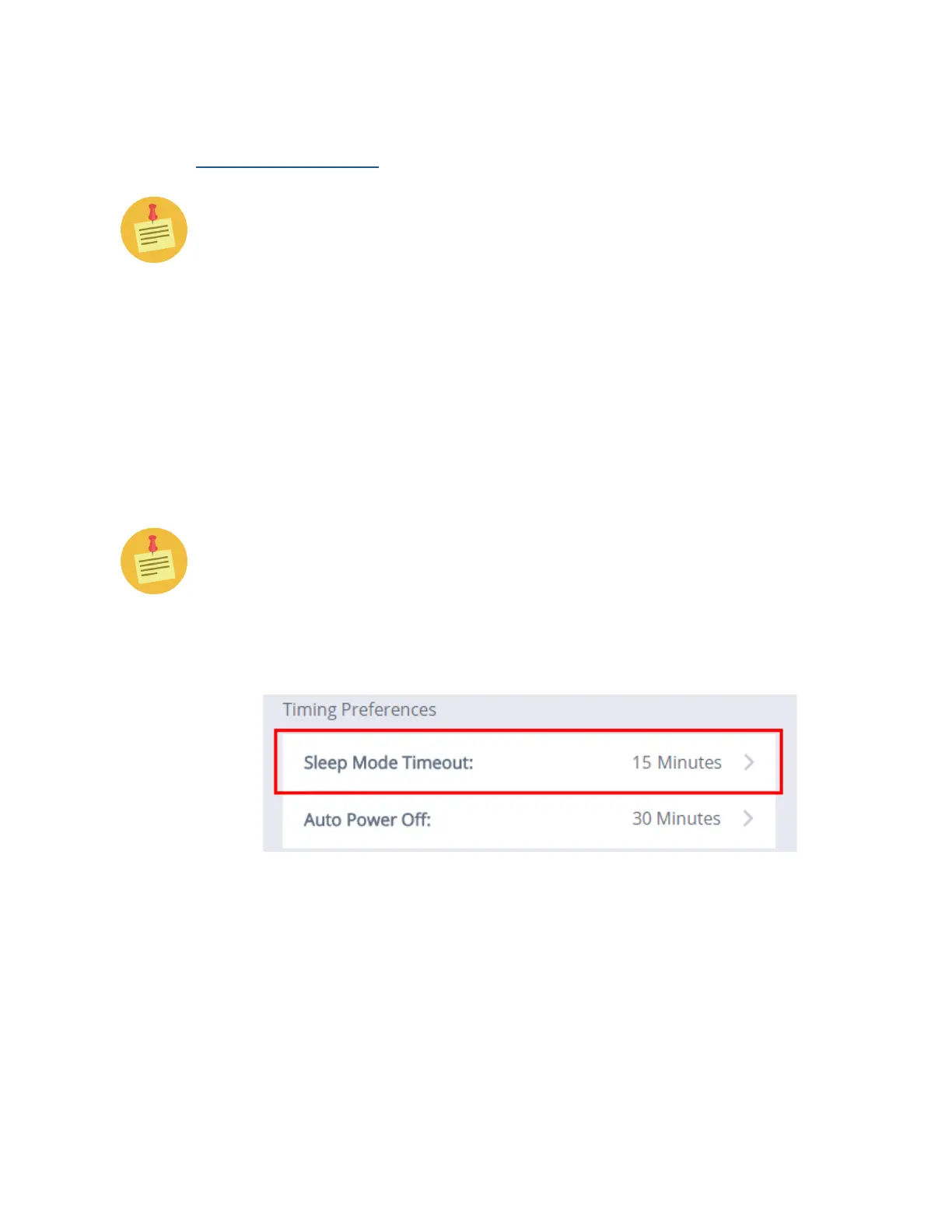
To change duration of the Sleep Mode Timeout:
The duration of time chosen for Sleep Mode Timeout will only begin AFTER
the LCD has timed out from inactivity. The duration chosen will not begin
until this occurs.
1. Click the Power Management submenu, and then click the Sleep Mode
Timeout submenu, as shown below.



 To Next Page