41
Cirrus LT Plus User Manual v1.2 - Chapter 3
Configuring the audio for remote hosts
Connecting to the Teradici host PC
Headset port or built-in speaker configuration:
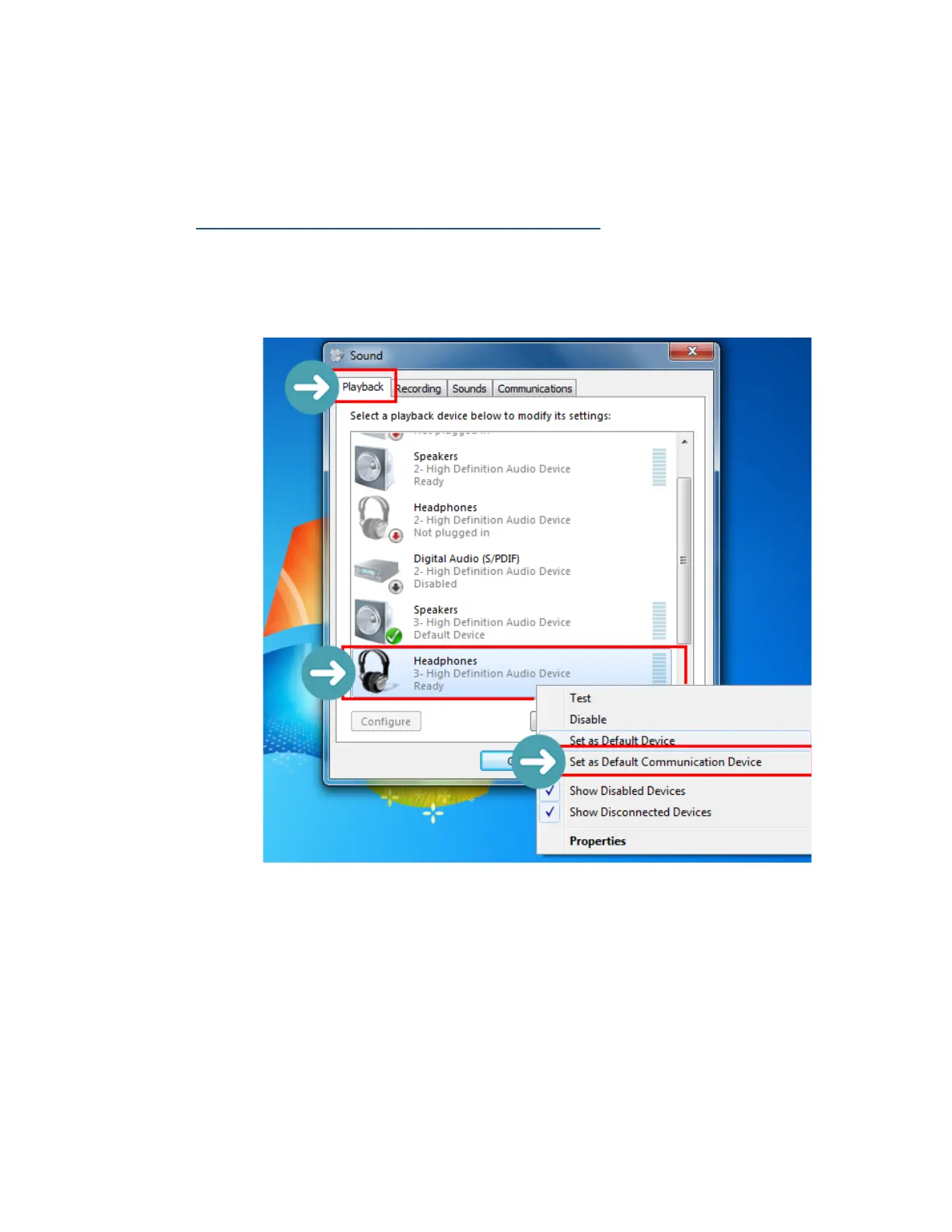
1. Open the Control Panel > Sound > Playback tab.
2. In the Playback tab, select Headphones: 3-High Definition Audio Device
as the Default Communication Device.



 To Next Page