142 Cirrus LT Plus User Manual v1.2 - Chapter 10
Checking WiFi channels that are being scanned/
used via the OSM Main Menu
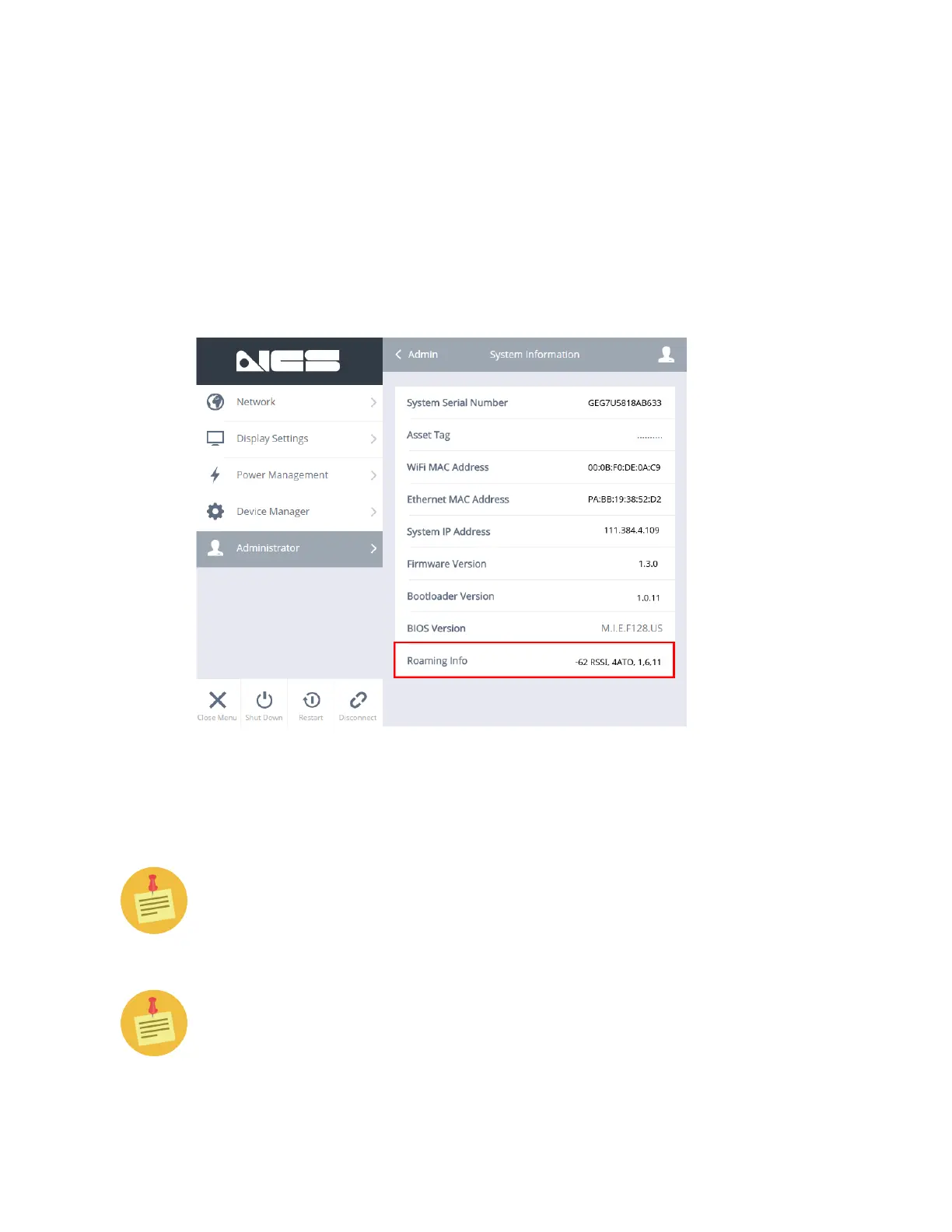
You can also view which WiFi Roaming Channels are set to be scanned by ac-
cessing the OnScreen (OSM) Menu. Once there, navigate to Administrator >
System Information > Roaming Info, as shown below.
The Roaming Info line shows you the values for WiFi Aggressiveness and Au-
thentication Timeout (ATO), as well as the channels the Cirrus LT Plus is active-
ly scanning.
The WiFi Aggressiveness and Authentication Timeout (ATO) functionality
is only available in Firmware versions 1.2.0 and greater. Firmware v. 1.1.0
only displays the roaming channels.
This is all you can change or view on the Cirrus LT Plus Client side (OSM
Menu). To further configure the enhanced roaming settings you will have to
use the Cirrus Management Console v1.0.6 or greater.



 To Next Page