33
Cirrus LT Plus User Manual v1.2 - Chapter 3
Connecting headphones
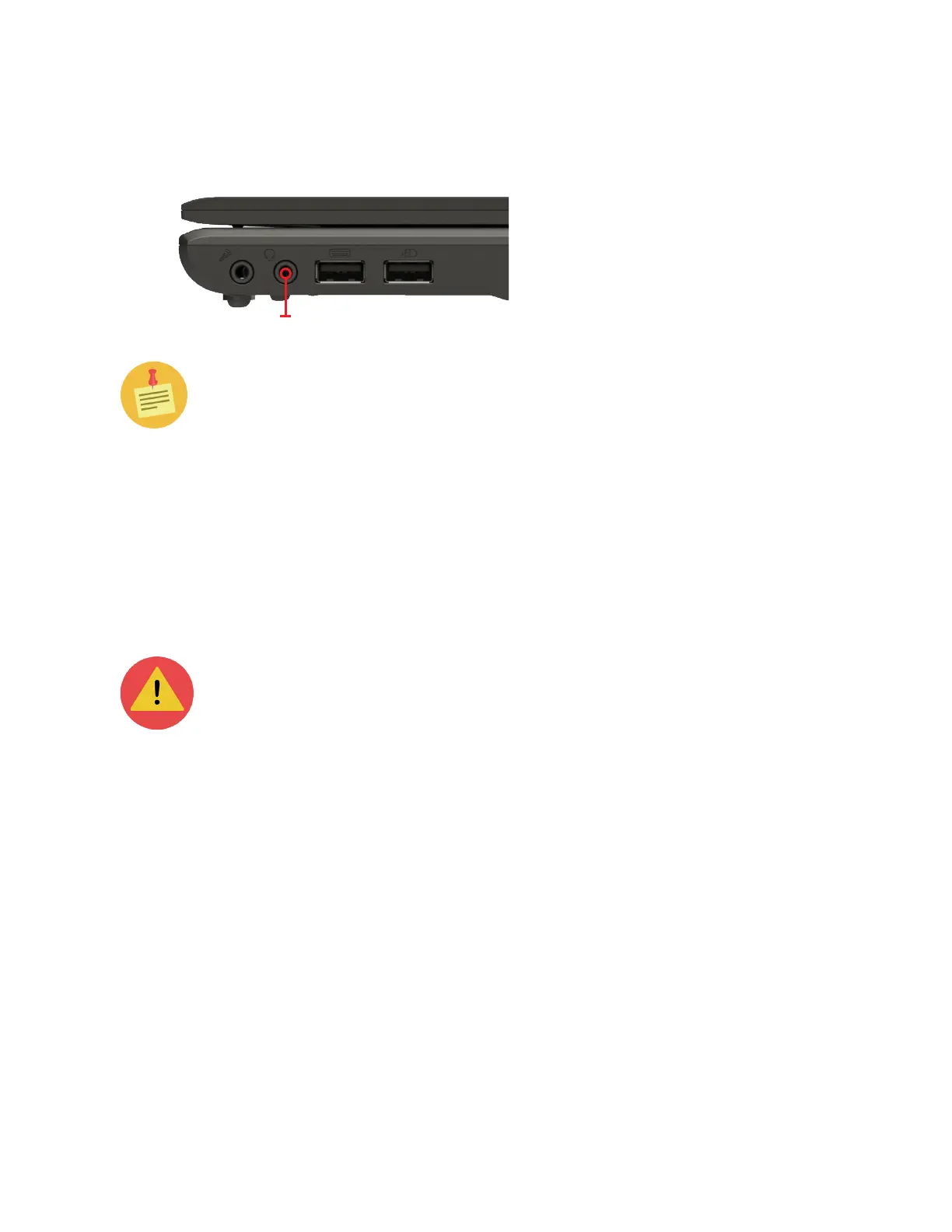
Headphones/headset port
The headphones/headset port is located on the right side of the notebook.
You can connect either headphones or external speakers to the Cirrus LT Plus
Notebook via its headphones/headset port (see above). This headphone/headset
port also supports combo headsets (headphone/mic) which come with a single plug
(seen, for example on the iPhone® headphone), as well as CTIA and OMTP Head-
sets.
Headsets are not compatible with the headphone port on the docking
station or with the microphone jacks on the notebook or the docking sta-
tion.
Audio subsystem
By default, audio will be output to the Cirrus LT Plus’ built-in speakers when
the headphones/headset port is not used. If a webcam is installed, the webcam
microphone can be used for applications like Skype.
When a headset (e.g. an Apple® headset) is plugged in, audio will be output to
this headset. Also, the headset microphone will get priority if a dedicated micro-
phone is also connected to the Cirrus LT Plus microphone jack.



 To Next Page