118 Cirrus LT Plus User Manual v1.2 - Chapter 7
Chapter 7: Using the Cirrus Web Por-
tal
The Cirrus Web Portal is used for beginning administrative functionality, such as recover-
ing a lost admin password and updating the NCS Firmware.
Admin password recovery
1. If you forget the Cirrus LT Plus admin password, call the NCS Help Desk
1-888-RING-NCS (746-4627), and press Option #4. Make sure you have the
Serial Number of the unit in question.
2. The NCS Help Desk will send you a recovery file that you will use. Download
the file (be sure to note the location you downloaded, you will need it later.
3. Determine the IP address of the Cirrus LT Plus that needs the password re-
covered.
4. Open a browser on the computer from which you want to access the Cirrus
Web Portal from. Ensure that both devices are connected to the same network.
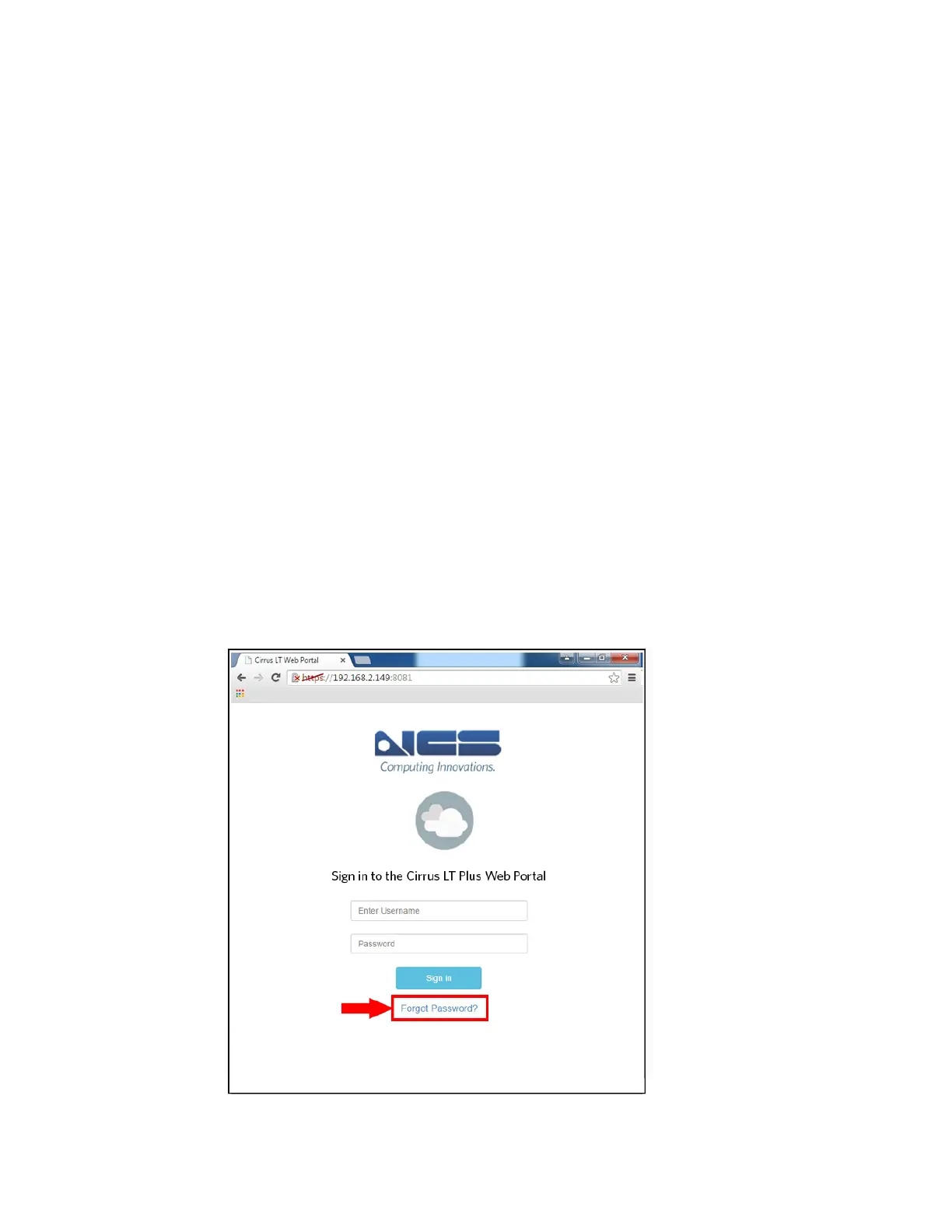
5. Enter the IP Address of the device you wish to modify from the portal with
the port 8081. In the example below, it is https://192.168.2.146:8081.



 To Next Page