136 Cirrus LT Plus User Manual v1.2 - Chapter 9
Unloading a certificate
In order to unload certificates:
1. Follow steps #1-6 in the previous section of this chapter, ‘Loading a Certifi-
cate’, to access this screen under the Security Certificates bar. Make sure the
devices you want to remove the certificates from have been selected in the
Devices tab.
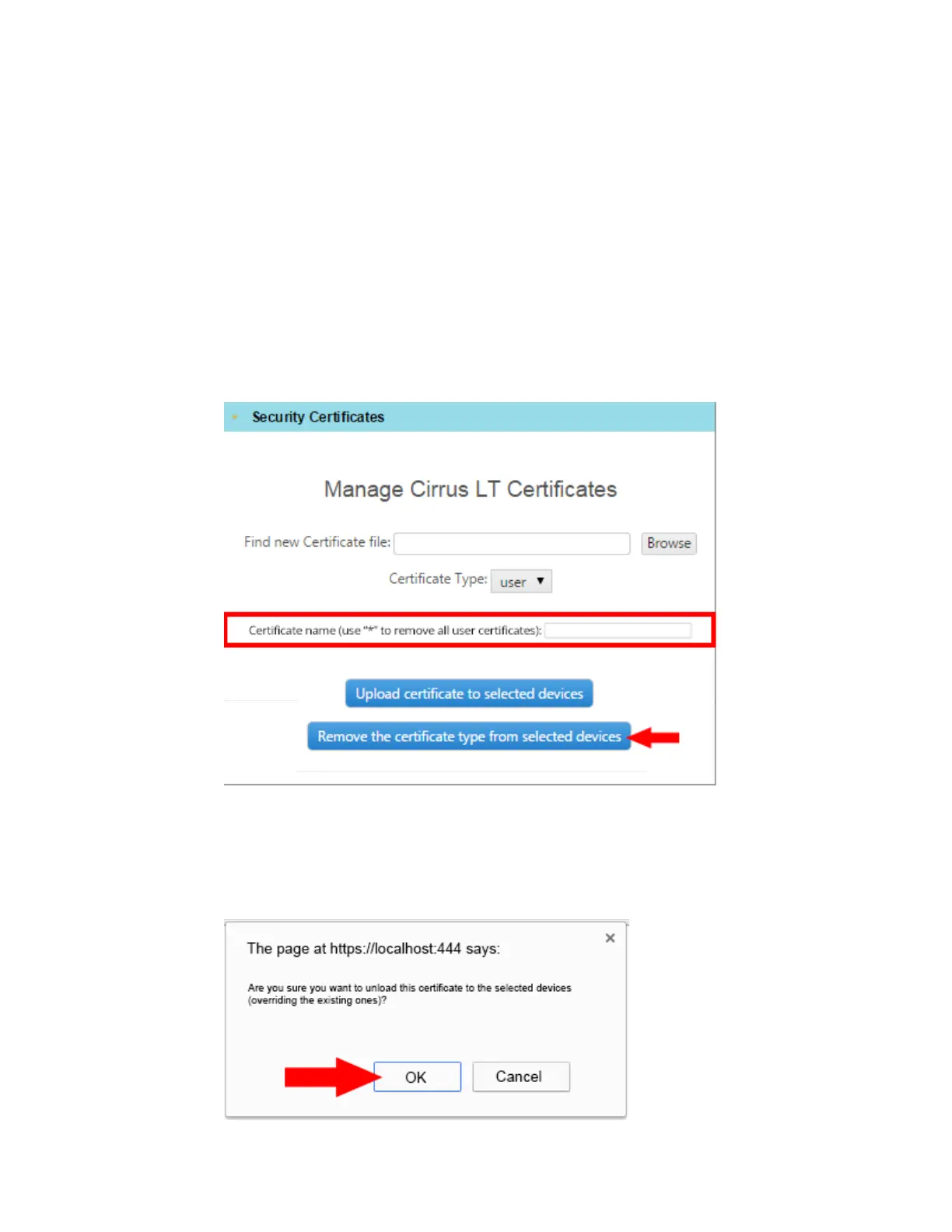
2. You can remove certificates by file name, file type, or typing “*” into the high-
lighted field.
3. Click the Remove the certificate type from selected devices button.
4. A pop-up window will then appear, as shown below. Click “OK” to confirm
the operation.



 To Next Page