49
Cirrus LT Plus User Manual v1.2 - Chapter 4
Network
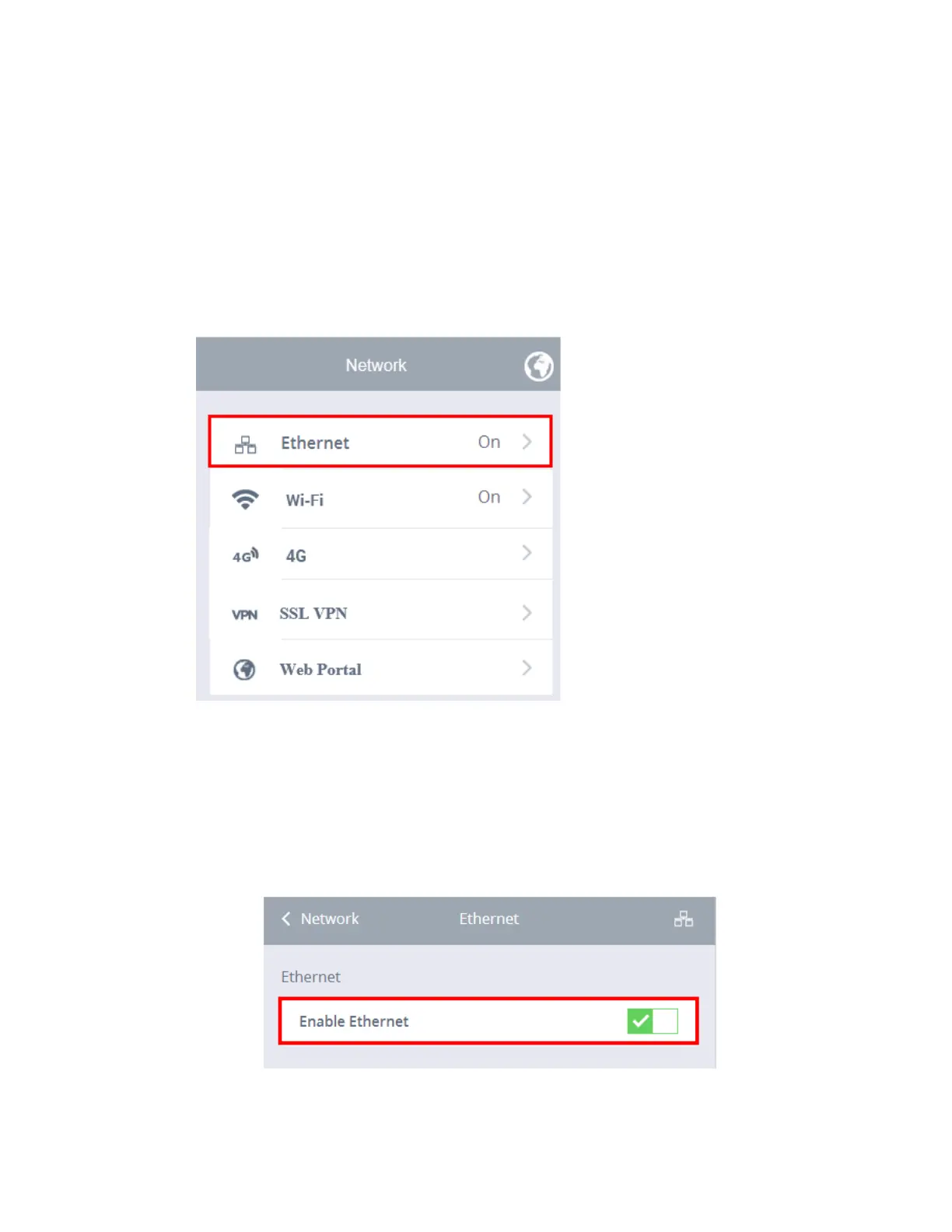
This network submenu lets you configure wired and wireless settings and allows
you to enable and disable both Ethernet and WiFi connections.
Ethernet
To enable the Ethernet:
1. Click the Network submenu.
2. Select Ethernet.
3. Click the Enable Ethernet selection box. A green check mark signifies that
Ethernet has been enabled, as shown below.



 To Next Page