120 Cirrus LT Plus User Manual v1.2 - Chapter 7
Updating the NCS Firmware
To update the Firmware on your Cirrus LT Plus first you will need the following:
• The Cirrus LT Plus
• Latest Firmware file downloaded from NCS Website
• PC/Notebook on same network as the Cirrus LT Plus to be updated OR access to
the Cirrus Management Console
You will need to turn on the Cirrus LT Plus and it must be connected to a network
either wireless or wired.
It is also recommended that you keep the unit plugged in with the AC Adapt-
er. Failure to do so while updating the Firmware could result in lost power
due to a low battery; this could render the Cirrus LT Plus unusable. The
Firmware will not upgrade if the unit is not plugged in and the battery does
not have at a least 30% charge.
In order to upgrade the Firmware:
1. First you will need to determine the IP Address of the Cirrus LT Plus to be
upgraded. This can be found in two places, either:
a. Via the Teradici Firmware Menu, which can be accessed from Options >
Configuration > Network.
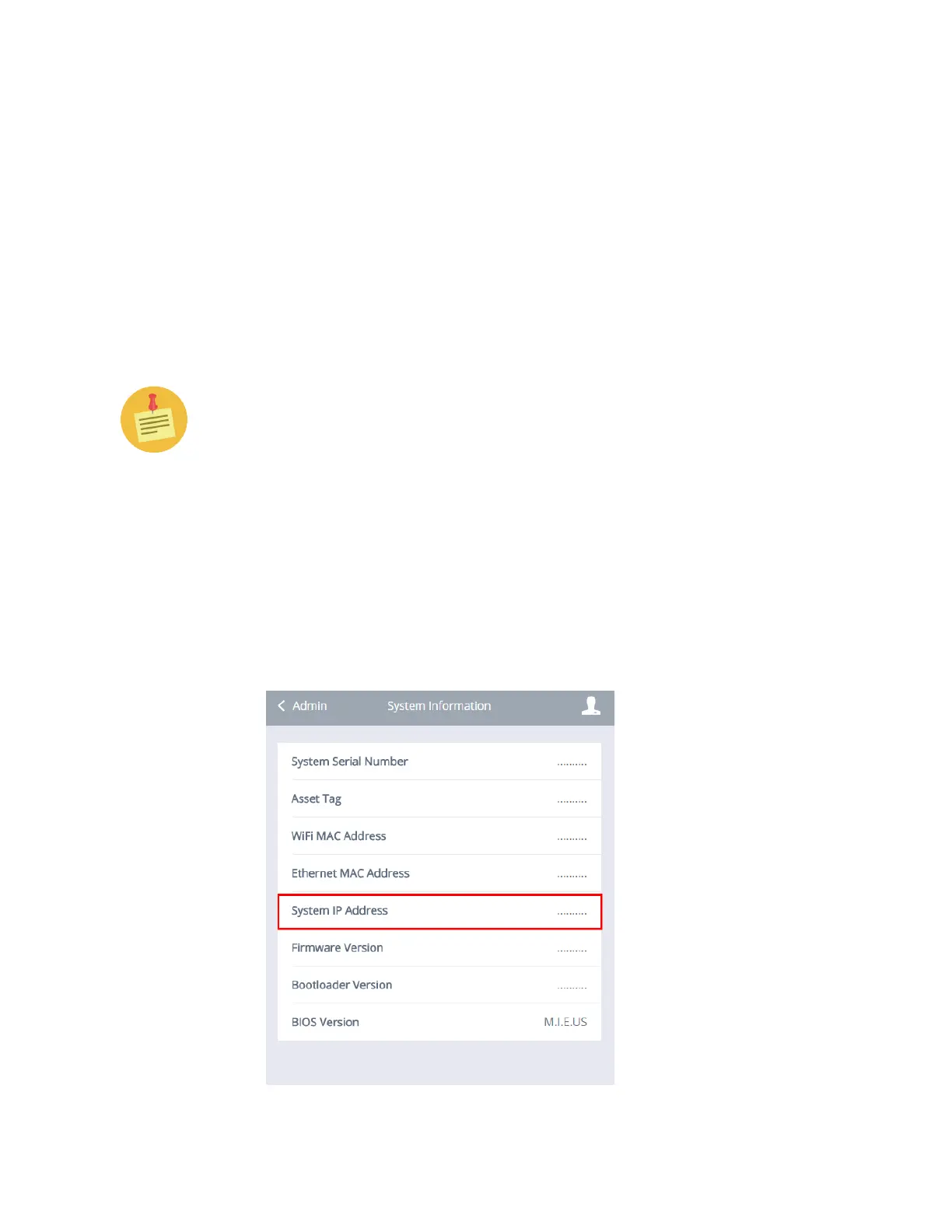
b. Via the Cirrus LT Plus OSM, which can be accessed from Administrator
> System Info > System IP Address.



 To Next Page