82 Cirrus LT Plus User Manual v1.2 - Chapter 4
Display Options
IMPORTANT – These settings are to enable the ports to support the follow-
ing display modes. Further configuration is done with the Teradici Firm-
ware.
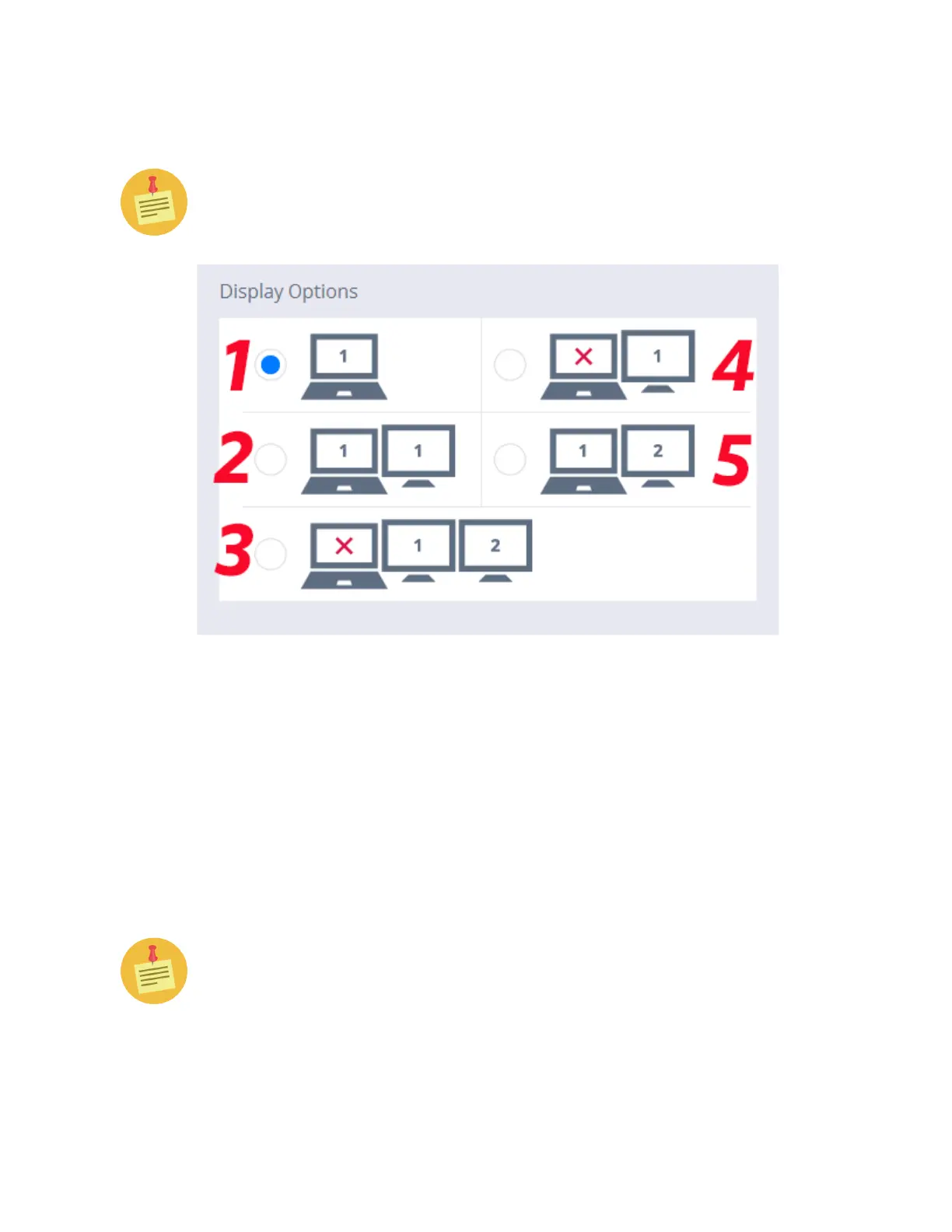
The image above corresponds to the numbered configurations below.
Here are the following display configurations you can select:
1. Use Native LCD Display Only
2. Clone Native LCD on Display 1 of docking station
3. Turn off Native LCD; Use Display 1 of docking station, and Display 2 of
the Mini DP port or docking station
4. Use Display 1 on docking station only
5. Use LCD and Display2 of the Mini DP port or docking station
The OSM will only appear on the native display and displays connected to
DVI-1 on the docking station. It cannot be shown on a display attached to
the mini DP Port.



 To Next Page