83
Cirrus LT Plus User Manual v1.2 - Chapter 4
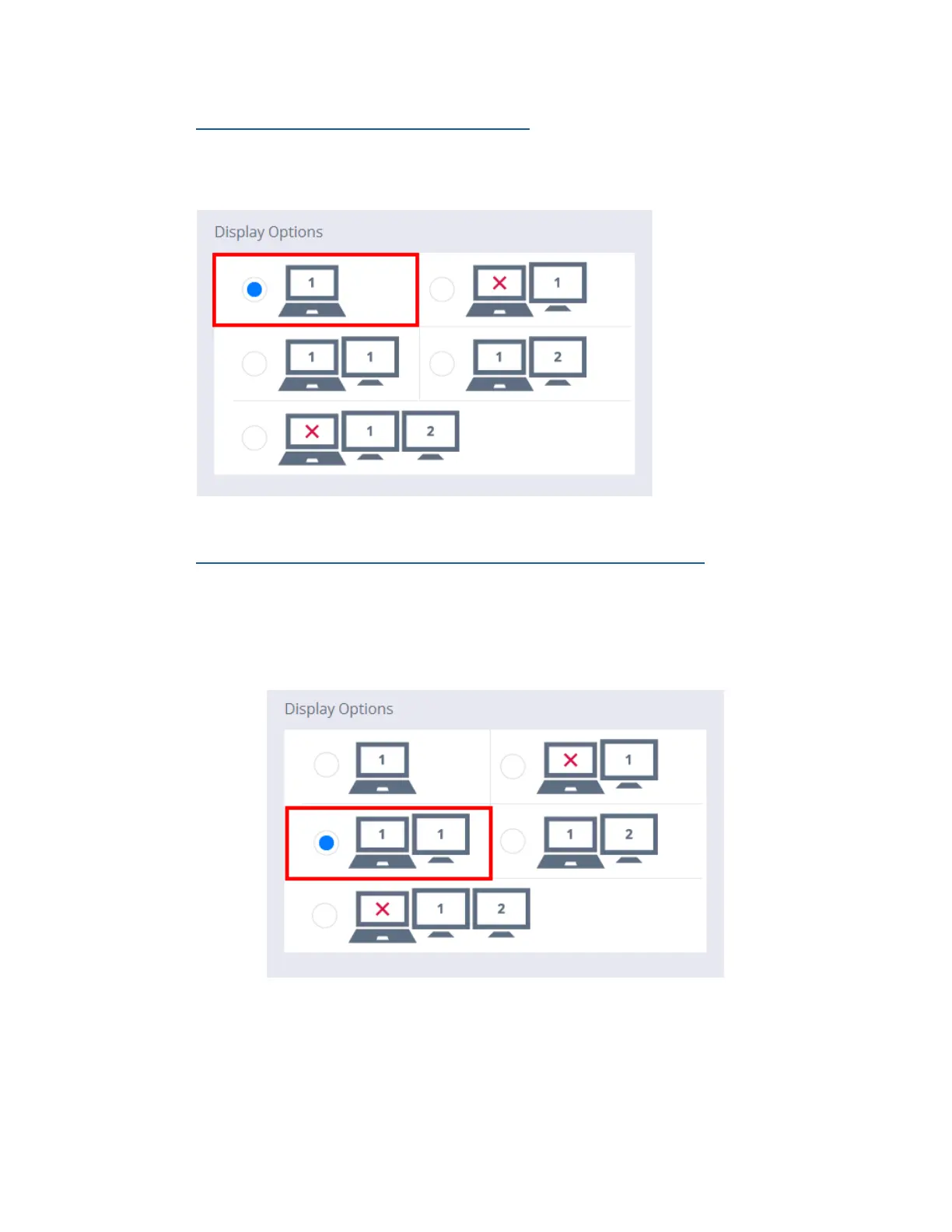
Option 1: Use Native LCD Display Only
This is the Cirrus LT Plus’ default setting and allows sole use of the Cirrus LT
Plus’ notebook display.
Option 2: Clone Native LCD on Display 1 of docking station
1. In order to Clone your display with a docking station you will need to
connect your laptop into the docking station and then connect an exter-
nal display to PCoIP1/Local (DVI1) Port. You then select the following
option in the OnScreen Menu, as shown below:
2. This cloning method will duplicate the same display resolution of the
Cirrus LT Plus LCD and is locked to this resolution.



 To Next Page