98 Cirrus LT Plus User Manual v1.2 - Chapter 4
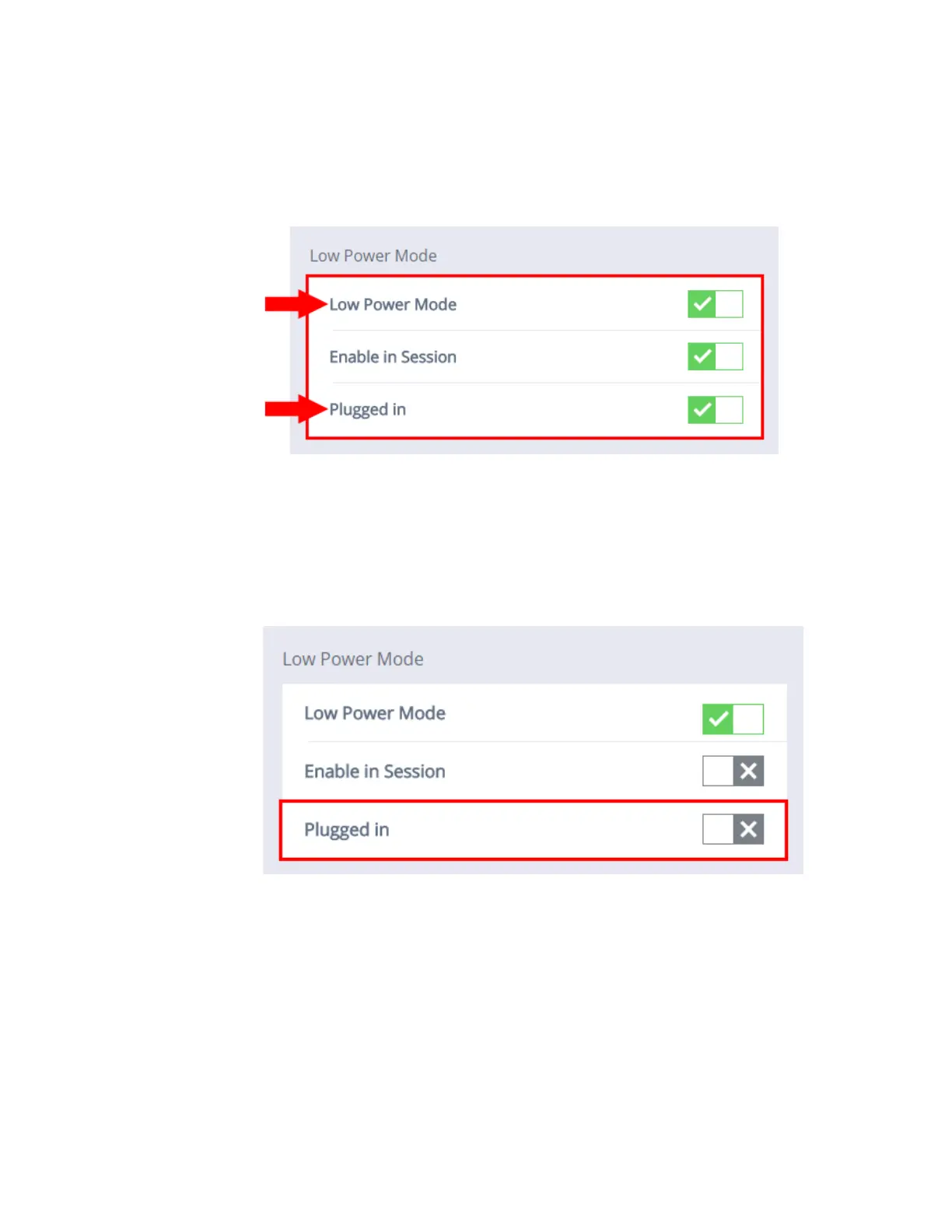
If Enabling Plugged In Mode and Low Power Mode are both turned on:
1. When Plugged In Mode and Low Power Mode are simultaneously enabled
(as shown below), the low power modes Sleep Mode and Auto Power Off
will work even while connected to a remote host.
To Disable Plugged In Mode:
1. Click the Power Management submenu.
2. Click the box next to Plugged In Mode. When the gray ‘x’ is selected,
Plugged In Mode will be disabled.



 To Next Page