134 Cirrus LT Plus User Manual v1.2 - Chapter 9
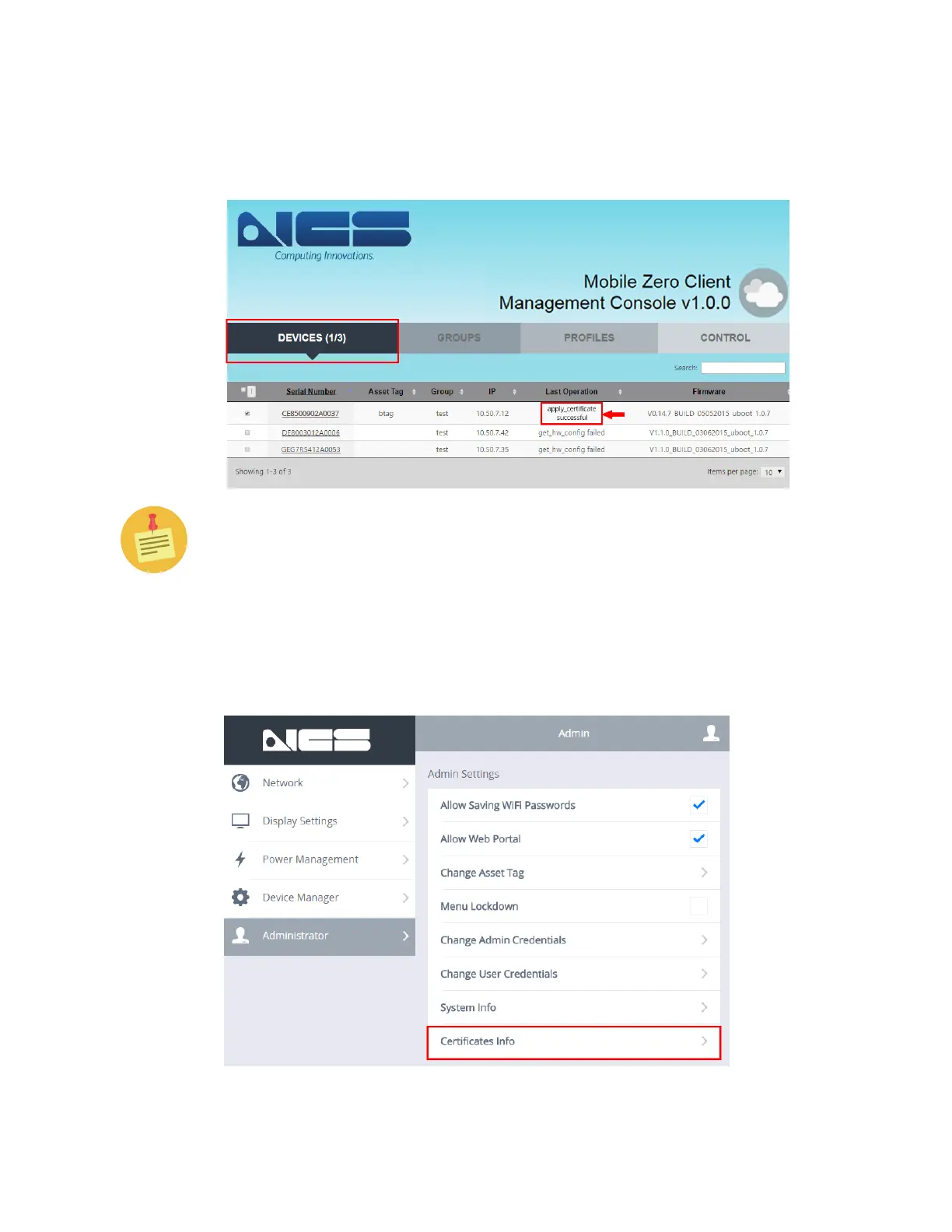
11. Go back to the Devices Tab. Under the Last Operation Column, confirm the
selected device’s status displays the “apply_certificate successful” message,
as shown below.
If you are unsuccessful, go back to Step #6 and try again.
12. You may also want to verify that the certificate was successfully applied by
checking the OSM on the impacted devices. In order to do this, press <FN+F10>
to bring up the OnScreen Menu (OSM) and go to Administrator, and click on
Certificates Info, as shown below.
a.



 To Next Page