90 Cirrus LT Plus User Manual v1.2 - Chapter 4
Via Teradici’s Firmware Menu
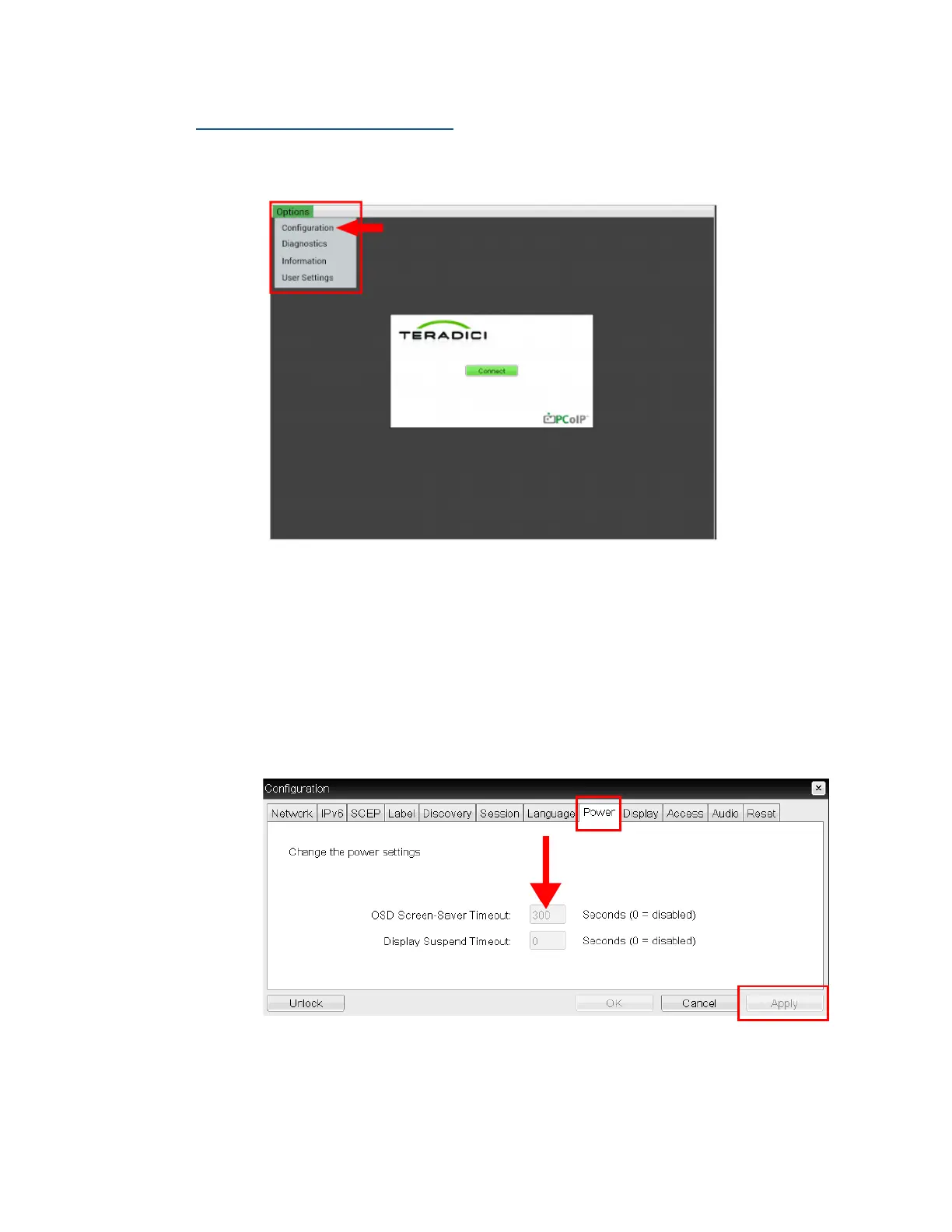
To change the timeout duration via the Teradici Power Menu:
1. From the Teradici main window, select Options > Configuration.
2. Click on the Power Tab.
3. Enter the new duration of the OSM Screen-Saver Timeout in seconds, not
minutes. For example, if you wanted to set the duration to 10 minutes,
you would enter 600 seconds (Teradici’s Firmware OSM Screen-Saver
Timeout default is set to 300 seconds, or 5 minutes). If you enter ‘0’ Sec-
onds, the OSM Screen-Saver Timeout will only be disabled in the Teradi-
ci Firmware.
4. Click the ‘Apply’ button when you are done.



 To Next Page