4.1 Burst oscillation
4-10 WF1946B
Operation:
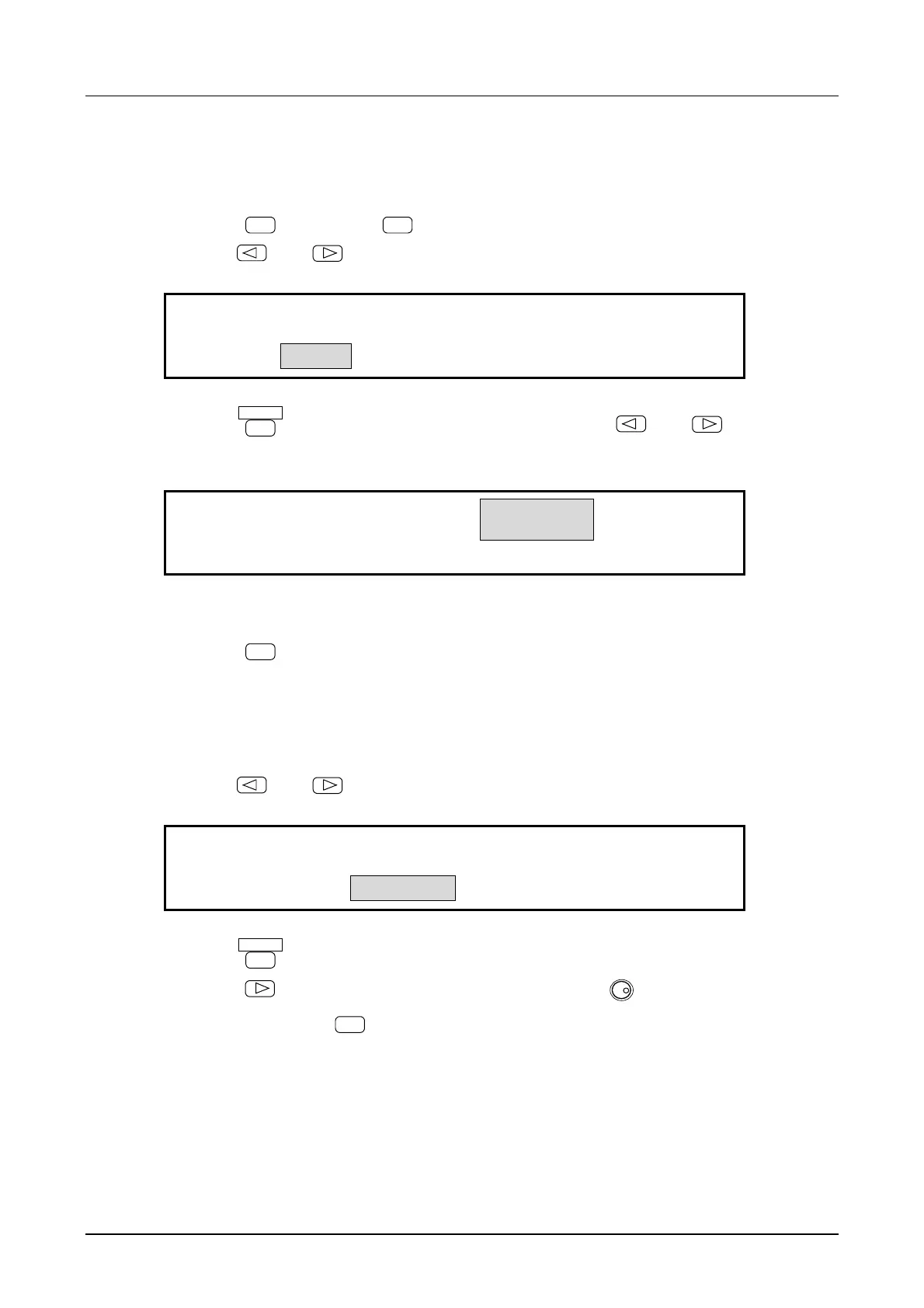
(1) Set burst oscillation TYPE to GATE.
① Press the
MODE
key, then the
BURST
key.
② Use the
and
keys to produce the following display (TYPE flashes).
BURST
TRIG GATE
4
BURST:TYPE MARK SPACE STOP―LEVEL
③ Press the
ENTER
key, then produce the following display with the
and
keys
(GATE flashes).
BURST
TRIG
GATE
4
GATE:TYPE SOURCE STOP-LEVEL
④ This sets the burst oscillation type for gate.
Press the
EXIT
key once to release the type setting mode.
(2) Select gate SOURCE
① Use the
and
keys to produce the following display (SOURCE flashes).
EXT
L-ON
GATE:TYPE SOURCE STOP-LEVEL
② Press the
ENTER
key.
③ Press the
key, then select positive logic (H-ON) with the
MODIFY
dial.
④ After setting, press the
EXIT
key to release the setting mode.



 To Next Page