3-75
3
REC/Offset
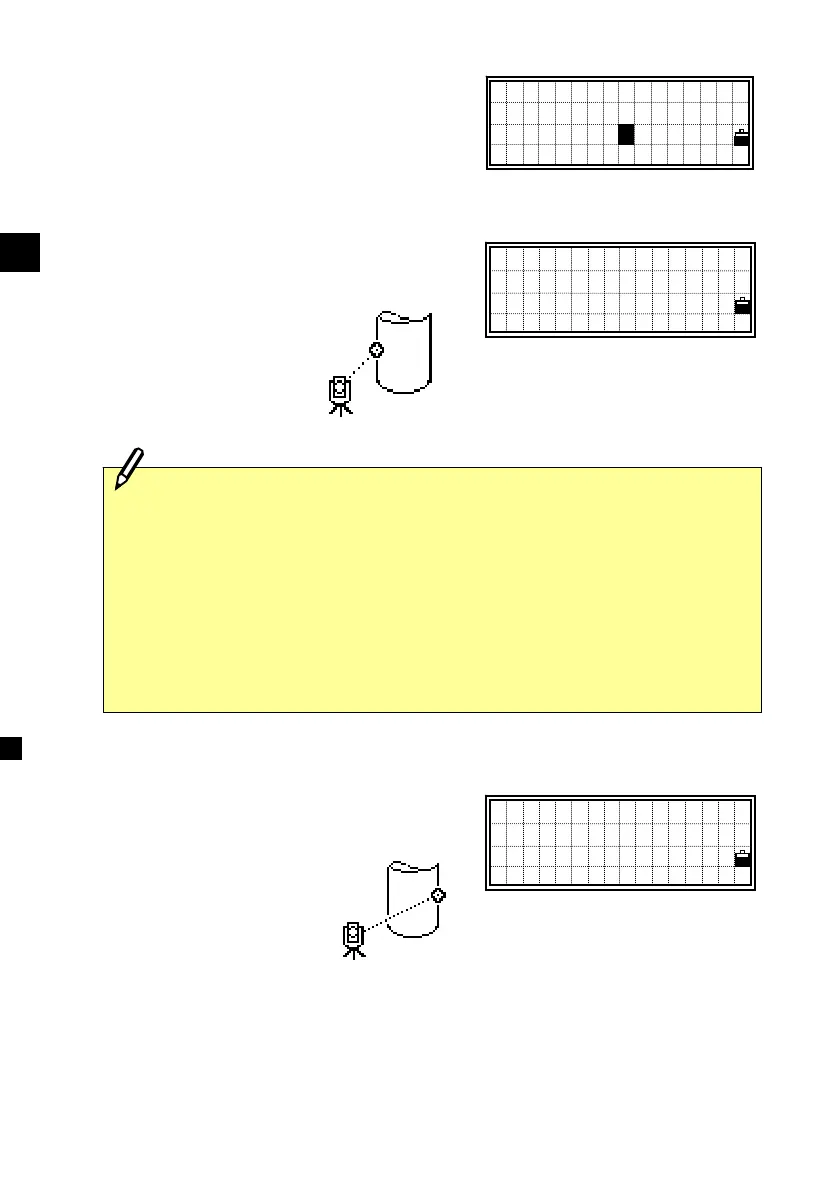
3-7) Circle Offset Measurements
After a distance measurement to the
surface of the circle, press the [REC],
[2:O/S] and [7:Circl] to get to the Circle
offset function.
Sight one edge of the circle and press
[3:Ed2].
Sight the other edge of the circle and press
[ENT] or [4:REC] to calculate and record
the center of the circle.
・If you use a Prism attached to the surface of the circle for the
distance measurement, press [2:+SD] to eliminate the offset
error (from the attached point to the measured surface of the
prism) before pressing [3:Ed2] or [4:REC].
・When the distance measurement was taken to the center of the
circle, you can have a shortcut calculation by one-edge angle
observation. In such a case, just press [ENT] or [4:REC].
Sight Edge1
HA: 47°05’35”
Press ENT
+SD Ed2 REC
Sight Edge2
HA: 29°53’01”
Press ENT
REC
1:Tape 5:Cnr
2:Angle 6:+SD
3:Pole 7:Circl
4:+Line
7












 To Next Page