3-1
3
Disp & Func
3. OPERATION
3-1 Display and Key Functions
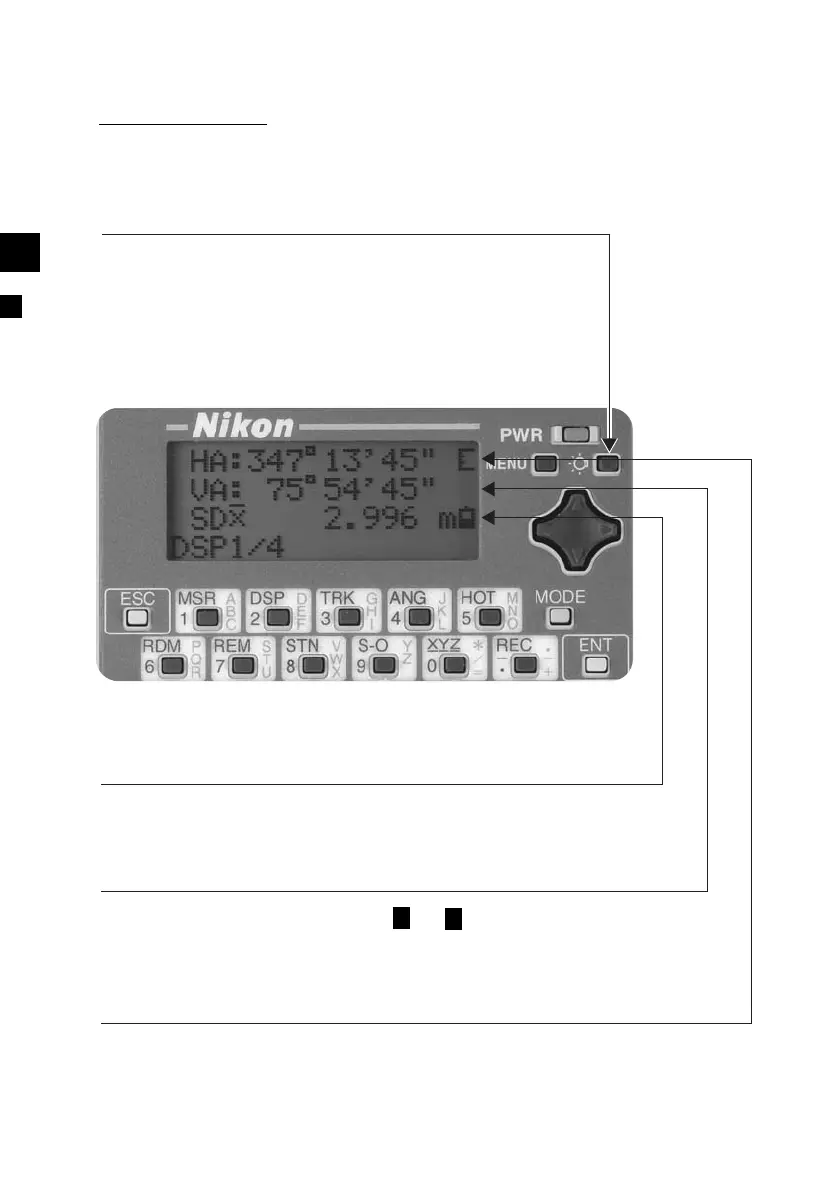
Battery Voltage Level Indication
Signal Level indication
Illumination Ke
Turns ON/OFF the display Back-light.
Holding down for one second will show a
screen to adjust: 1.Backlight, 2.Sound
Indicates the battery level in five steps. (See p.3-4)
Indicates the reflected light intensity in five steps, with two
additional signal status indicators. (See p.3-4)
Input Mode Indication
Indicates the input key mode ( or ) during input PT or CD
in
ut.
See
.3-29
1












 To Next Page