3-104
3
MENU/4: Data
4-4) Search Record
You can search for records by their type, point number/name, code, or by any
combination of these.
4-4-1) Search from RAW record
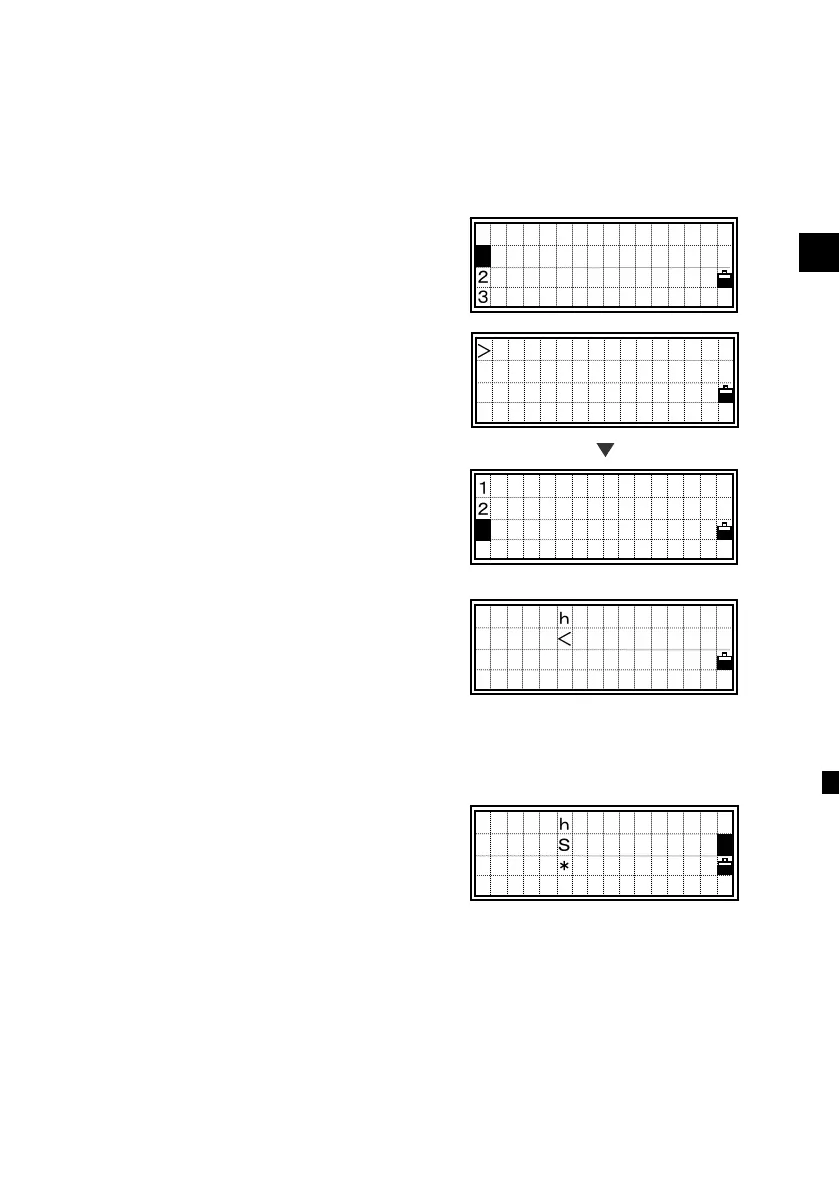
Select [1:RAW data] to show the list of
RAW data before entering “Search”
function.
Press the [MENU] key to display the
sub-function menu for RAW data.
Press the [3] or the Down arrow and
[ENT] keys to select “Search”.
You can set the record “Type” using the
Right/Left arrow keys. It scrolls among
ALL/ST/SS/SO/F1/F2/CP/CO/SY.
When you know the PT of the point, you
can ignore “Type”. Just leave it as ALL
and press the [ENT] key to input “PT”.
Type the PT and/or CD. The asterisc (*)
can be used as a wildcard.
For example, when you input “30*” in the
PT field, Pt:300, 301, 302, 3000A2,
3010…etc. can be found.
ST,100,
F1,,1.5000
SS,2001,FENCE
SS,2002,FENCE ↓
Search RAW
Type:SO
PT:30*
CD:■
Search RAW
Type:<ALL>
PT:
CD:
[MENU]
View/Edit
1:RAW data
2:XYZ data
3:Code List
1 DEL
2 Edit
Search
3












 To Next Page