3-99
3
MENU/4: Data
4-2) Delete Record
4-2-1) Deleting RAW data
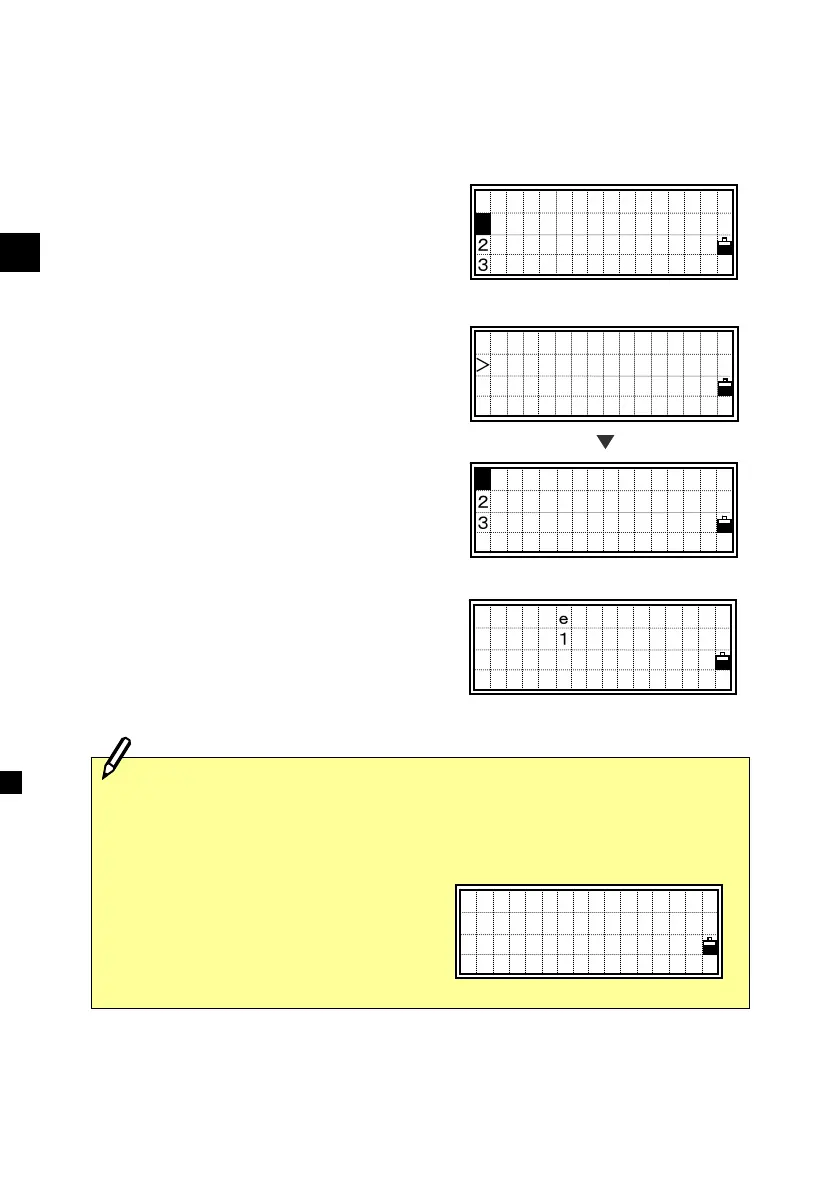
Select [1:RAW data].
Place the cursor using the Up/Down
arrow key to the record you want to delete,
then press [MENU].
The sub-function menu for RAW data is
displayed. Press the [1] or [ENT] key for
“Delete”.
A confirmation screen is displayed. Press
the [ENT] or [4] key to delete the
specified record.
SS,205 ,POB RT
SO,1011 ,
SO,1012 ,
SO,1050 , ↓
DEL
2 Edit
3 S earch
Delete RAW?
SO1011
No Yes
・If the “Store Data” is set to “Both”, the system will also delete the
corresponding coordinate data, when the RAW (SS/SO/CP) record is
deleted.
・Deleting RAW data can also be
activated from the each data screen
right. Press the [MENU] key to
display the sub-function menu.
[MENU]
PT:17
HA:301 °50’30 ”
VA: 89°12’25 ”
SD: 142.8451m
View/Edit
1:RAW data
2:XYZ data
3:Code List












 To Next Page