3-70
3
REC/Offset
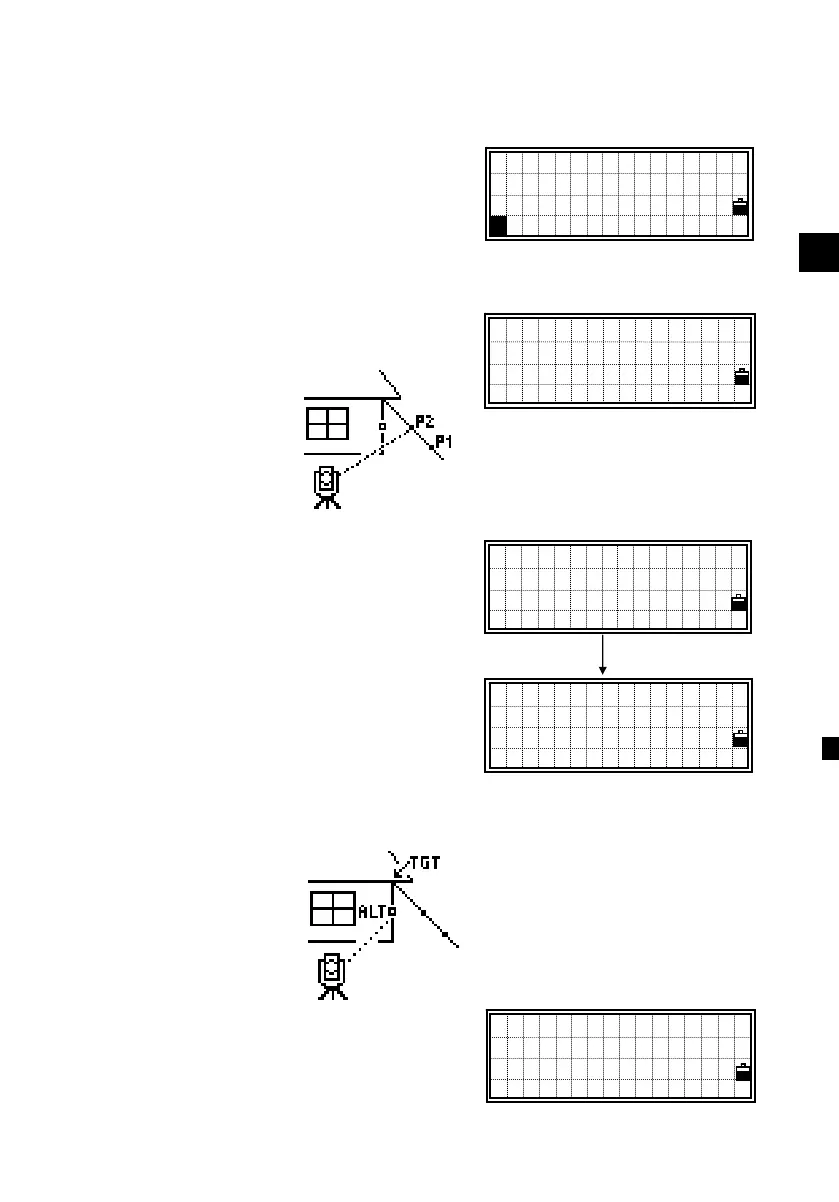
3-4) Line extension by Horizontal Angle Offset
After a distance measurement to the first
prism (or target) on the line, press the
[REC], [2:O/S] and [4:+Line] to get to the
Line Extension (by HA) function.
Sight the second prism (or target) and
press [MSR] or [TRK].
After taking a measurement, the
horizontal distance is displayed. [DSP] is
available to check VA/SD as well. Press
[ENT] to go to the next step.
Sight the alternative place which lays on
the same vertical line with the actual
target point.
Pressing [ENT] on ALT calculates the
coordinate and the raw data of the TGT
point.
Input the Code if necessary. The height of
target is defaulted to 0.0000 for the offset
point. Press [ENT] to record it (TGT).
Sight PT2
HA: 38°45’25”
Press MSRorTRK
+LN
[ENT]
1:Tape 5:Cnr
2:Angle 6:+SD
3:Pole 7:Circl
4:+Line
4
Sight PT2
HA: 35°21’09”
HD: 76.0481m
+LN
Sight ALT Tgt
HA: 35°21’09”
Press ENT
+LN
PT:48
HT: 0.0000 m
CD:BLD5
Lst Qcd Stk












 To Next Page