Solver NEXT SPM. Instruction Manual
92
For stable operation, it is recommended to define the feedback gain to less 0.5÷0.7 of the
threshold value where the noise generation occurs. The feedback gain is adjusted in the
Gain input field.
To adjust the working level of the feedback gain, perform the following steps:
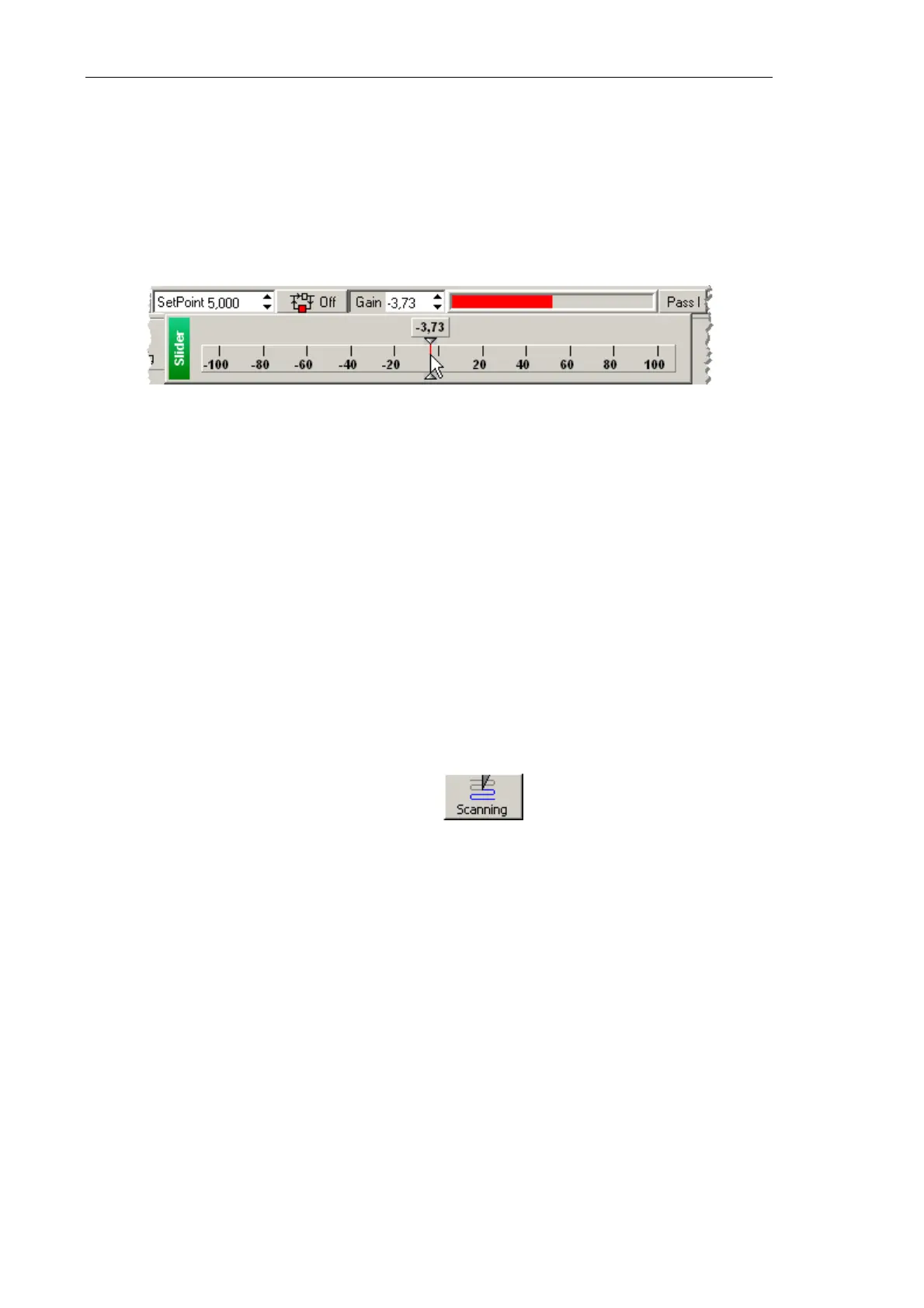
1. Double-click the Gain input field in the Main Parameters panel. The adjusting slider of
the feedback gain will appear (see Fig. 7-53).
Fig. 7-53. Adjusting slider of the
Gain parameter
2. Gradually decrease the Gain level and watch the Mag level in the software
oscilloscope.
NOTE. The
Gain
level should be negative in semicontact modes.
3. Determine the value of the Gain parameter at which noise generation occurs. The
beginning of the generation is identified by appearance of a noticeable alternating
component in the Mag signal (see Fig. 7-52).
4. Increase the value of the Gain parameter to 0.5÷0.7 of the threshold. This value will be
used in further operation.
7.2.1.5. Adjusting Scanning Parameters
Open the Scanning window by clicking the button in the Main Operations
panel.
The top part of the Scanning window contains a panel to control the scanning process
(see Fig. 7-54).



 To Next Page