Solver NEXT SPM. Instruction Manual
122
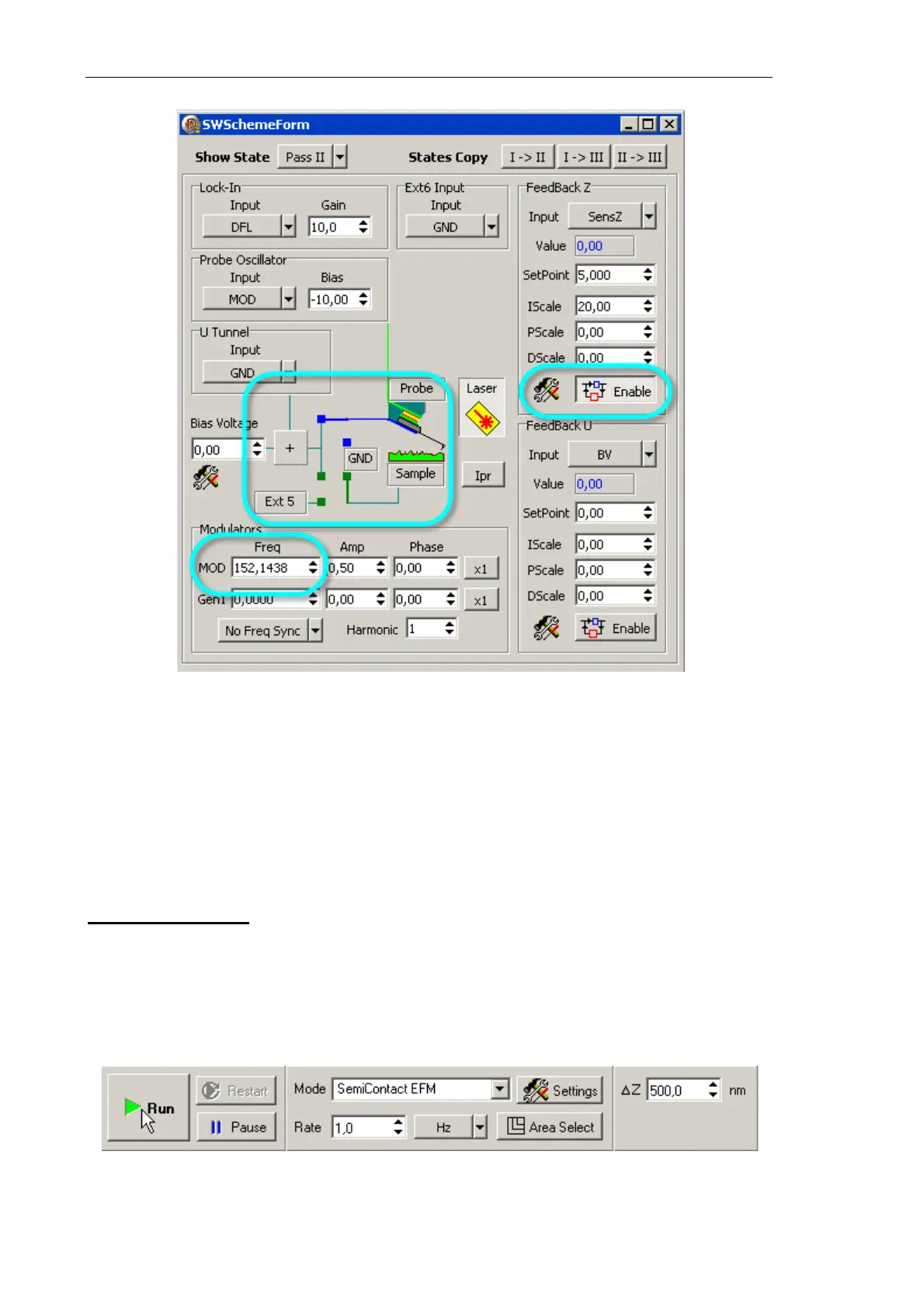
Fig. 7-95. Block diagram of the instrument. Parameters of the second pass
Define the voltage to apply to the probe either in the Bias Voltage field of the block
diagram or BV field in the top bar of the Main Program window.
7.3.3.4. Scanning
Triggering scanning
Scanning of the sample surface is started after the completion of all necessary preparation
procedures: the sample is approached to the probe, setting of the operation point is done,
and all scanning parameters have been set.
To trigger scanning, click the button Run available on the control panel (Fig. 7-96).
Fig. 7-96



 To Next Page