Solver NEXT SPM. Instruction Manual
116
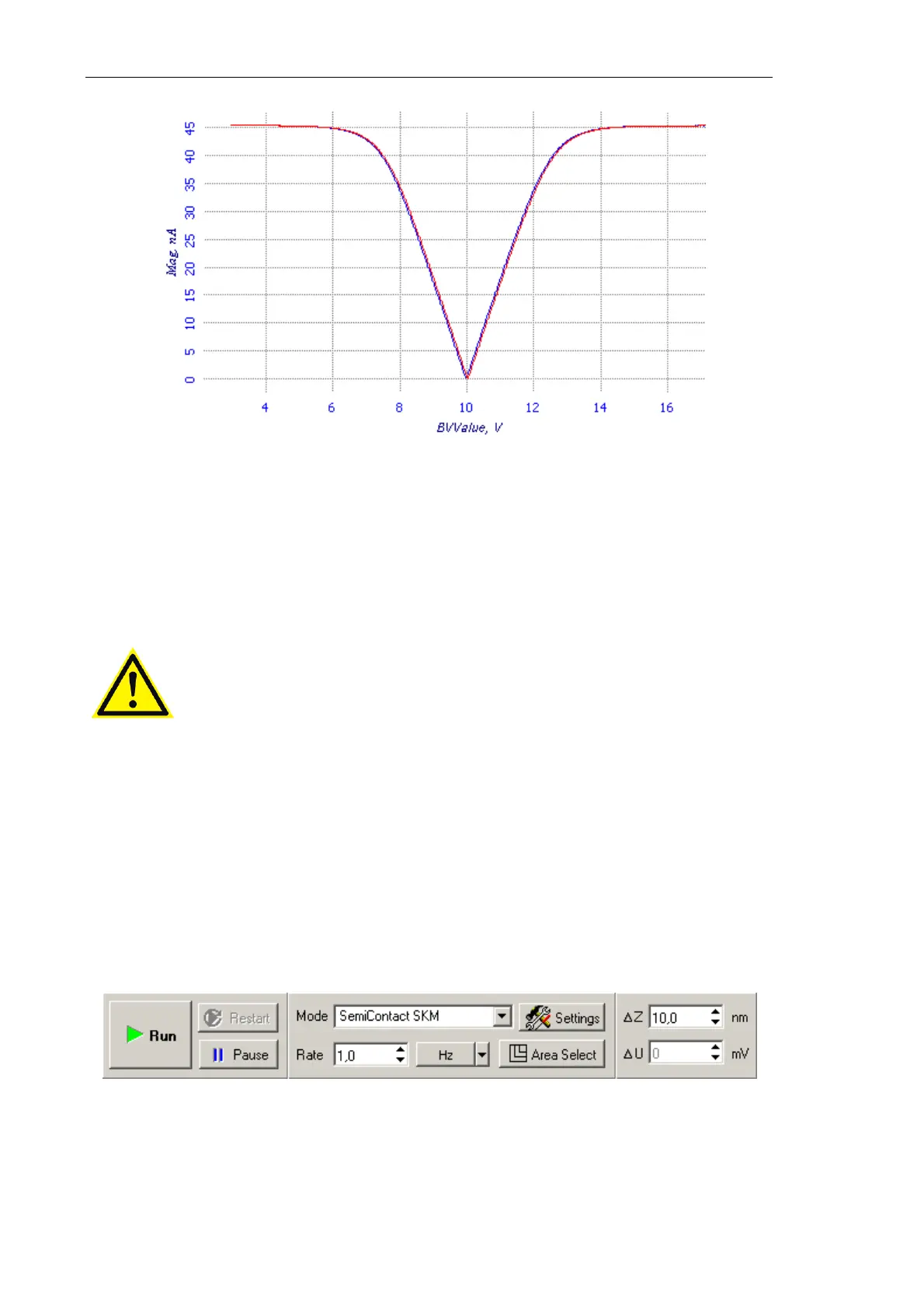
Fig. 7-88.
Mag(BV) relation at a point
If the plot of the Mag(BV) relation is "V-shaped" (has a pronounced peak) (see Fig. 7-88),
the instrument operates properly. Now, measurements on Kelvin Probe Microscopy can be
performed. If the plot lacks a feature of a sharp peak, it is recommended to exchange the
probe and to repeat all preparatory steps.
ATTENTION! When the testing measurements complete, close the
feedback loops on Z and on U for the second scanning pass. Otherwise,
the instrument will not operate properly in the Kelvin Probe
Microscopy mode.
7.3.2.5. Scanning
Scanning of the sample surface should be preceded by necessary preparation procedures
(the sample has approached to the probe, the operation point is adjusted, and all scanning
parameters have been set).
To start scanning, click the Run button in the Control panel of the Scanning window
(see Fig. 7-89).
Fig. 7-89. Control panel of the
Scanning window



 To Next Page