Solver NEXT SPM. Instruction Manual
194
Parameter table of the lithography template
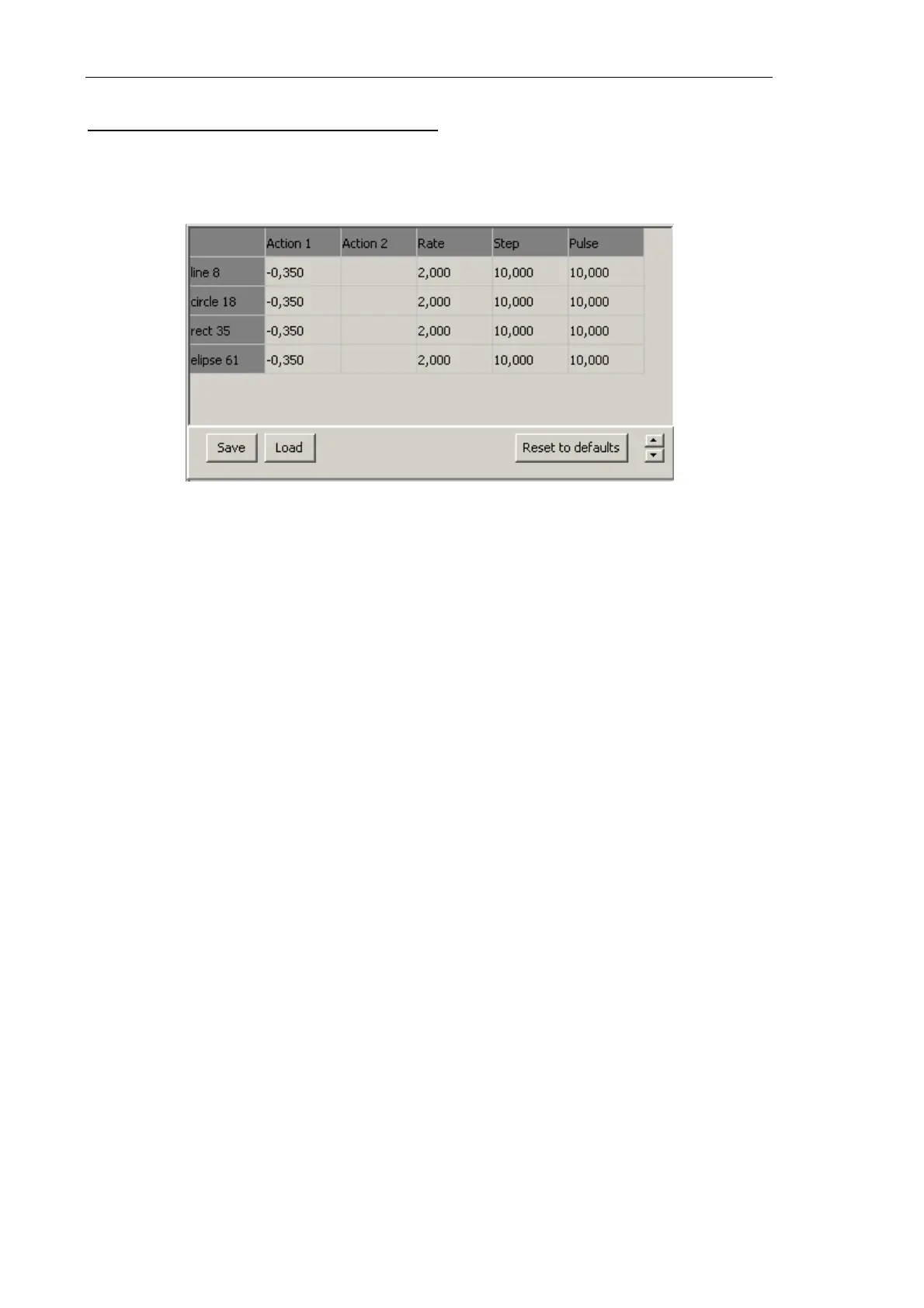
Parameter table of the lithography template (Fig. 8-45) is displayed in the Litho window
(Fig. 8-19) when the Primitives list option in the Control panel of the Litho window is
selected.
Fig. 8-45. Parameter table of the lithography template
When a new object is added to the template, the table is appended with a record that
contains the name and the parameters of lithography for the new object. By default, the
new object is attributed with parameter values defined in the Control panel of the Litho
window (Fig. 8-19). Values of the lithography parameters can be adjusted independently
for any object in the template.
8.3.1.4. Adjusting Lithography Parameters
Composition of the set of adjustable parameters depends on the selected mode of vector
lithgraphy (for details on the vector lithography modes, refer to Chapter 1, i. 8.1.1 «Vector
Lithography»).
Hereafter, adjustable parameters are explained depending on the vector lithography mode:
● Adjusting Simple Vector Lithography Parameters (see p. 195);
● Adjusting Gradient Lithography Parameters (see p. 195);
● Adjusting Pulse Lithography Parameters (see p. 196);
● Adjusting Pulse-Gradient Lithography Parameters (see p. 197).



 To Next Page