EasyManua.ls Logo

NT-MDT Solver Next - Page 201

NT-MDT Solver Next
214 pages
Print Icon
To Next Page IconTo Next Page
To Previous Page IconTo Previous Page
Loading...
8
1.
2.
F
i
.3.1.3.
Create a
n
of the L
i
This ste
p
final tem
p
In the L
i
objects (
F
refer to t
h
i
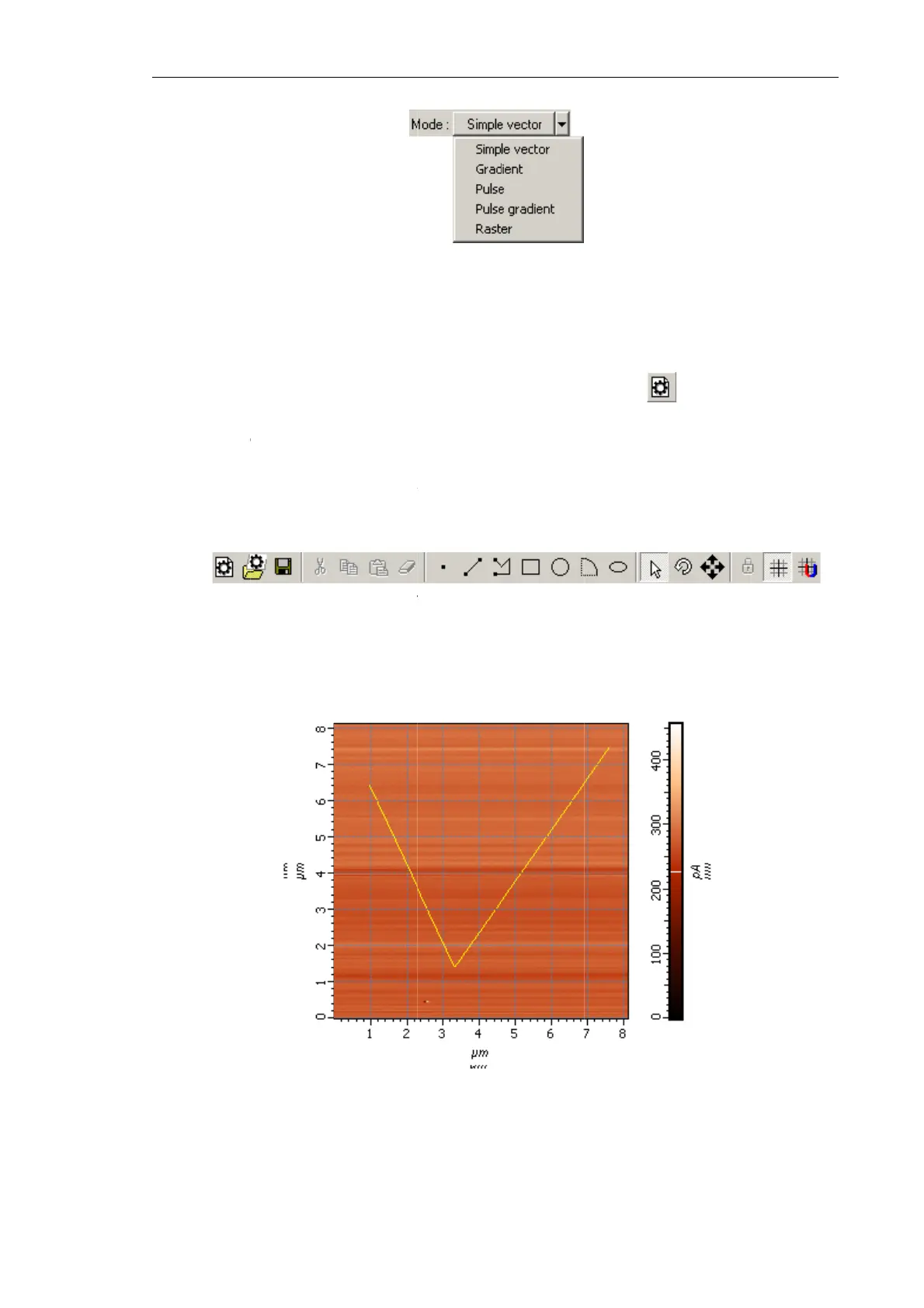
g. 8-44 sh
o
Creatin
g
n
ew lithog
r
i
thography
p
is require
d
p
late.
i
thography
F
ig. 8-44)
w
h
e manual
«
o
ws an exa
m
Fig. 8-42
.
g
Lithog
r
r
aphy temp
l
template (
F
d
to preven
t
template
v
w
ith the too
l
«
Nova P9.
S
Fig. 8-43.
To
m
ple of the
l
Fig.
.
Selecting t
h
r
aphy T
e
l
ate. To thi
s
F
ig. 8-43).
T
t
any objec
t
v
iewing are
a
l
s of the T
o
S
PM Contr
o
To
olbar of th
e
l
ithograph
y
8-44. Lithog
h
e lithograp
h
e
mplate
s
purpose, c
T
his will r
e
t
outside th
a
, define p
o
olbar (Fig.
o
l Porgra
m
»
e
Lithograph
y
y
template.
raphy templ
a
h
y mode
lick the
e
move all
o
e selected
r
o
sitions an
d
8-43). For
»
;
y
template
a
te
Chapter 8.
b
utton in
t
o
bjects cre
a
r
egion to a
p
d
sizes of
details on t
h
Lithograph
y
19
3
t
he Toolba
r
a
ted before
.
p
pear in th
e
the desire
d
h
e Toolbar
,
y
3
r
.
e
d
,

Table of Contents