Solver NEXT SPM. Instruction Manual
108
NOTE. The magnetic probes may become demagnetized after long-term storage. Before
using a probe, magnetize it with a permanent magnet.
Initial state
The following steps are assumed to be done:
● Launching the control program;
● Turning the instrument on;
● Installing the magnetic probe;
● Adjusting the cantilever deflection detection system;
● Mounting the sample;
● Moving the measuring head to its working position;
● Approaching the sample to the probe at the distance of 0.5÷1 mm.
For details on these operations see Ch. 6 “Preparing for Measurements” on p. 29.
Besides, you have to perform a preliminary scan of the sample in the Semicontact mode
(see “Semicontact Mode” on p. 84) and then to select the scan area for MFM
measurements.
7.3.1.3. Adjusting Scanning Parameters
The MFM mode uses the same parameters as the Semicontact mode (see “Adjusting
Scanning Parameters” on page 92) except the parameter of the scanning mode.
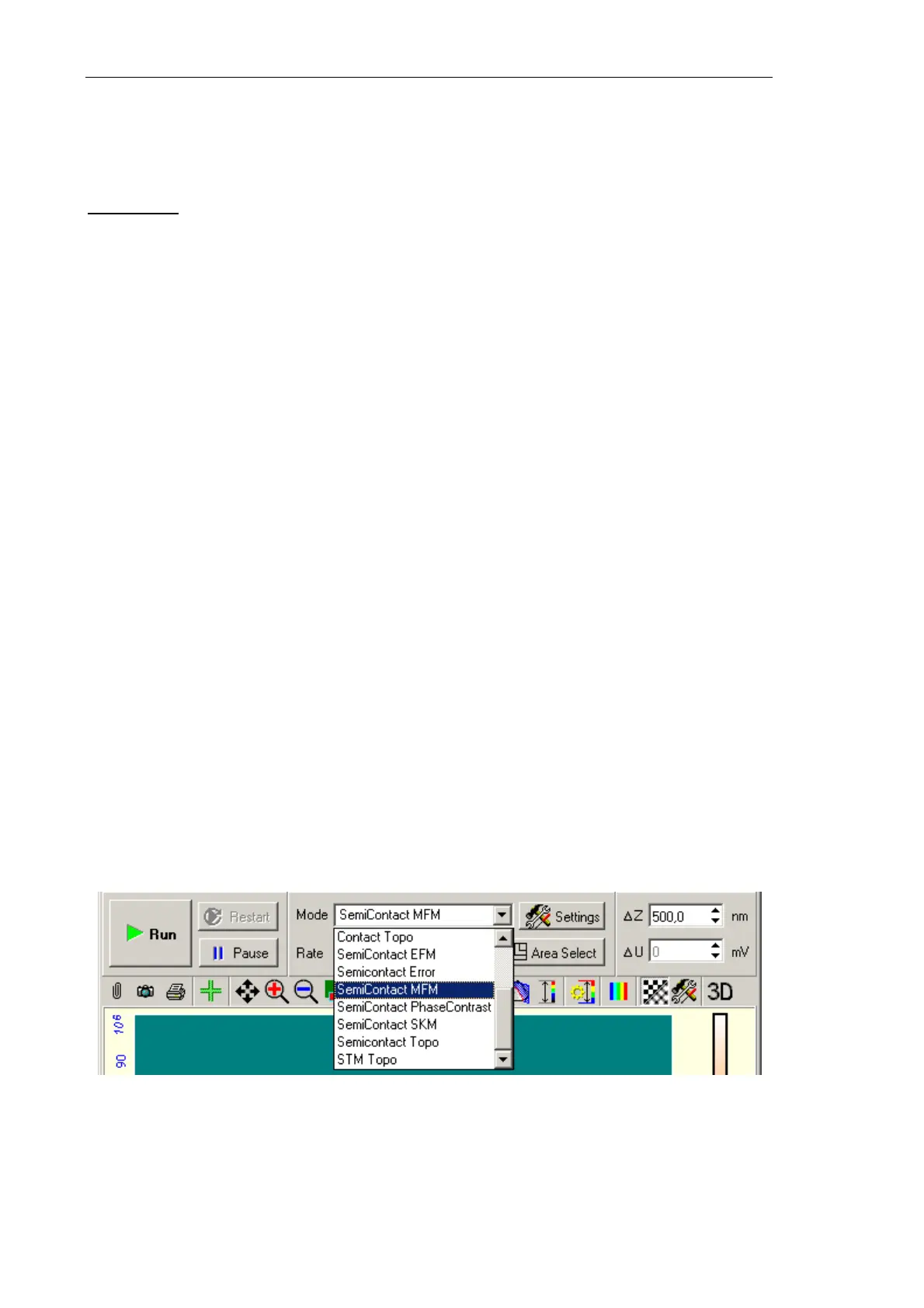
Switch the instrument for operating in the MFM mode by selecting
SemiContact MFM in
the list (see Fig. 7-78) of the Control panel of the scanning window. This results in
automatic performing all necessary switching sequences in the controller.
Fig. 7-78. Selecting the Magnetic Force Microscopy mode



 To Next Page