EasyManua.ls Logo

NT-MDT Solver Next - Page 47

NT-MDT Solver Next
214 pages
Print Icon
To Next Page IconTo Next Page
To Previous Page IconTo Previous Page
Loading...
I
n
U
T
o
1.
2.
3.
4.
n
stallin
g
t
h
U
se of two t
w
o
install or
Move th
e
the
Turn the
Take a p
a
spring w
i
Insert th
e
edge of t
h
h
e Tip into
t
w
eezers en
a
exchange t
h
e
STM me
button in t
h
measuring
h
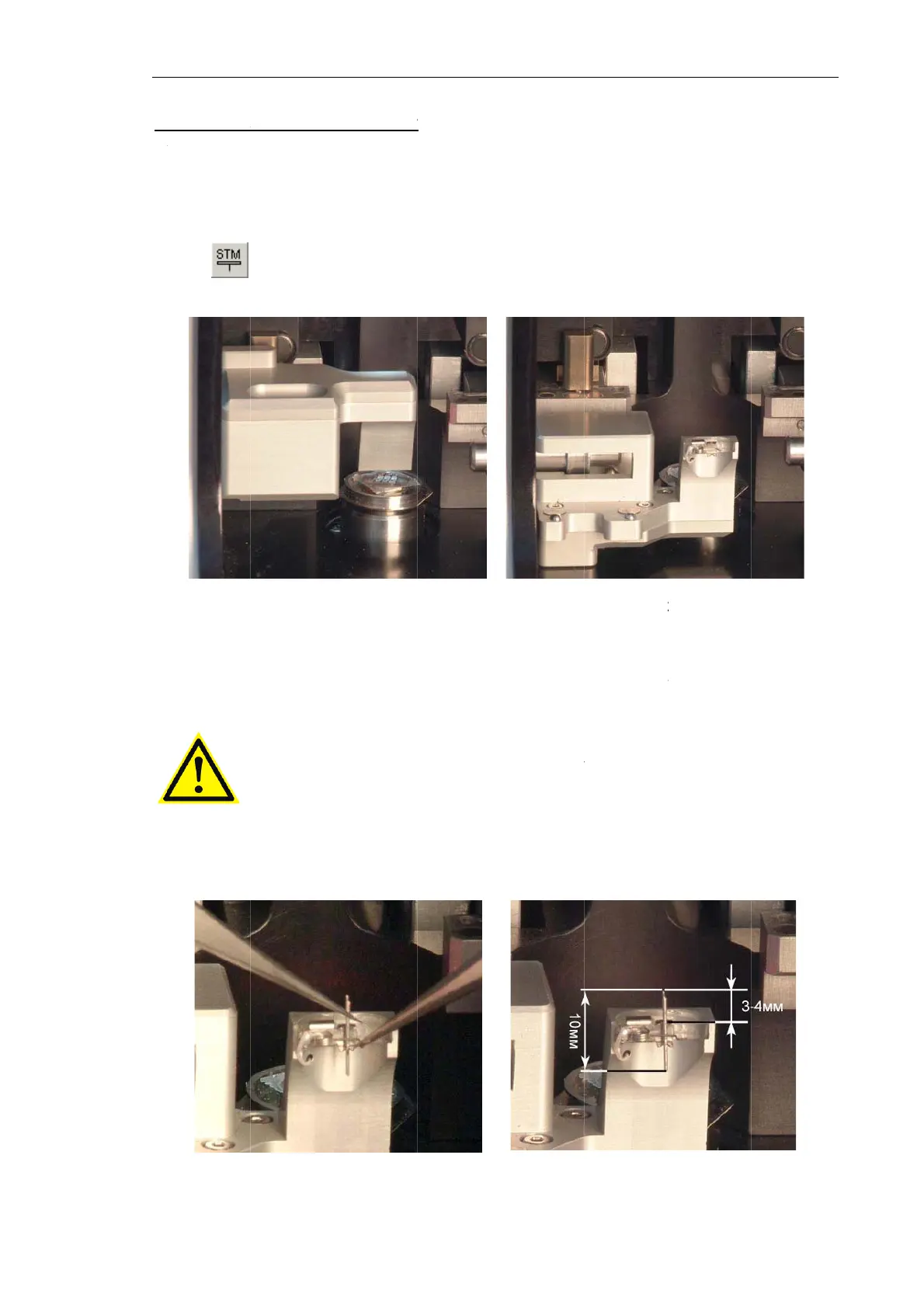
Fig.
a
ir of twee
z
i
th the seco
n
ATTEN
T
durin
g
i
n
e
tip's blunt
h
e holder t
o
Fig.
t
he Holde
r
a
bles install
i
h
e STM tip
,
asuring he
a
h
e Measuri
n
h
ead to yo
u
6-25
z
ers. Hold
t
n
d tweezer
s
T
ION! Avo
i
n
stallation.
end into t
h
o
distance o
f
6-27
r
i
ng the ST
M
,
perform t
h
a
d to its
w
n
g heads c
o
u
manually
(
t
he tip with
s
(see Fig.
6
i
d contacti
n
h
e holder s
o
f
less 3÷4
m
Ch
a
M
tip into t
h
h
e followin
g
w
orking po
s
ntrol panel
(
see Fig. 6-
2
the first t
w
6
-27).
ng
the sh
a
o
that the s
h
m
m (see Fi
g
a
pter 6. Pre
p
h
e holder.
g
steps:
s
ition (see
F
(see Fig. 6
-
2
6).
Fig. 6-
2
w
eezers an
d
a
rpened ap
h
arpened e
n
g
. 6-28).
Fig. 6-
2
p
aring for M
e
F
ig. 6-25)
b
-
4).
2
6
d
release th
e
ex with a
n
n
d projects
2
8
e
asurement
s
3
9
b
y clickin
g
e
probe cli
p
ny
surface
s
beyond th
e
s
9
g
p
s
e

Table of Contents