EasyManua.ls Logo

NT-MDT Solver Next - Page 61

NT-MDT Solver Next
214 pages
Print Icon
To Next Page IconTo Next Page
To Previous Page IconTo Previous Page
Loading...
3.
4.
5.
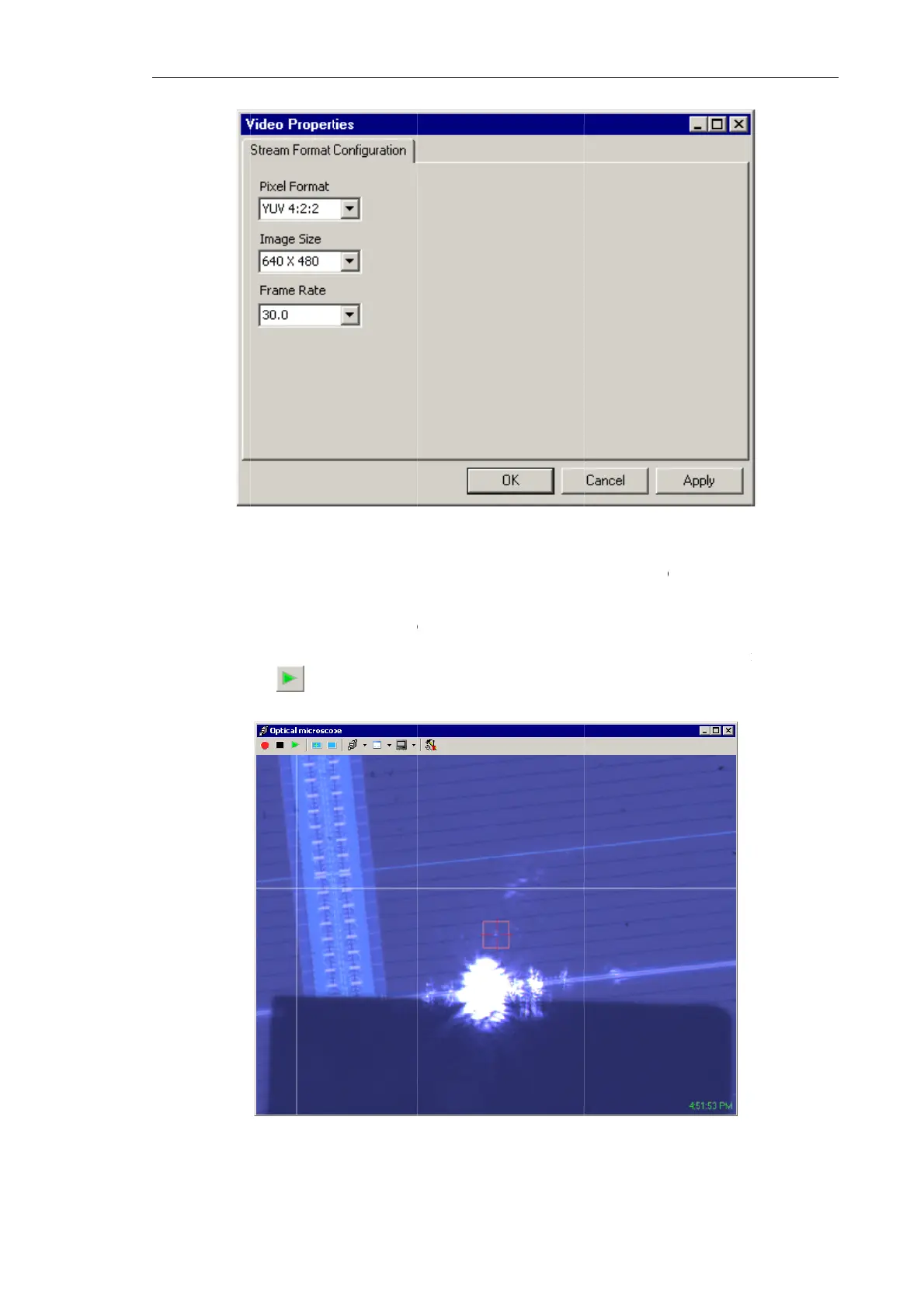
Define t
h
Frame R
a
Click the
Launch
d
clicking
t
will disp
l
h
e frame ra
a
te
list.
OK
b
utton
d
isplaying
t
t
he
b
ut
l
ay the sam
p
Fig.
6
Fig. 6-45.
Ad
te of the v
i
to save mo
d
t
he image
ton in the
T
p
le surface
6
-46. Viewin
d
justing dial
o
i
deo camer
a
d
ifications
a
from the
v
T
oolbar of t
h
and the pro
g the image
Ch
a
o
g of the vid
e
a
to be 30
a
nd to clos
e
v
ideo came
h
e
Optical
m
be (see Fig
.
of the built-i
n
a
pter 6. Pre
p
e
o camera
Hz by sele
c
e
the
Video
ra of the
o
m
icroscope
.
6-46).
n
video cam
e
p
aring for M
e
cting this
v
Properties
o
ptical mic
r
window.
T
e
ra
e
asurement
s
5
3
v
alue in th
e
dialog.
r
oscope b
y
T
he windo
w
s
3
e
y
w

Table of Contents