EasyManua.ls Logo

NT-MDT Solver Next - Page 96

NT-MDT Solver Next
214 pages
Print Icon
To Next Page IconTo Next Page
To Previous Page IconTo Previous Page
Loading...
Solver NE
X
88
Ad
j
ustin
g
1. Open
Operat
2. In the
Click
type o
3. Select
Param
e
necess
a
4. Click
respon
5. Using
colors
6. Repea
7. Adjust
freque
its ma
adjust
positio
n
X
T SPM. Inst
r
g
enerator
t
he
Reson
a
ions panel.
d
rop-down
t
he
Reset
b
f
the probe.
t
he
More s
e
e
ters for m
a
a
ry, the no
n
t
he
s
es of the
m
the marke
r
o
f the begi
n
t
measurem
e
the gene
r
n
cy by mo
v
x
imum in
t
a
ble param
e
n
of the m
a
r
uction Man
u
paramete
r
a
nce
wind
o
list of the
F
b
utton to e
n
e
ttin
g
s
opti
o
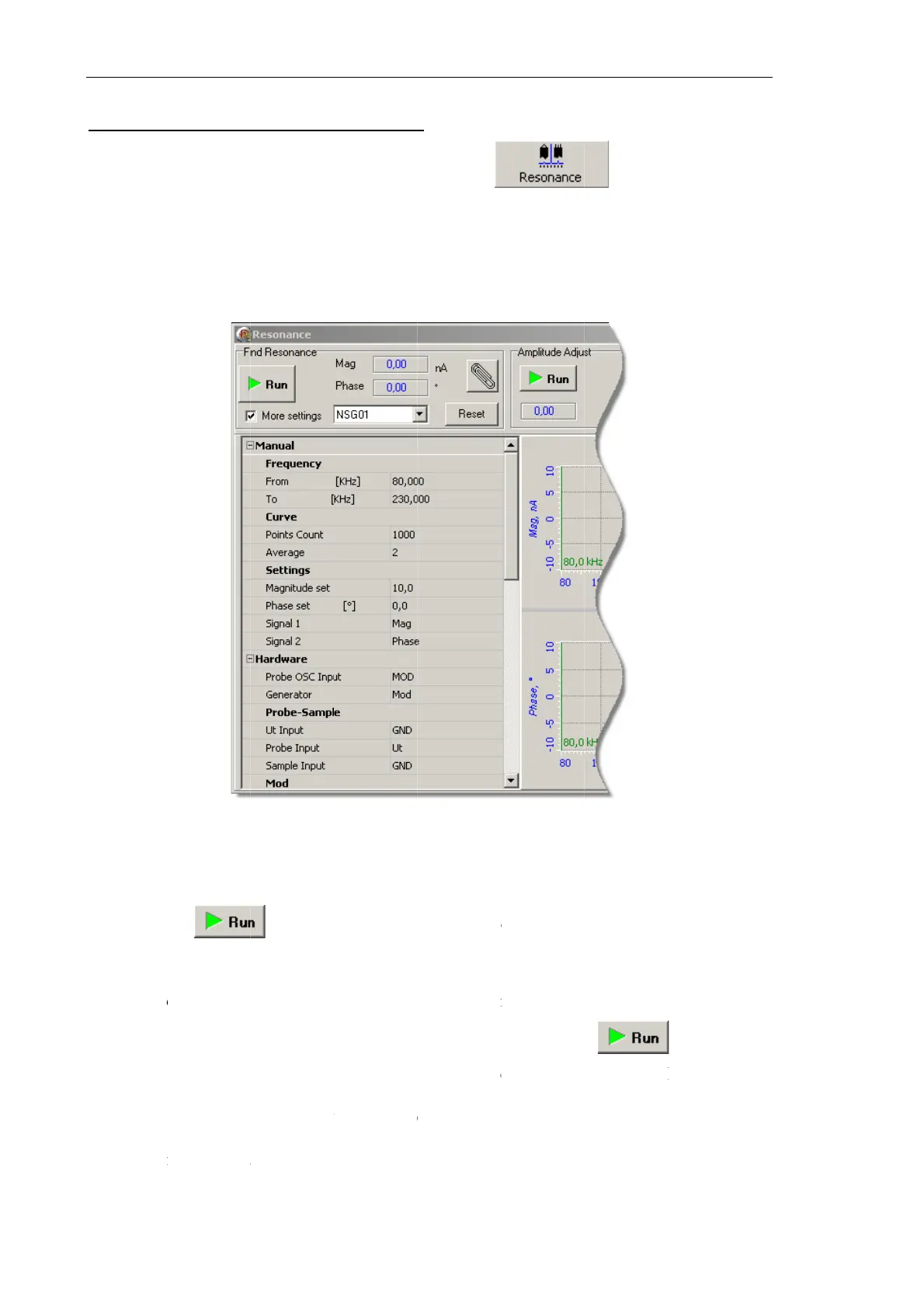
Fig. 7-47.
P
a
nual adjus
t
n
-default va
l
b
utton i
n
m
agnitude a
n
r
s, select a
n
ning and o
e
nt of the f
r
r
ator work
i
v
ing the re
d
t
he vicinit
y
e
ters grou
p
a
rker.
u
al
r
s manuall
y
o
w by clic
F
ind Reson
a
n
able para
m
o
n to open
t
P
iezodrive a
d
t
ment of th
e
l
ues can be
n
the
Find
R
n
d of the p
h
narrower
r
f the endin
g
r
equency re
i
ng freque
n
d
marker to
y
of the sel
e
p
will dis
p
y
king the
a
nce
panel,
m
eters of a
u
t
he adjusta
b
d
justable pa
r
e
generator
entere
d
.
R
esonanc
e
h
ase shift i
n
r
ange arou
n
g
markers a
r
sponses by
n
cy (
Frequ
e
the positio
e
cted peak
.
p
lay the v
a
select the
d
u
tomatic ad
j
b
le paramet
e
r
ameters pa
n
are define
d
e
panel. Th
i
n
the presel
e
n
d the reso
r
e green an
d
clicking th
e
e
nc
y
para
m
n at which
.
The
Freq
u
a
lue corre
s
b
utton
d
esired typ
e
j
ustment fo
e
rs panel (s
e
n
el
d
in the
Ma
n
i
s will acq
u
e
cted frequ
e
nance pea
k
d
blue, res
p
e
m
ete
r
) at t
h
the
Mag
si
u
enc
y
inp
u
s
ponding t
o
in the M
a
e
of the pro
b
r the selec
t
e
e Fig. 7-4
4
n
ual
group.
u
ire freque
n
e
ncy range.
k
. By defa
u
p
ectively.
button.
h
e resona
n
gnal achie
v
u
t field of
t
o
the curr
e
a
in
b
e.
t
ed
4
).
If
n
cy
u
lt,
n
ce
v
es
t
he
e
nt

Table of Contents