Operating & Maintaining the Eden 3-D Printer
7–10
DOC-00500 Rev. F
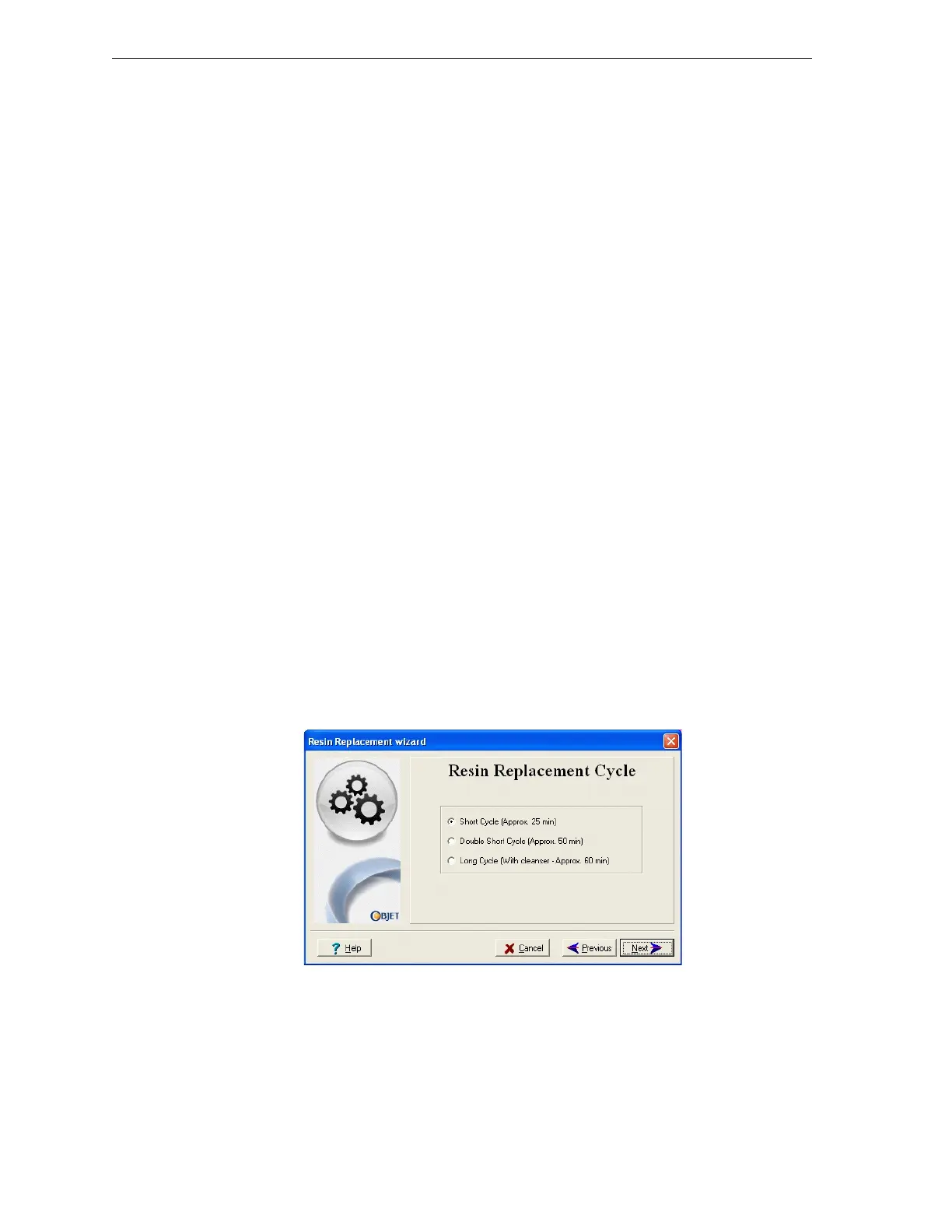
6. IntheResinReplacementCyclescreen(seefigure 7‐12),choosethe
appropriatecycleforthemodelmaterialyouwanttoinstall.Withtwo
oftheoptions,theprintblockisflushedwiththenewmodelmaterial.
Withthethirdoption,theprintblockisflushedwithcleaningfluid
beforeitis
filledwiththenewmodelmaterial.
Flushingtheblockwithmodelmaterial:
• ShortCycle.Duringthiscycle,whichtakesabout30minutes,the
pumppurgesthemodelmaterialfromtheprintblock,thenflushes
thesystemwiththenewmaterial.
Sincetracesofthepreviousmaterialmaybepresentinthefirst
modelsprintedwiththenewmaterial,thiscycleisusually
acceptable
whenreplacingalight‐coloredmodelmaterialwitha
darkermaterial(suchasTangoBlack™orVeroBlack™),orifthe
coloroftheprintedmodelsisunimportant.
• DoubleShortCycle.Duringthiscycle,whichtakesabout50minutes,
thewizardcleansthefeedtubesandprintblockmorethoroughly
byflushingthesystemtwicewiththenewmaterial.
Thiscycleisusedwhenreplacingadark‐coloredmodelmaterial
(suchasTangoBlackorVeroBlack)withalightermaterial.
Flushingtheblockwithcleaningfluid:
• LongCycle.Duringthiscycle,whichtakesabout60minutes,the
wizardcleansthetubeandprintblockverythoroughlybyflushing
thesystemwithcleaningfluidbeforefillingtheblockwiththenew
material.
Thiscycleisusedwhenreplacingadark‐coloredmodelmaterial
(suchasTangoBlackorVeroBlack)
withalightermaterial.Using
cleaningmaterialisrecommendedovercleaningthesystemwith
modelmaterial,sinceitismoreeffectiveandeconomical.However,
youmustbepresentduringtheprocesstochangethecartridgesof
cleaningfluidandmodelmaterial.
Figure 7-12: Resin Replacement Cycle screen



 To Next Page