Handle the Jobs in a DocBox
Overview of the Available Settings for DocBox Jobs
Introduction
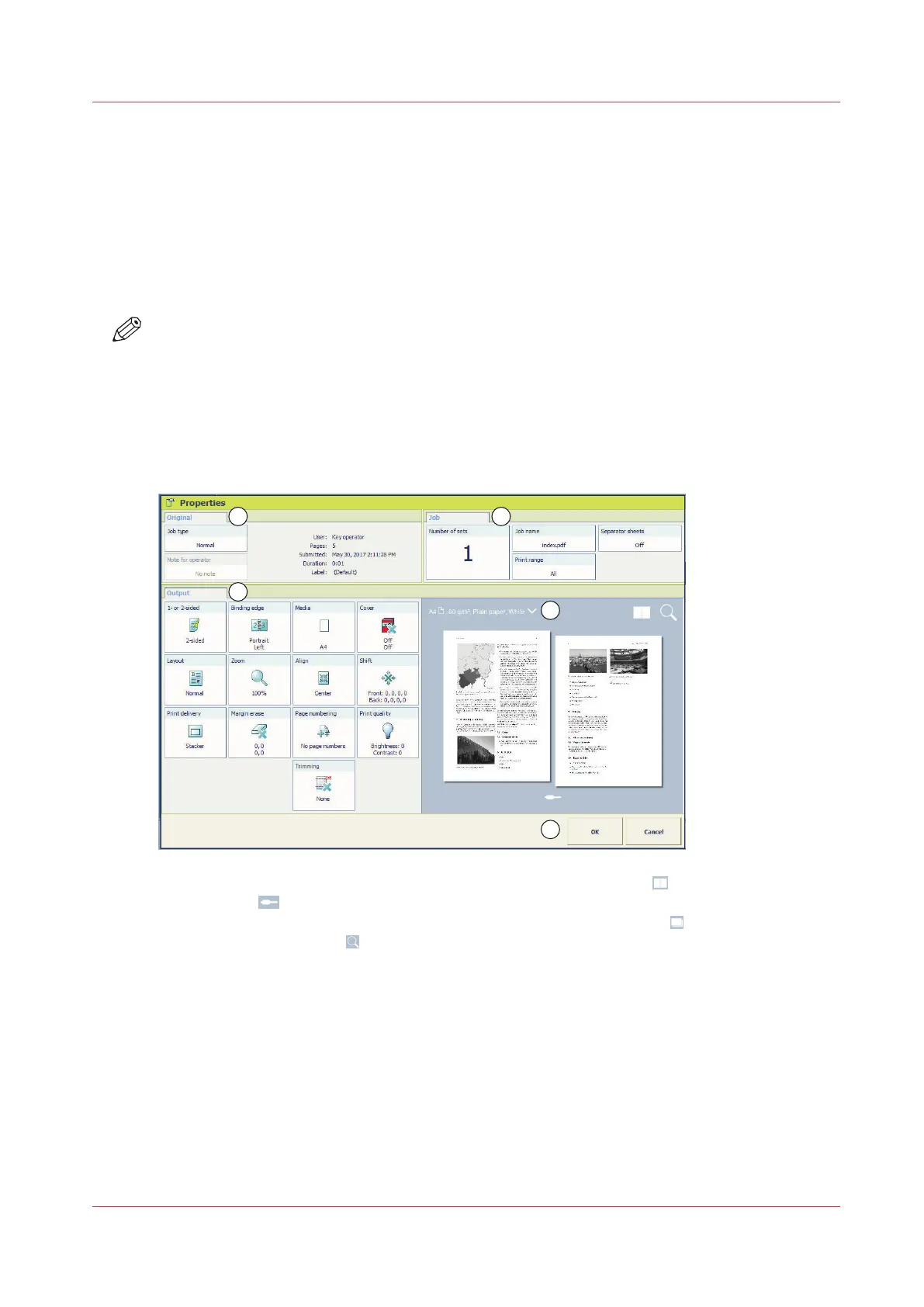
When you select a job in a DocBox and touch [Properties], the current settings of the selected job
are displayed. Below, the available settings are described.
NOTE
Depending on the type of job you want to edit some settings cannot be changed. When a setting
cannot be changed, the setting is greyed out.
Preview the job settings for PDF print jobs
For PDF print jobs a realistic preview is displayed in the job properties. For other jobs a general
preview is displayed indicating most of the settings.
1. View the result of the job and imposition settings in the sheet view .
2. Touch the icon and browse the document.
3. View how the document will look after printing in the document view
.
4. Use the zoom function to view specific details.
Handle the Jobs in a DocBox
Chapter 8 - Plan the jobs
105
Océ VarioPrint 6000 line













 To Next Page