Print your jobs using the control panel
Introduction to the [Jobs] view
Introduction
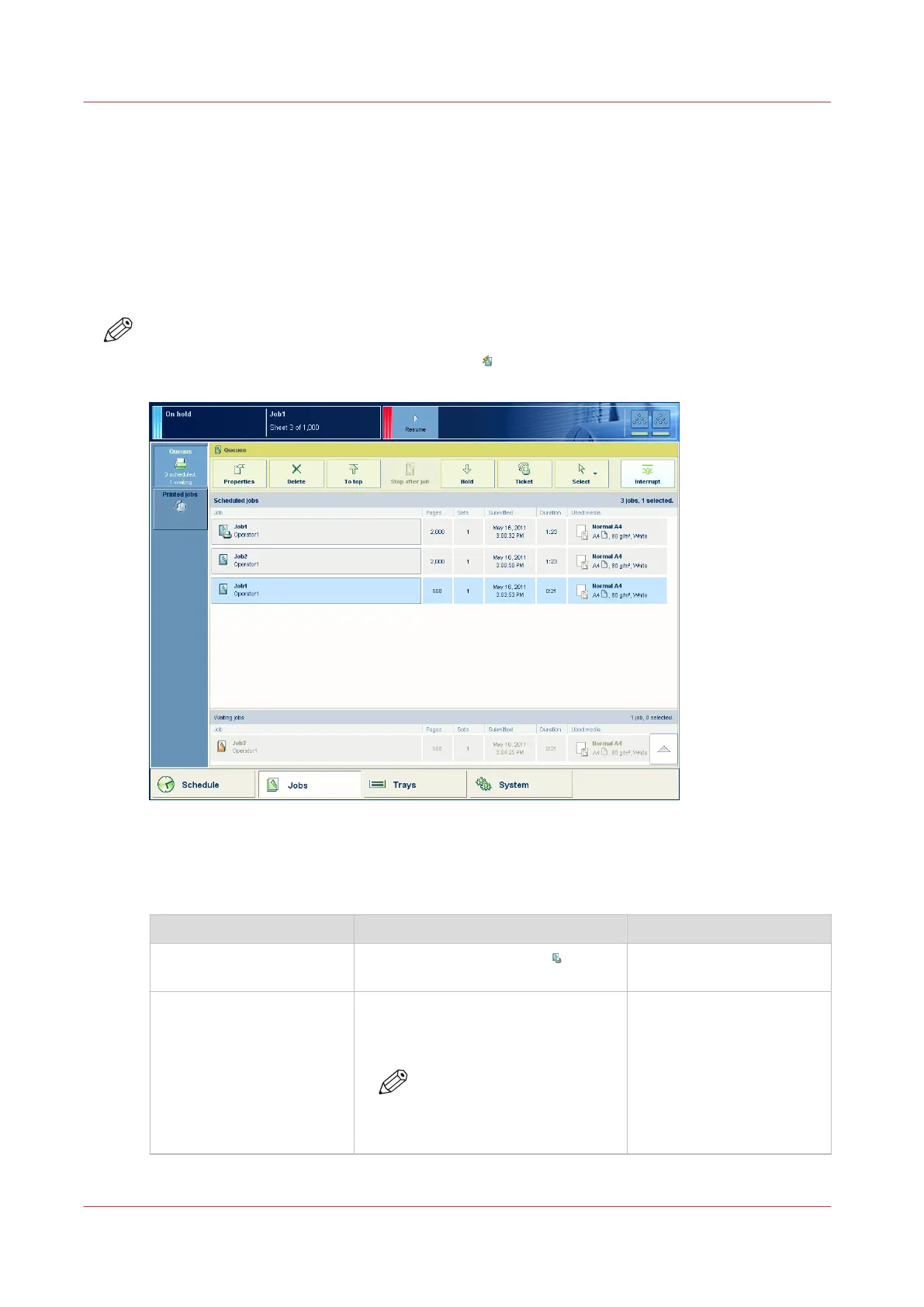
The [Jobs] view enables you to manage the print jobs on the machine locally. The [Jobs] view is
divided in the [Queues] and [Printed jobs] views. This section describes the items of both views.
NOTE
Whether a button is enabled depends on the number of selected jobs and the state of the jobs.
Not all buttons are available for streaming jobs
.
[35] The [Scheduled jobs] view
The items of the [Scheduled jobs] view of the [Jobs] view
Description of the [Scheduled jobs] view
Item Function More information
[Scheduled jobs] Display the active print job and the
jobs that are scheduled for printing.
[Properties] button Check or change the properties of a
job. The button is only enabled when
you select 1 job.
NOTE
You can also press a job 2
times to check or change
the properties of that job.
4
Print your jobs using the control panel
164
Chapter 9 - Carry out print jobs
Océ VarioPrint 6000 line













 To Next Page