Dual paper tray
Introduction
The dual paper tray enables you to load 2 stacks of the same media in one paper tray. When the
first stack of media becomes empty, the printing stops. The second stack is moved to the left-
hand side and printing continues. A dual paper tray replaces a bulk tray.
Contact your local authorized dealer for more information about the dual paper tray.
The dual paper tray in the paper module
You can only load A4/Letter in the dual paper tray. The capacity of the dual paper tray is 3,300 A4/
Letter sheets instead of 1,700 sheets (bulk tray).The capacity of the left-hand stack is 1,800 A4/
Letter sheets. The capacity of the right-hand stack is 1,600 A4/Letter sheets.
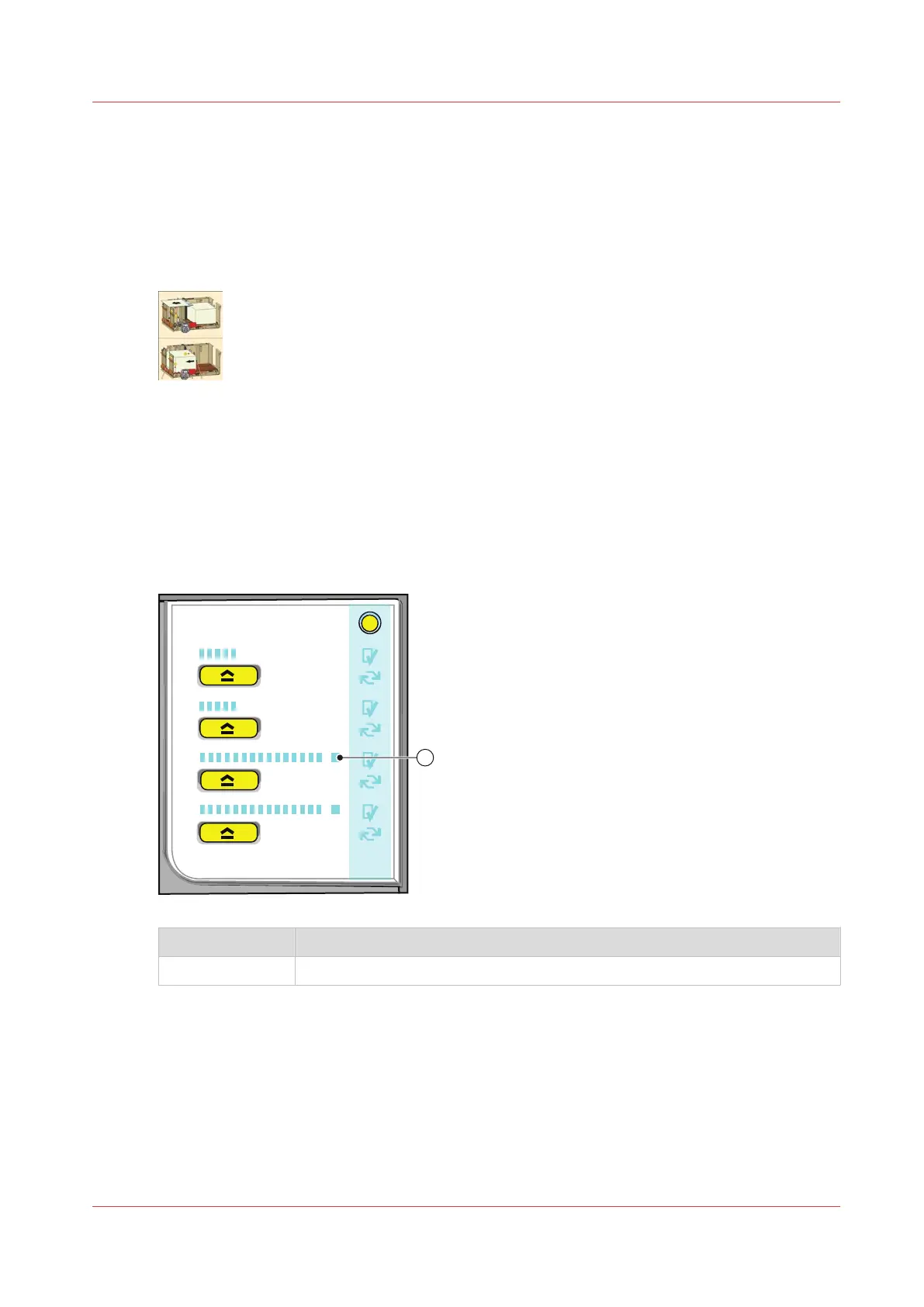
The control panel of the paper module is described in
The paper modules
on page 19.
Number Description
1 If the LED is lit-up the dual paper tray is installed.
Load the media
See the media handling section for information on how to handle the media.
The [Trays] view displays the following icon for the dual paper tray.
Dual paper tray
Chapter 2 - Explore the print system
27
Océ VarioPrint 6000 line













 To Next Page