Make an intermediate check print
Introduction
The machine has a function that enables you to make a check print while a job is printed. This
function is called the intermediate check print. When you use this function, the machine prints a
copy of the sheet that is printed at the moment you press the [Intermediate check print] button.
You can use this sheet to check whether the quality and consistency of the prints still meet your
requirements.
This section describes how to make an intermediate check print.
NOTE
You can also press the [Intermediate check print] button when a job has not yet started. As soon
as you start printing, a copy of the first sheet of the job will be printed.
NOTE
In the Settings Editor, you can also set the [Interval of intermediate check print].
[41] Make an intermediate check print
Procedure
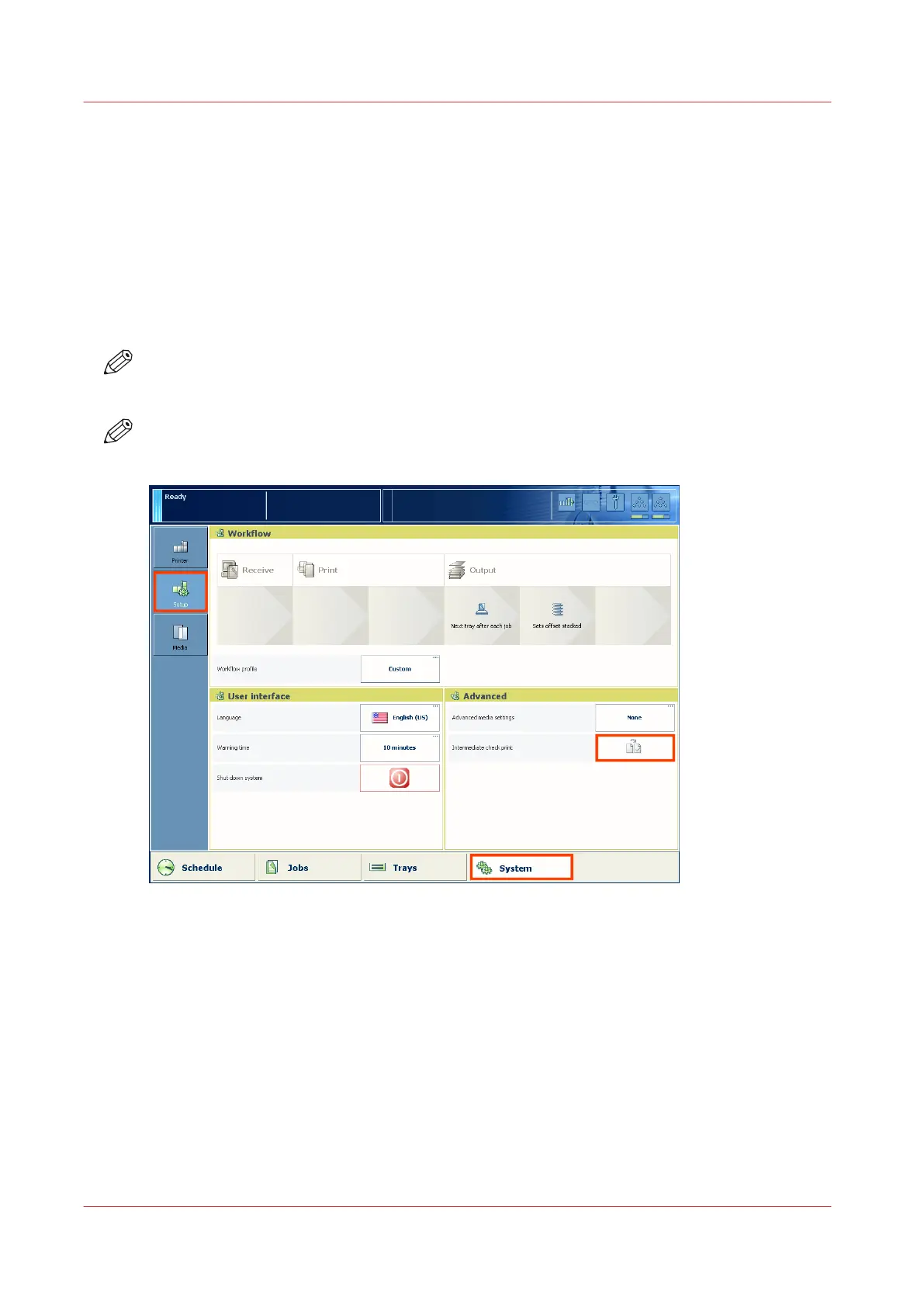
1.
On the control panel, touch the [System] button.
2.
Touch [Setup].
3.
Touch the [Intermediate check print] button in the [Advanced] section.
The intermediate check print is sent to the system output (see
The output locations
on page 21).
Make an intermediate check print
192
Chapter 9 - Carry out print jobs
Océ VarioPrint 6000 line













 To Next Page