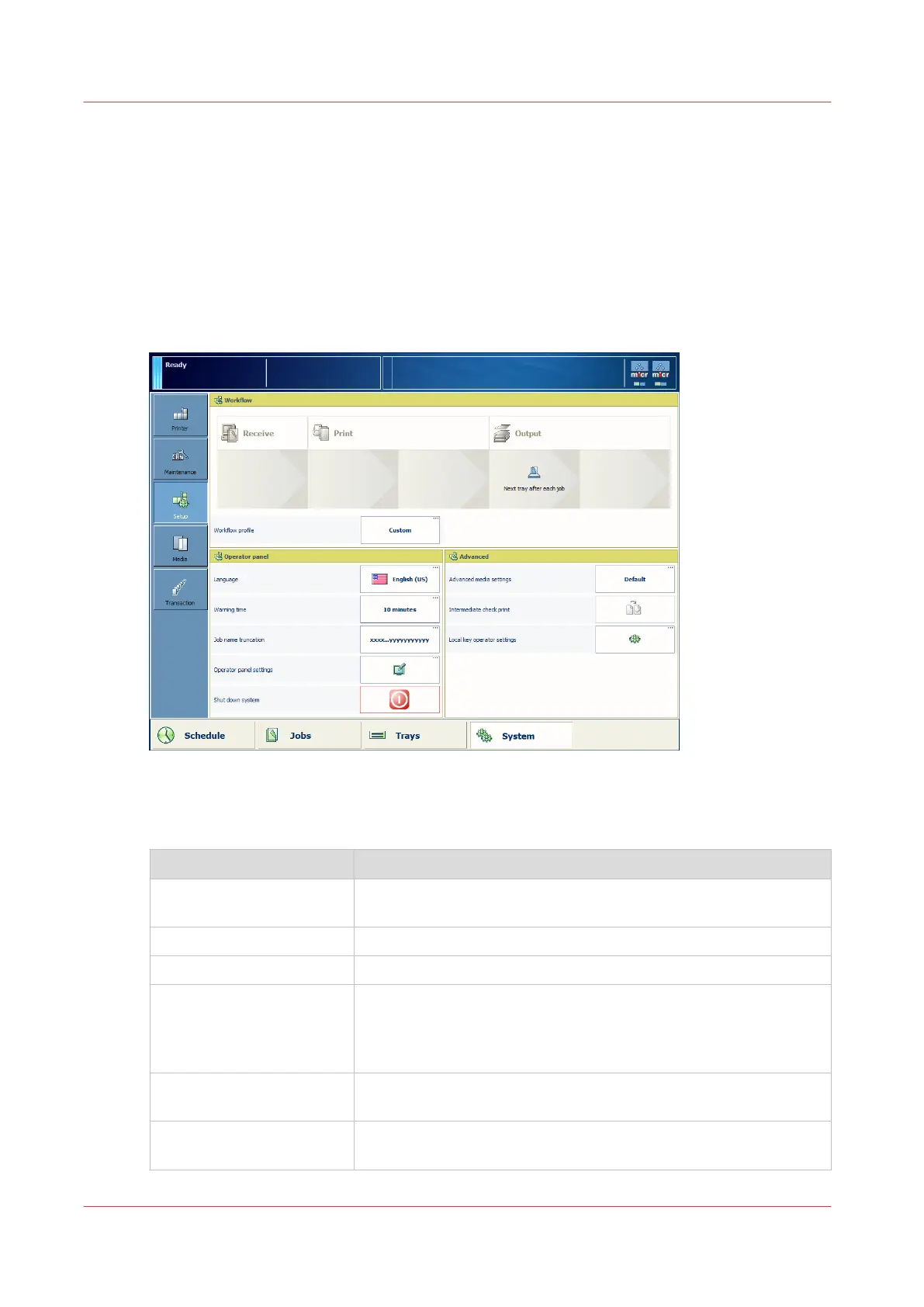
Introduction to the [Setup] section
Introduction
The [System] view gives access to system settings, system information, media information and
maintenance tasks.
This section gives an overview of the [Setup] section in the [System] view.
Overview of the [Setup] section
[68] Overview of the [Setup] section
The items of the [Setup] section
Item Function
[Workflow] Display the main settings of the current workflow profile. These
settings are read-only.
[Workflow profile] button Define a workflow profile that matches your needs.
[Language] button Change the language of the control panel.
[Warning time] button Define the moment when the system warns you about an action
that is required soon, for example 10 minutes in advance. The
warning is displayed in the dashboard and indicated through the
operator attention light.
[Job name truncation] but-
ton
Define the way the system shortens the job name when the job
name is too long to display fully.
[Control panel settings]
button
Adjust the brightness and contrast of the control panel.
4
Introduction to the [Setup] section
252
Chapter 12 - Maintain the print system
Océ VarioPrint 6000 line













 To Next Page