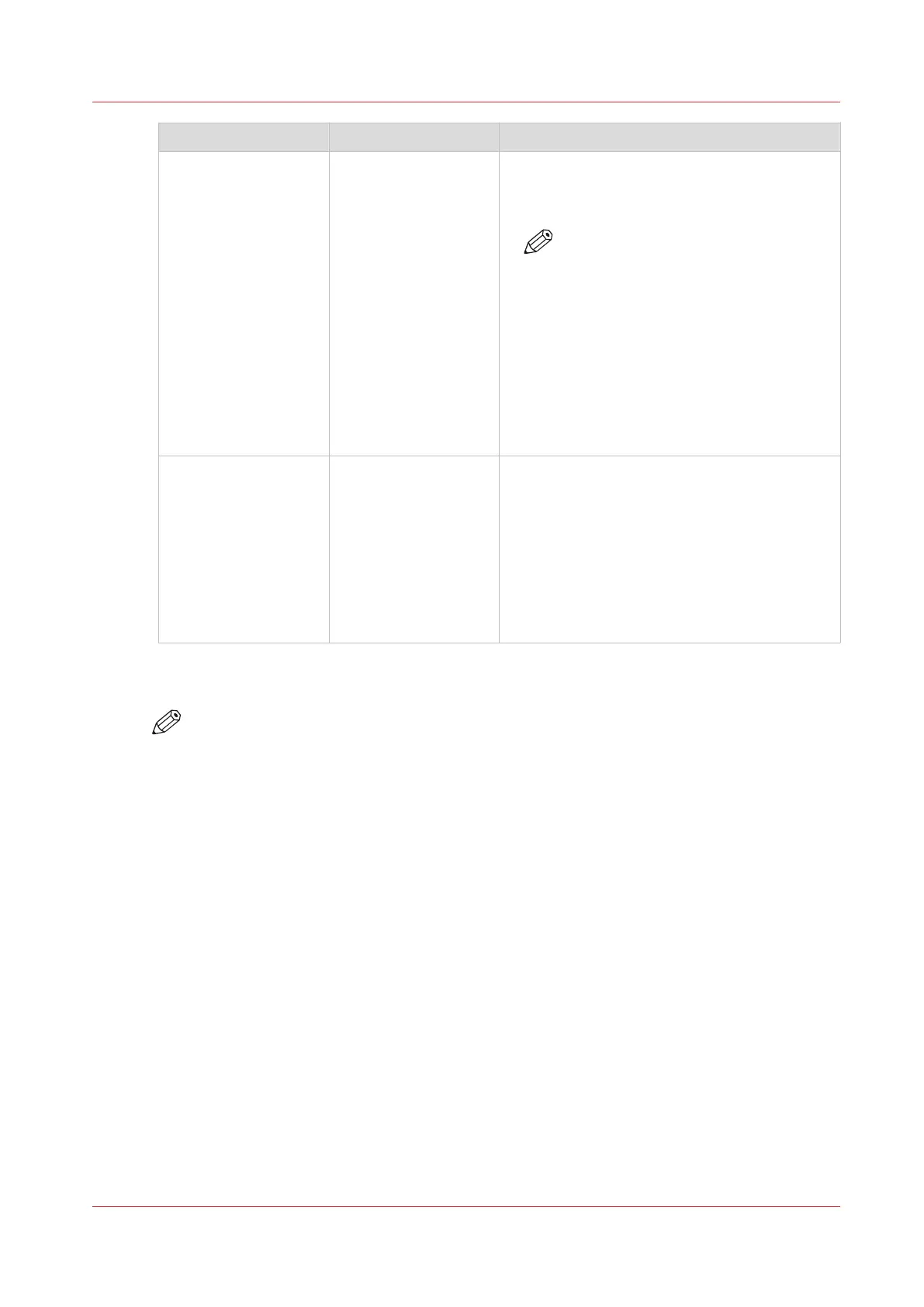
Group of settings Available settings Short description
[Remote connection]
(optional)
• [Remote connection
status] (read-only)
• [eRDS connection]
(read-only)
• [Remote connection
enabled]
• [Remote Service
country code]
• [Remote Service
custom country
code]
• [Service organiza-
tion ID]
• [Test Remote con-
nection]
The [Remote connection] section (optional)
contains the settings to enable the remote con-
nection and to configure the Remote Service.
NOTE
Only Service can adapt the remote
connection settings. After Service
adapts the remote connection set-
tings, you can test the remote con-
nection with this setting.
[System settings] • [Date and time]
• [System of meas-
urement]
• [Media weight]
• [Time zone]
• [Show install wiz-
ard after next start-
up]
The [System settings] section contains a/o set-
tings to change the date and time of the sys-
tem, or the system of measurement used.
When you change the system of measure-
ment, all corresponding values on the system
will be changed. For example, when you
change [Metric] into [Imperial], all length val-
ues will be displayed in inches. You can also
indicate how the media weight is displayed.
Procedure
NOTE
The key operator PIN or the system administrator password is required to make changes in
this section.
1.
Touch [System] -> [Setup] -> [System configuration] (under [Advanced]).
2.
Touch the button of the group that contains the setting you want to change or view.
3.
Touch the required setting.
4.
Look up the required information or make the required changes.
5.
If you make a change, touch [OK] to confirm.
6.
Press [Close].
Change a number of settings in the Settings Editor via the control panel
Chapter 12 - Maintain the print system
251
Océ VarioPrint 6000 line













 To Next Page