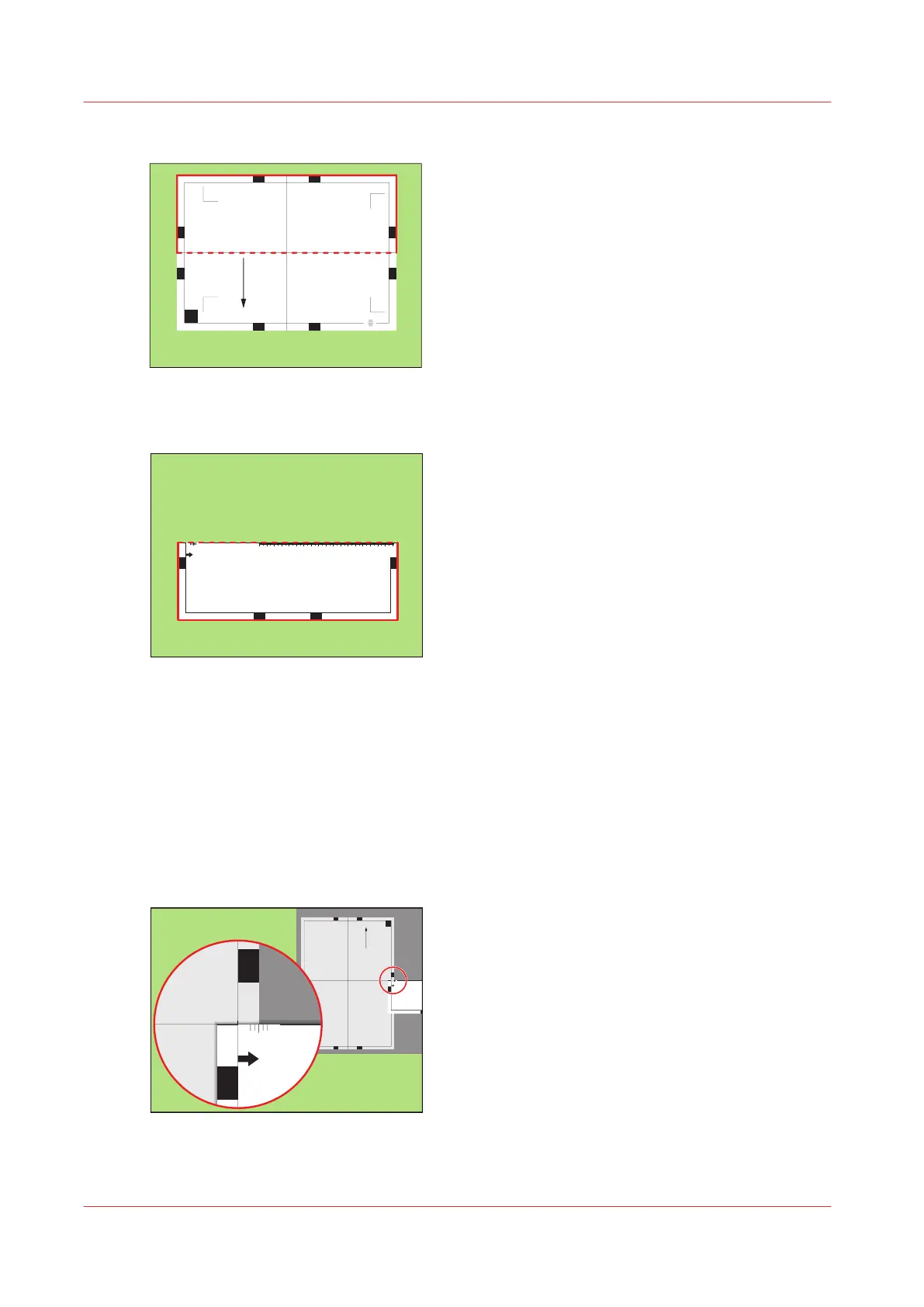
3.
Fold the sheet along the line 'B-H' on side 1.
Test bitmap: REGISTRATION
Size: 210 x 297 mm
2006-10-09 / 14:08:36
Page 1
1
Primary image
A
G
05-
0
0
5+
3
wekstee
h
S-
B
H
D
C
I
F
[58] Fold the sheet to create a ruler
This is your ruler.
Test bitmap: REGISTRATION
Size: 210 x 297 mm
2006-10-09 / 14:08:36
Page 1
1
Primary image
A
G
05-
0
05+
3 wekstee
h
S-
B
H
D
Test bitmap: REGISTRATION
Size: 210 x 297 mm
2006-10-09 / 14:08:36
Page 1
1
Primary image
A
G
05-
0
05+
3 wekstee
h
S-
B
H
D
1000
1050
1100
1150
1200
1250
1300
1350
1400
1450
1500
1550
1600
1650
1700
1750
1800
1850
1900
1950
2000
2050
2100
2150
2200
2250
2300
2350
2400
2450
2500
2550
2600
2650
2700
2750
2800
-50
0
+50
Pri ma r y X image posi tion
Pri ma r y Z i mage position
Pri ma r y diamond shape
X l ength
L
[59] The ruler
Perform a media registration for large media - Adjust the Z-
position of side 1
Procedure
1.
Take the first test sheet.
2.
Align the start of the ruler with point 'B' of the test sheet.
Test bitmap: REGISTRATION
Size: 420 x 297 mm
2006-10-09 / 14:08:22
Page 1
1
Primary image
-50
0
+50
3 - Sheet skew
B
H
ED F
1000
-50
0
+50
Pri mar y X image position
Pri mar y Z image position
[60] Align the ruler with 'B'
3.
Read the value at the edge of the test sheet.
Perform a media registration for large media - Adjust the Z-position of side 1
230
Chapter 11 - Media handling
Océ VarioPrint 6000 line












 To Next Page